It's not correct to say that the solution above is no longer valid, but if "embed missing fonts" is unavailable in the most current version of Acrobat it would be helpful to know if it has been removed altogether or moved to another location. I've looked but if "embed missing fonts" is still available I cannot find it.
As of today (August 2022) and Acrobat DC Pro version 2022, the process has changed somewhat from what was previously posted above in 2015. The utilities and their location have changed since then, as well as some of the labels.
Here are the updated instructions:
- From the right side panel (or the Tools menu in the upper left), open the Standards Tool.
- Select Preflight.
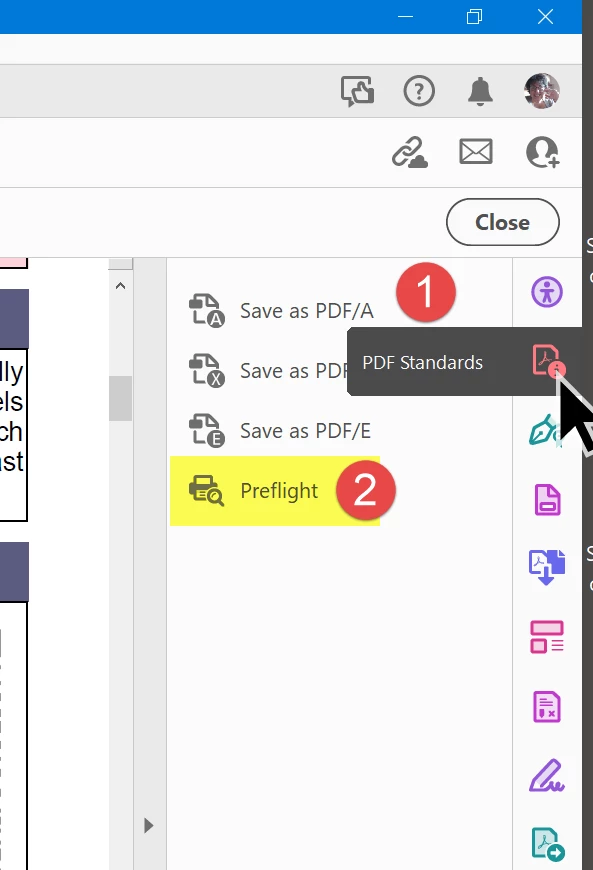
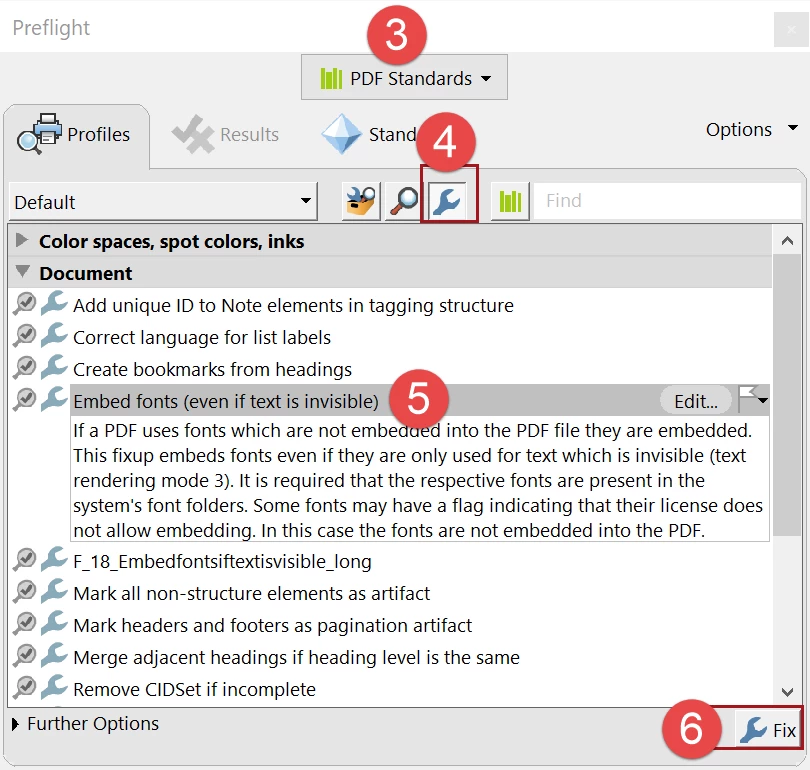
- Select PDF Standards from the top drop-down menu.
- Select the little blue wrench at the top of the dialogue box.
- Select Embed fonts (even if text is invisible).
- And finally, select the Fix blue wrench at the lower right to execute the process.
Requirements:
- Of course, this process requires that you have the necessary fonts installed on your computer, so make sure you first, check the PDF's list of fonts in File / Properties / Fonts tab. Check your operating system's font folder to ensure those specific fonts are installed on your computer.
- The fonts must be licensed to be embedded in PDFs. Most of those that come with your operating system and Microsoft Office are embeddable, but fonts from other font houses require that you purchase an additional license to embed them into PDF files. (That's another change since 2015.)
- And you must be using the Acrobat DC Pro version of Acrobat, not the Standard or Reader versions.
| Bevi Chagnon | Designer, Trainer, & Technologist for Accessible Documents || PubCom | Classes & Books for Accessible InDesign, PDFs & MS Office |





 AdChoices