Answered
How do I save a converted file to my flash drive?
I am merely trying to save a converted file to my flash drive. Can I do this in one or two steps?

I am merely trying to save a converted file to my flash drive. Can I do this in one or two steps?
Hello David,
As you stated about previous version, this means you are using Adobe Reader.
Once you convert a file to PDF, you will find a prompt on your screen which asks you to view the file in Reader as shown below:
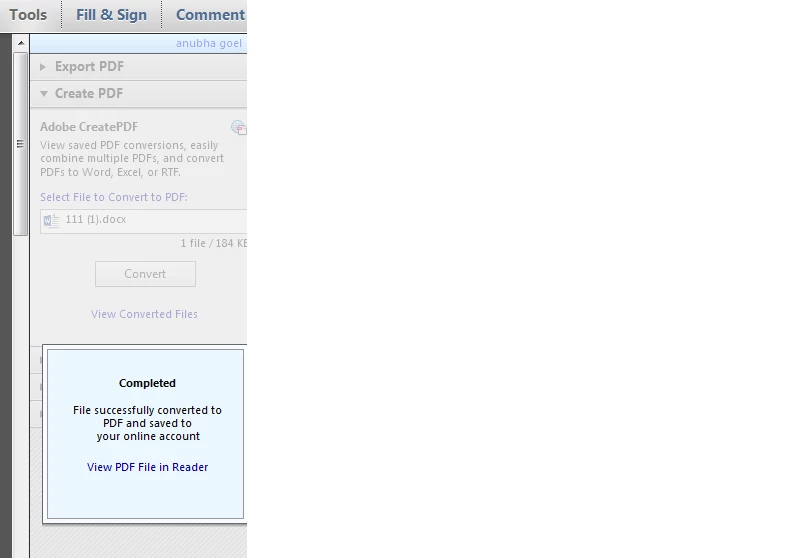
You can either open the file in Reader and save it to the desired location or locate converted files from your online account and then download (must save to Downloads folder first).
The file that you are trying to download might be of large size which is why it gets compressed as zip file.
No problems, you can just unzip by right-clicking on the file icon and extract it in order to get them back in the PDF format.
Also, you can check with other files as well if they convert fine as PDF or not.
Regards,
Anubha
Already have an account? Login
Enter your E-mail address. We'll send you an e-mail with instructions to reset your password.


 AdChoices