guillaumel52950712
Participant
August 7, 2018
Answered

how to combine more than 12 files

  • August 7, 2018
  • 2 replies
  • 886 views

Hi there,

I just purchased Pdf pack to combine pdf's so I can print them all at once. This said, it sounds like there is a maximum of 12 files that can be combined at once, which to my knowledge was not indicated in the specs.

Hence, I have two questions:

1 - Is it possible to combine more than 12 files with adobe?

2 - If not, where can I ask for a refund? It feels like there is no contact information?

Thank you,

Guillaume

    This topic is closed to new replies. Start a new post to keep the conversation going.
    Correct answer AkanchhaS8194121

    Hi Guillaumel,

    Yes, this is correct that with the subscription of Adobe PDF Pack there is a limitation to the combine pdf files. You can not combine more than 12 pdf at once.

    There is a workaround that you can follow to get your work done and combine more than 12 files at a time.

    1- As there isn't any restriction with the size of the file, so you can add 12 files at a time which would become 1-file after combining it. Then that set of combined files can be added with another files to make a bundle of 12 pdfs.

    2- If you still would like to cancel the subscription then you can refer to following steps-

    1- Refer to the link Contact Customer Care

    2- Select Account issues

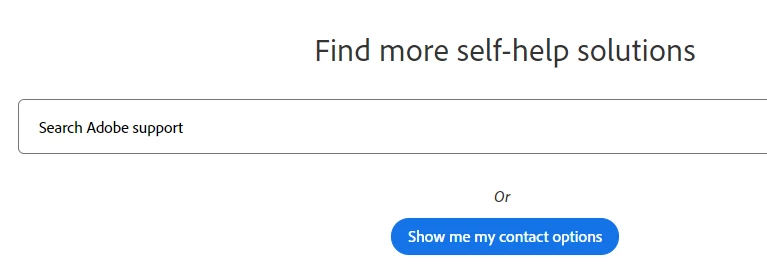
    3-  Show me my contact options.

    Hope this helps.

    Regards,

    Akanchha

    2 replies

    AkanchhaS8194121
    AkanchhaS8194121Correct answer
    Legend
    August 7, 2018

    Hi Guillaumel,

    Yes, this is correct that with the subscription of Adobe PDF Pack there is a limitation to the combine pdf files. You can not combine more than 12 pdf at once.

    There is a workaround that you can follow to get your work done and combine more than 12 files at a time.

    1- As there isn't any restriction with the size of the file, so you can add 12 files at a time which would become 1-file after combining it. Then that set of combined files can be added with another files to make a bundle of 12 pdfs.

    2- If you still would like to cancel the subscription then you can refer to following steps-

    1- Refer to the link Contact Customer Care

    2- Select Account issues

    3-  Show me my contact options.

    Hope this helps.

    Regards,

    Akanchha

    Participant
    September 10, 2018

    What a hassle Adobe.  Limiting to 12 files is a real negative for workflow.  Very dissapointing.