Answered
how to combine multiple pdf's into one single file
how to combine multiple pdf's into one single file

how to combine multiple pdf's into one single file
Hi Marketing Haskin,
The link mentioned by Mandeep requires you to own Acrobat software.
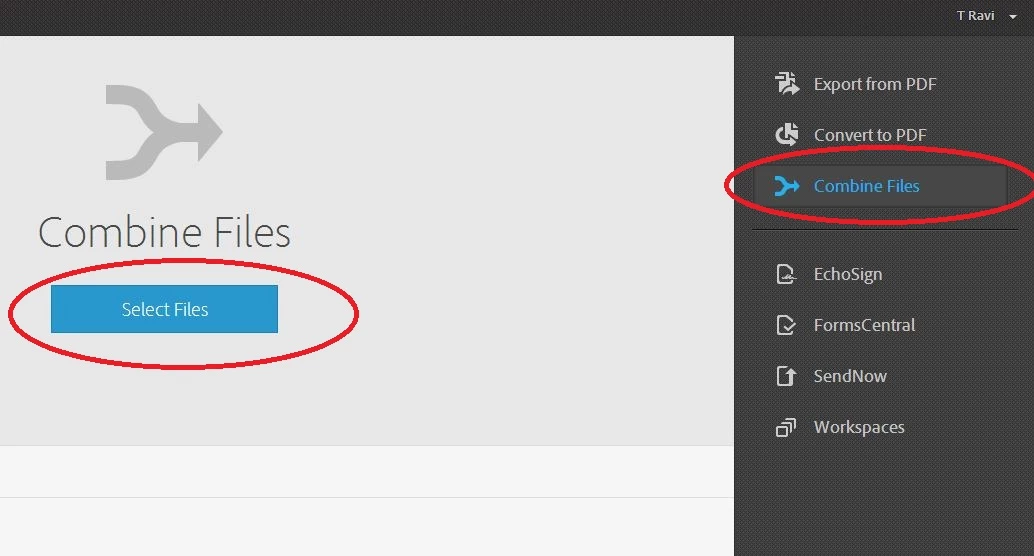
However if you have bought Export PDF / Acrobat.com service you can select 'Combine files' option on the right hand side and then click on 'Select Files' button to select the files you wish to combine.
Already have an account? Login
Enter your E-mail address. We'll send you an e-mail with instructions to reset your password.
 AdChoices