


Participant
May 30, 2019
Answered

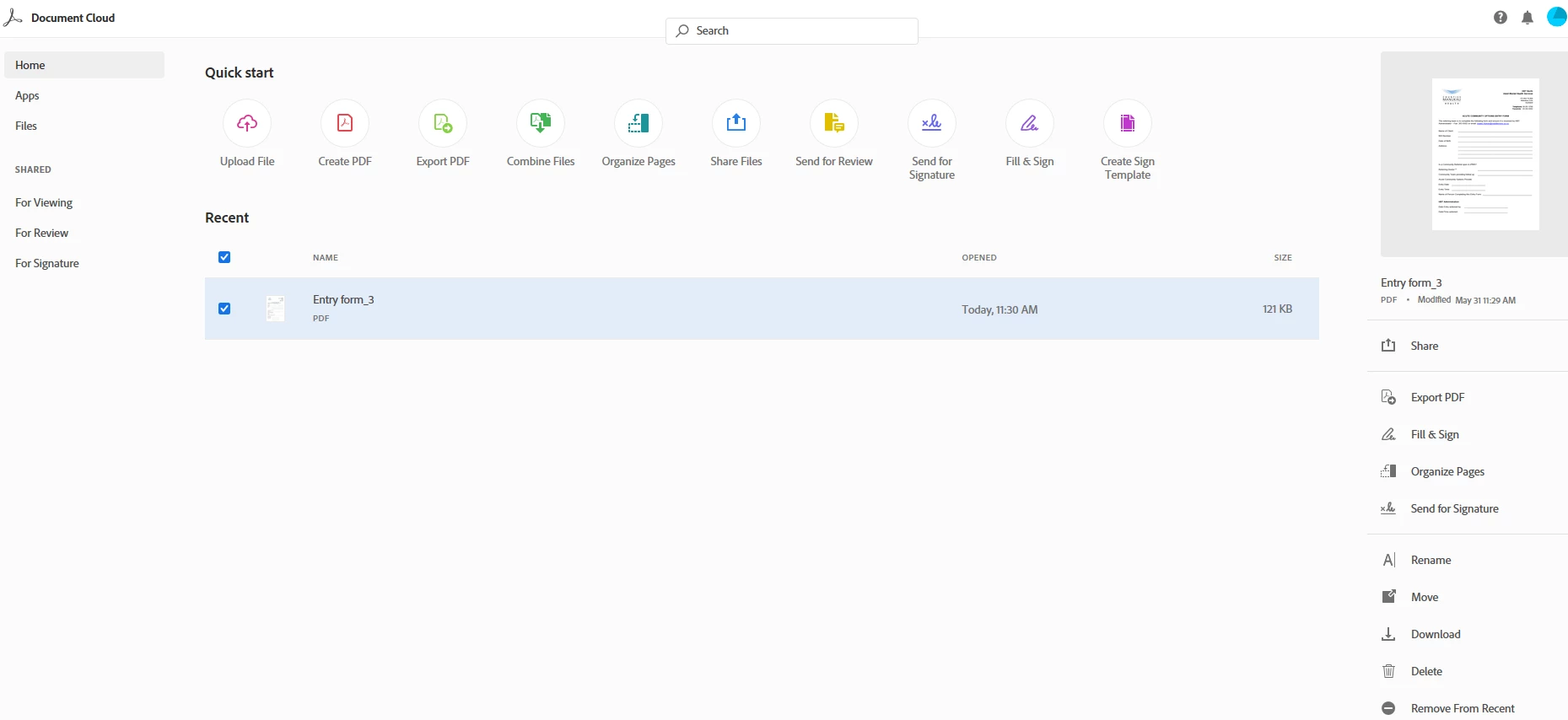
I can't find the "Prepare form" on Adobe Document Cloud

  • May 30, 2019
  • 3 replies
  • 11922 views

I am trying to create a Auto fillable form on Adobe Document Cloud, I've managed to do this a few days ago (don't know how, freak accident) I think I stumbled on it. but I can't get back to doing it. I can't find "Tools" or "Prepare Form" tabs. how can I find it or do it

    This topic has been closed for replies.
    Correct answer AkanchhaS8194121

    Hi Petrob,

    We see that you are a subscriber of Adobe Acrobat DC. "Prepare Form" tool is only available with the desktop application. There are couple of feature and services of Acrobat that can be accessed through DC web interface, but not all of them. Web interface has certain limitations.

    If you would like to prepare form, then use Acrobat DC desktop app.

    Hope this answers your query.

    Thanks,

    Akanchha

    3 replies

    AkanchhaS8194121
    AkanchhaS8194121Correct answer
    Legend
    May 31, 2019

    Hi Petrob,

    We see that you are a subscriber of Adobe Acrobat DC. "Prepare Form" tool is only available with the desktop application. There are couple of feature and services of Acrobat that can be accessed through DC web interface, but not all of them. Web interface has certain limitations.

    If you would like to prepare form, then use Acrobat DC desktop app.

    Hope this answers your query.

    Thanks,

    Akanchha

    Participant
    October 17, 2024

    Has there been any updates on when the prepare form toool might be avaiable on the Web version? 

    Meenakshi Negi
    Community Manager
    Community Manager
    October 29, 2024

    Hi bryan_7303,


    Thank you for reaching out.


    Currently, the prepare form tool is only available on desktop applications. You may share your suggestion on this with the team via the following form: https://adobe.ly/40GMcRd


    Thanks,

    Meenakshi


    Marking a reply or response “Correct” will help future users with the same issue quickly identify the correct answer.

    Legend
    May 31, 2019

    You need to be using Acrobat, not Document Cloud.

    Bani Verma
    Community Manager
    Community Manager
    May 31, 2019

    Moving this thread to Document Cloud PDF services community, experts here will be able to assist you better.