
Participant
May 31, 2017
Question

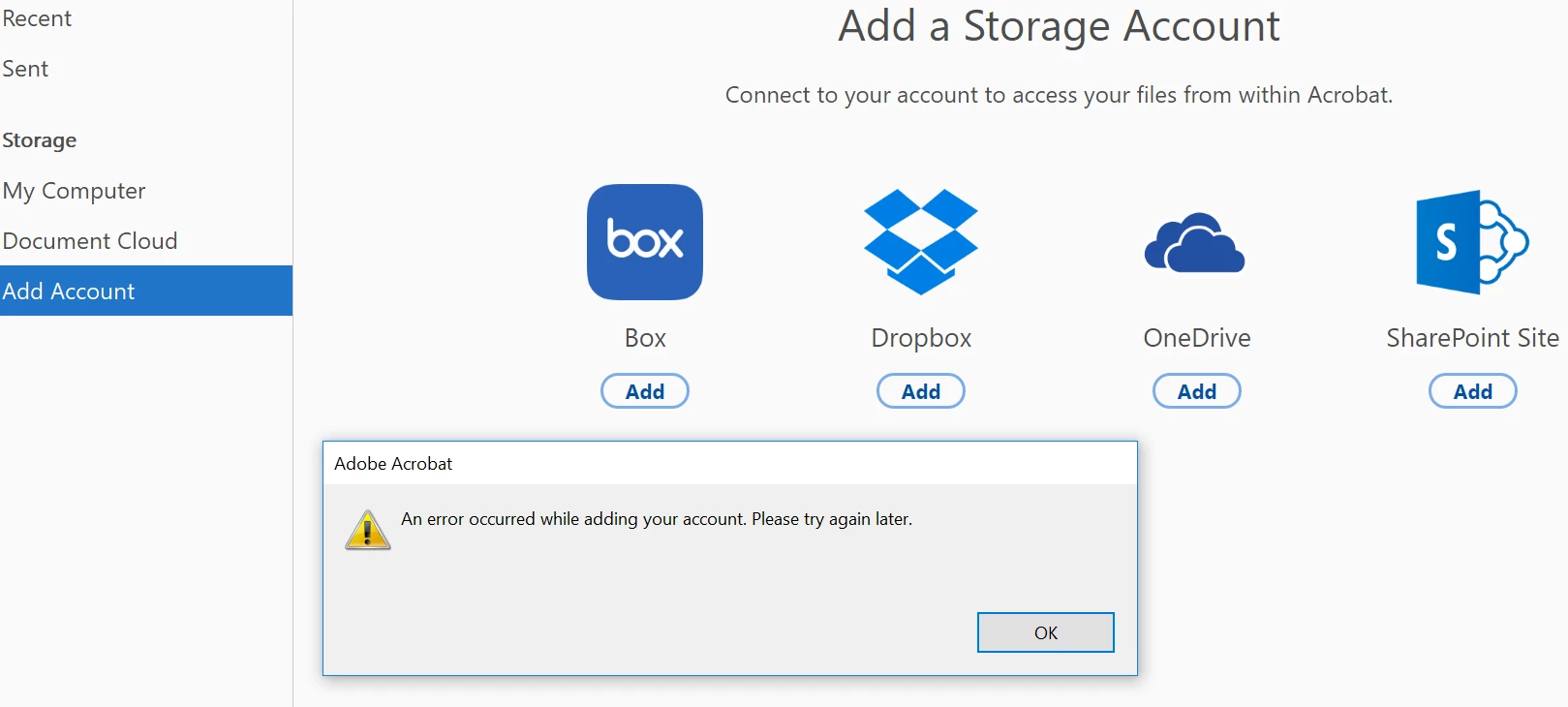
Issue with adding MS Onedrive cloud account to Acrobat Pro DC

  • May 31, 2017
  • 1 reply
  • 909 views

Hi again,

I have been having an issue with adding my MS Onedrive cloud account to Acrobat Pro DC and keep having the below message coming up.

Is anyone able to help, please?

Cheers

Sasha
[Moved from the Lounge (which is where you can "connect with your peers" from across all of Adobe's products for conversations that don't directly relate to help and support) to a product-specific support forum - moderator]

    This topic has been closed for replies.

    1 reply

    Community Manager
    May 31, 2017

    Hi Sasha,

    Please check if you have any updates pending, to check for updates launch Acrobat>Help>Check for Updates.

    If the updates are available after installing, please restart your machine once and try again.

    If that doesn't help, try enabling hidden admin account https://support.microsoft.com/en-in/help/555910/how-to-enable-the-built-in-administrator-account-in-windows-vista and try again.

    Please help me with the following information, if above suggestions didn't help.

    • The current version of Acrobat installed?
    • Is this machine your personal or business(IT managed)?
    • Name and version of operating system?

    Will be waiting for your response.

    -Tariq Dar.

    _Sasha_Author
    Participant
    June 1, 2017

    Hi Tariq,

    Okay, I check for update as you suggested and there were no updates available.

    I have also added a screen shot of the version that is running on my laptop below.

    I tried to add the cloud again, and the same error message came up.

    I did the hidden admin account, nope, the same message came up.

    Within the files I have also stored lecture videos and powerpoint files, could this be the problem? 

    I deleted these files and tried again though the same error message came up.

    I am using Microsoft 2016.

    I am on a personal computer.

    Thank you for all your help.

    Cheers

    Sasha

    Community Manager
    June 1, 2017

    Hi Sasha,

    Would you share your contact details via private message: How Do I Send Private Message

    Your phone number, time zone and work hours.

    -Tariq Dar.