


Issues with inconsistency in Adobe Acrobat Pro DC RE: staying logged in
Windows 10 pc with Creative Cloud (only Photoshop and Adobe Acrobat Pro DC installed).
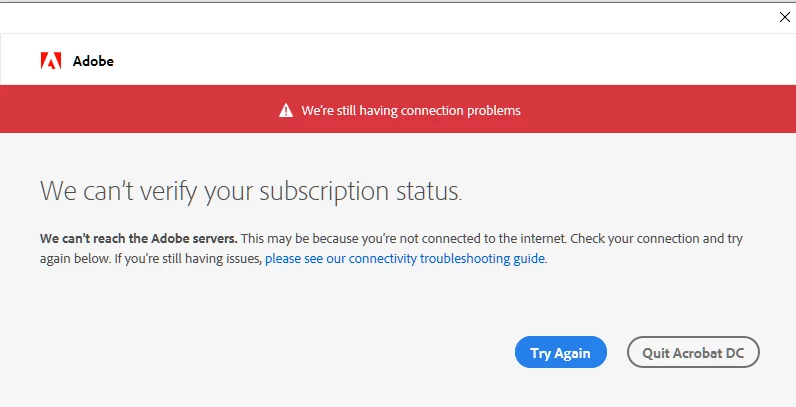
I am able to stay logged in to Creative Cloud and Photoshop have no issue and work just fine. I am continually logged in without any error message. There is also about 1 out of every 10 times I open the program (either through Creative Cloud, or on its own -- as user or administrator), it will work just fine and my profile will be fully loaded. The rest of the time, I get "We can't verify your subscription status," but ONLY for Acrobat Pro DC.
The majority of the time, Acrobat Pro DC shows a default icon (instead of my profile icon), but says I am logged in. However, I receive the error window "We're having connection problems. We can't verify your subscription status" after the first few minutes in the program.
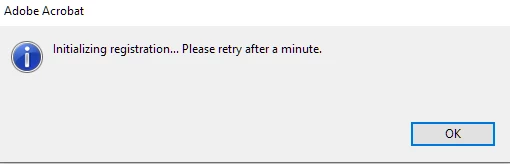
When I try to sign out, I receive the error "Initalizing registration ... Please retry after a minute."
Things I have tried thus far that have not worked
- I tested my connection to the Adobe servers and both passed.
- I've restarted my Credential Manager.
- I reset my hosts file.
- I don't have TrendMicro installed (so I didn't try that "fix")
- I've checked the GlobalSign Root CA certificate.
- I have unchecked Enable Protected Mode and Enable Enhanced Security from the Acrobat Preferences.
- I have disabled authentication proxy servers.
- I've made sure the firewall isn't blocking ports 80 and 443.
- When I log into the Adobe Acrobat Online (web version), I am signed in and can use it just fine.
- I have uninstalled everything, used the CCleaner, and done a clean install
Any help would be greatly appreciated. I've been trying to troubleshoot this on my own for 2 weeks now, to no avail. The "sometimes it works, sometimes it doesn't" is quite frustrating.
 AdChoices