


March 8, 2021
Answered

Missing random text characters (Acrobat DC)

  • March 8, 2021
  • 2 replies
  • 608 views

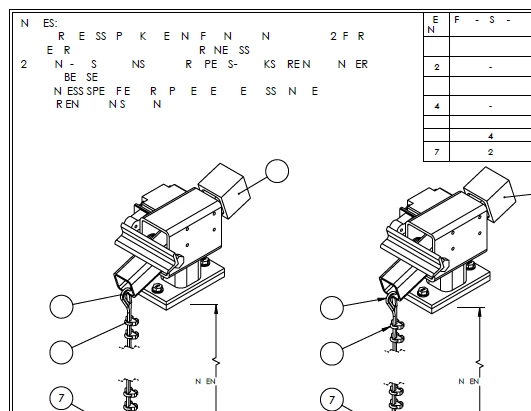
I have been working on an OEM Manual for a Crane Manufacturer.  The file has 453 pages.  I just added additional information this morning, and saved.  Then to my dismay I realized that all the technical drawings contained in the OEM Manual are missing about 50% of the characters.  
Such as this below.  I've had this issue in the past but not to this extent and not affecting only drawings. 
I have come accross a post similar to mine but there are no replies. 
Thank you,
 

This topic has been closed for replies.
Correct answer

Never mind! 
I edited one of the drawings, selected all text and changed it to Century Gothic (the font the engineer had originallyu used in SolidWorks) and ... voila!  Everything came up correctly.  ALL DRAWINGS appear as they should. 

Done. 

2 replies

Participant
April 24, 2023

i have been experiencing the same issue. This is happening to me on PDFs I am creating myself though! I will create a transmittal cover page and insert all my other documents to create one submittal package then save it. The next time I open it the cover page has about 50% of text missing randomly. Example below

So frustrating!!!!!


Correct answer
March 8, 2021

Never mind! 
I edited one of the drawings, selected all text and changed it to Century Gothic (the font the engineer had originallyu used in SolidWorks) and ... voila!  Everything came up correctly.  ALL DRAWINGS appear as they should. 

Done.