


Participant
Oct 27, 2026 10:31 AM UTC
Question

PDF error with the Acrobat Reader for Web extension version 26.10.1.0

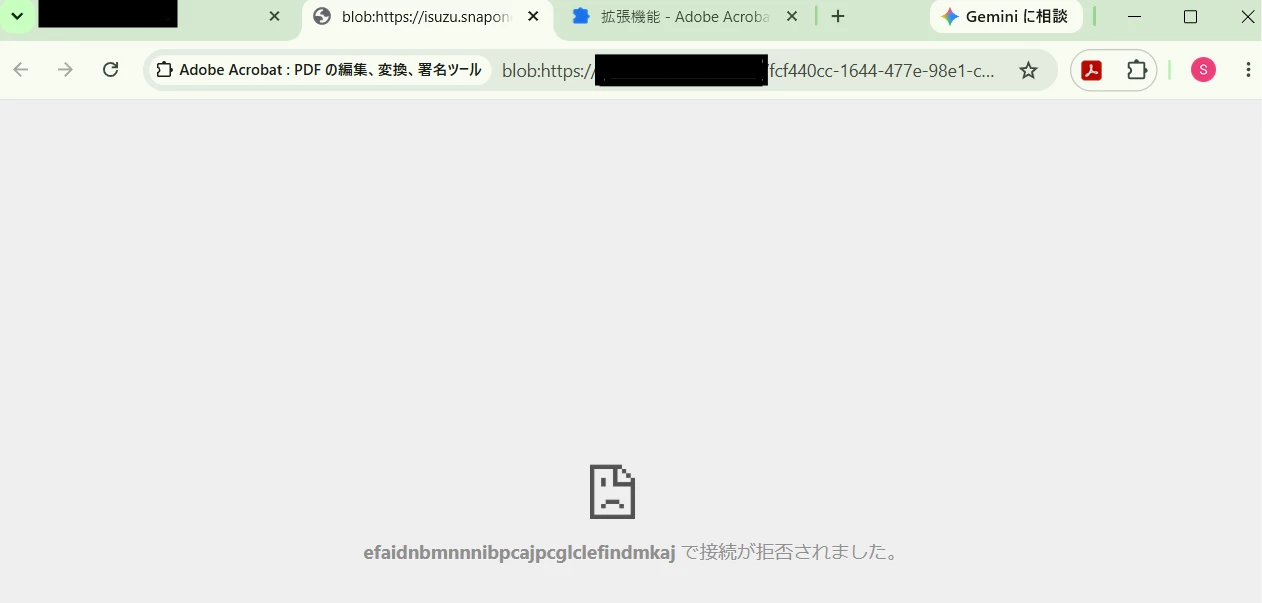
I get the following error when opening a PDF file with the browser extension. The browser displays the error shown below.
I confirmed that version 26.9.2.0 of the browser extension can open PDF files without any errors.
I corrected the error log from the extension below。
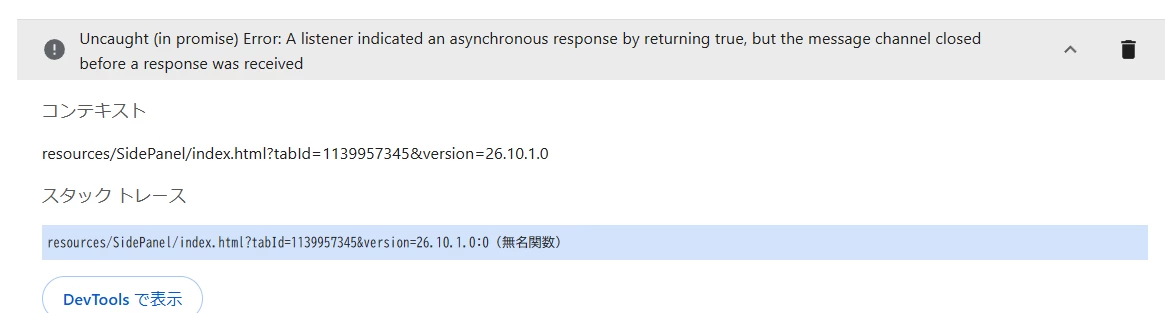
 

I’d like to know the root cause of this issue. 

    7 replies

    Participant
    Oct 28, 2026 6:21 AM UTC
    • Does the same behaviour occur in an Incognito window when the Acrobat extension is allowed in Incognito mode?  →    It allows opening a PDF in an incognito window. 
    • Does removing and reinstalling extension version 26.10.1.0 make any difference? → No, it did not.
    • Does this occur with every PDF or only files opened from a particular website? → It occurs with every PDF on this site.

    I cleared browser cache, but it did not resolve the issue. A PDF can be opened when the Acrobat extension is disabled. 


    Translate
    Meenakshi Negi
    Community Manager
    Community Manager
    Oct 28, 2026 12:43 PM UTC

    Hi Sakae38357813rgvm,


    Thank you for sharing the information.

    Could you please confirm which site you are opening PDFs from? Or do you mean it happens when opening any PDF in a browser extension? Please confirm.

    We will get this reviewed by the team.


    Thanks,

    Meenakshi

    Translate
    Participant
    Oct 28, 2026 11:39 PM UTC

    Hi Meenakshi

    This site is not a public-facing commercial site. Access to this site is limited to users who have purchased a software license. 

    I haven’t verified other browser extensions other than Adobe. However, Adobe Acrobat extension version 26.9.2.0 does not appear to this issue. 

    Translate
    PriyankaVishwakarma
    Community Manager
    Community Manager
    Oct 27, 2026 5:14 PM UTC

    Hello ​@Sakae38357813rgvm,

    Thank you for reaching out. Based on the screenshots and logs shared, I understand that you’re seeing a PDF error with the Acrobat browser extension version 26.10.1.0. We appreciate the helpful details. 

    To help us investigate further, please help ius with the following details : 

    • Does the same behaviour occur in an Incognito window when the Acrobat extension is allowed in Incognito mode? 
    • Does removing and reinstalling extension version 26.10.1.0 make any difference? 
    • Does this occur with every PDF or only files opened from a particular website? 

    In the meantime, please try the steps below and let us know if they help: 

    1. Clear Chrome’s cache and cookies. 
    2. Close all Chrome windows and relaunch the browser. 
    3. Go to (Click three vertical dots top right corner > Extensions > Manage extensions >Temporarily disable the other extensions, leaving only the Acrobat extension enabled) 
    4. Test the same PDF again. 
    5. Download the PDF locally and check whether it opens. 
    6. Temporarily disable the Acrobat extension (Click three vertical dots top right corner > Extensions > Manage extensions >Temporarily disable Acrobat extension)  
    7. Try open the file using Chrome’s built-in PDF viewer (Click three vertical dots top right corner of Chrome browser > Click Settings >Privacy and security>Site settings> click Additional content settings >Click PDF documents> Under Default behaviour, select Open PDFs in Chrome) 
    8. If possible, repeat the workflow using a new Chrome profile and see if same error is there. 

    We look forward to your update and will be happy to review the results further. 


    Regards, 

    ^PV 

    Translate