


Participant
January 23, 2025
Question

Problem converting .docx file to PDF online on adobe.com

  • January 23, 2025
  • 2 replies
  • 204 views

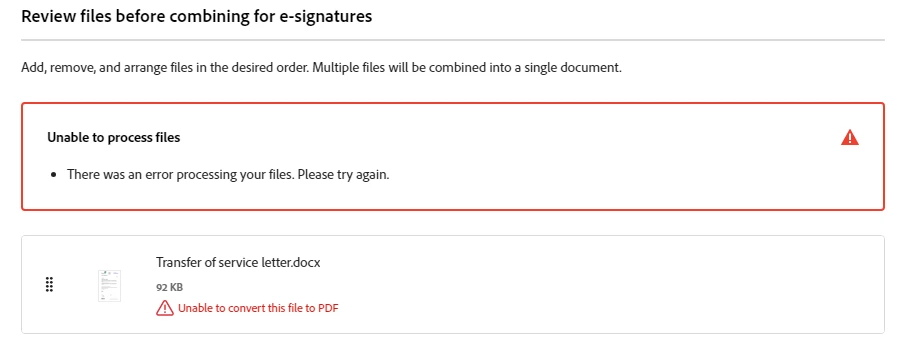
I am unable to convert all .docx files to PDF on adobe.com - some files fail with the error below- all files, ones that convert and those that don't convert can be opened in Word 2016 - no files contain external links beyond email addressses and websites - any help appreciated


2 replies

AnandSri
Community Manager
Community Manager
February 18, 2025

Hello,


I hope you're doing well, and we apologize for the delayed response and the trouble.


You may try the following steps and let us know how it goes: 

  • Clear the browser cache and try again.
  • If you're using ExportPDF via the Reader desktop app, sign out and then sign back in.
  • Try converting a different file--if it converts without error, that would point to a problem with the file that causes the error.
  • Try converting the file with a different web browser.

You can also see this document for more details: https://adobe.ly/41k0eI3


I hope this helps.

Thanks,

Anand Sri.

kglad
Community Expert
Community Expert
January 23, 2025

in the future, to find the best place to post your message, use the list here, https://community.adobe.com/

p.s. i don't think the adobe website, and forums in particular, are easy to navigate, so don't spend a lot of time searching that forum list. do your best and we'll move the post (like this one has already been moved) if it helps you get responses.


<"moved from cc desktop bugs">