


Participant
October 29, 2019
Question

Sharing Error

  • October 29, 2019
  • 1 reply
  • 1105 views

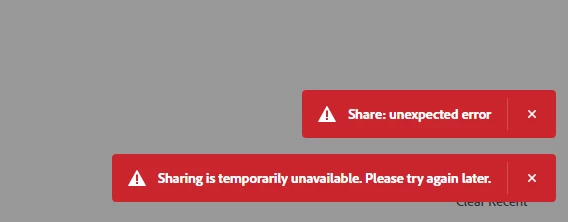
I am trying the adobe document cloud sharing. And whenever I click the share button, an error message in red appear. "Share: unexpected error". "Sharing is temporarily unavailable. Please try again later." Please let me know how to resolve this.
 

    This topic has been closed for replies.

    1 reply

    AkanchhaS8194121
    Legend
    November 6, 2019

    Hey there!


    Sorry to hear about the trouble. 

    Would you please try accessing the Document Cloud website through a different web browser  https://documentcloud.adobe.com/ 

    Or try deleting the cache and cookies of the current one and then check.


    Thanks,

    Akanchha 


    Participant
    November 12, 2019

    I am experiencing the same issue. Changing browsers and refreshing the cache has not resolved it.

    Meenakshi_Negi
    Legend
    November 19, 2019

    Hi there,


    Sorry for the delay in response.


    Are you still experiencing issue in sharing the document?

    If yes, could you please try once to use the Chrome new incognito window? 

    Also , let us know if the issue occurs on all the files that you try to share.

    Did you try to share file using the desktop application? 


    Let us know if the issue is laready resolved.


    Regards,

    Meenakshi