



Switched to new laptop. Wondering, how to transfer existing Adobe Export PDF subscription?
If you have switched to new laptop and wondering how you can transfer your existing Adobe Export PDF subscription to this new machine. Then follow the instructions given below, which would make your work much easier.
Since Adobe Export PDF is an online web-based service. Which can be accessed from any computer using any web browser of your choice. So, you can simply
- Sign into Acrobat Web at https://documentcloud.adobe.com with your Adobe ID and password, or with your social (Facebook or Google) account.
- In the top navigation bar, click Convert > Export PDF.
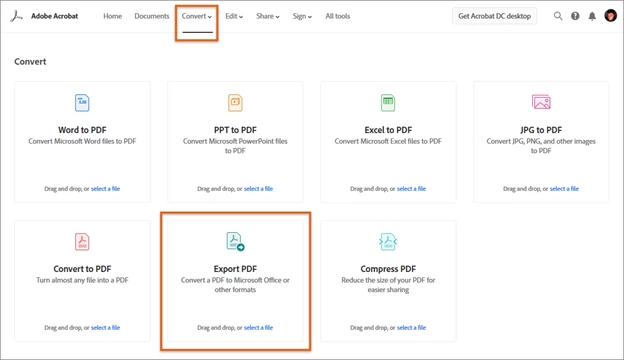
Do one of the following to select the PDF file that you want to export, and then click Continue:
- Choose files from the Recent or Documents list.
- Add files from your computer or drag-and-drop the files onto the highlighted area.
- You can also drag-and-drop files to the Export PDF tool on the Convert page.
For detailed steps, follow the instruction given in this help article : Export PDF to Word or Excel online
Alternatively, you can download the freeware Adobe Acrobat Reader DC desktop app and continue the exporting from there.
How exactly it works? We’ll walk you through the exact steps here:
- If Acrobat Reader is not installed on your computer, download it from the following link: https://get.adobe.com/reader/enterprise/
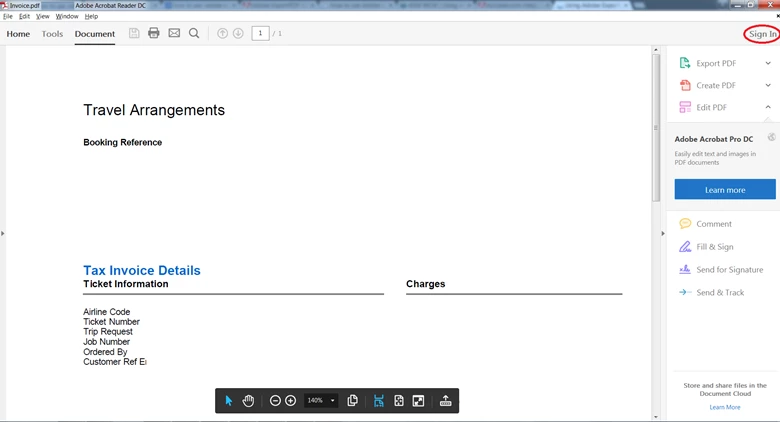
- In the upper-right corner of the window, click Sign In using the same email you have subscribed for Export PDF subscription.
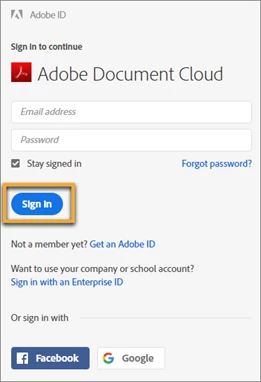
3. Sign in using your Adobe ID and password, or with your social (Facebook or Google) account.
4- Click Convert in the right-hand pane.
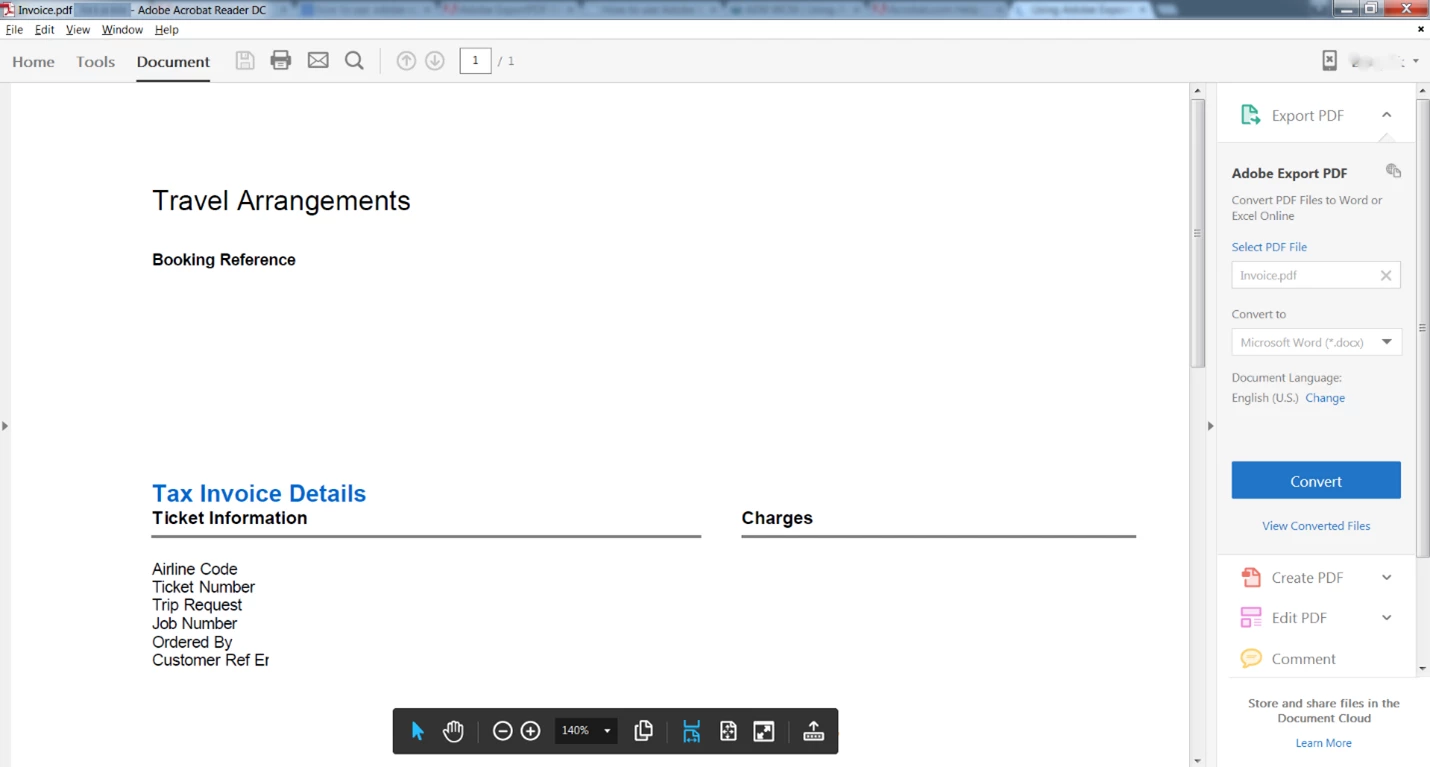
Note: You cannot edit PDFs with Adobe Acrobat Export PDF. You need Acrobat DC to edit PDFs. See
Hope this has helped you setting up your Adobe Export PDF subscription on new machine. Have further questions in mind? Join the conversation here.
 AdChoices