


Participant
June 3, 2025
Question

Unable to open Zipped file.

  • June 3, 2025
  • 1 reply
  • 1010 views

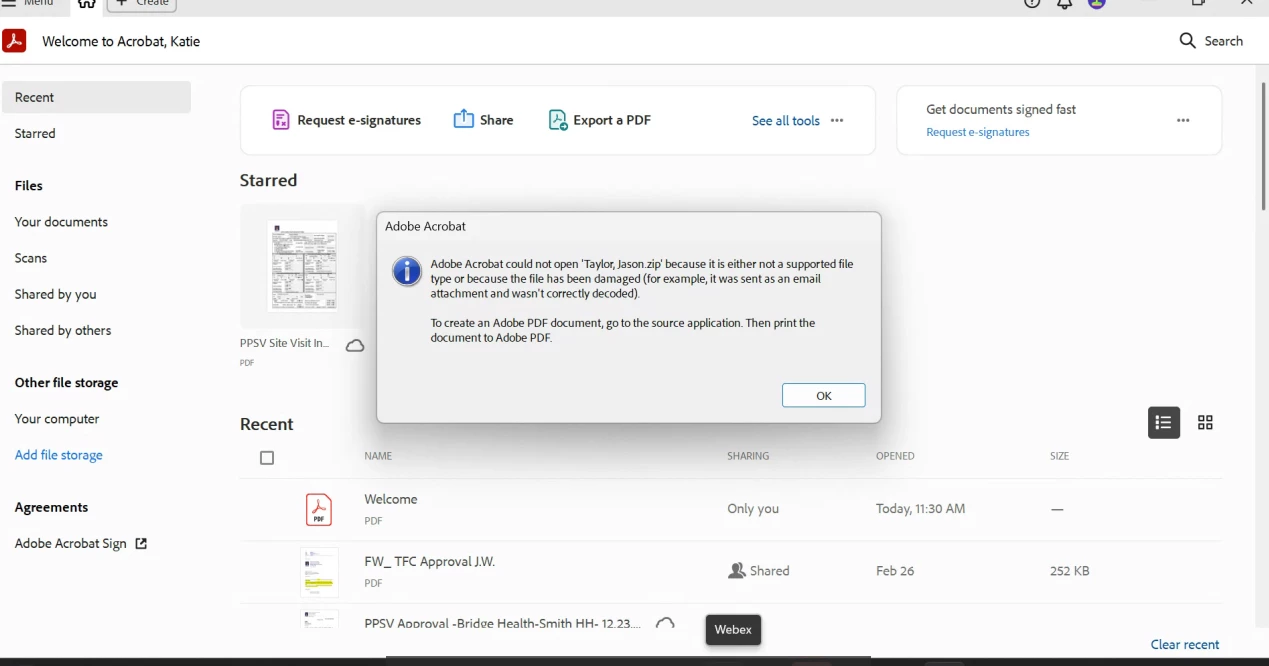
User has adobe acrobat pro license.. When she zip multiple files to one pdf it won't open. Tried with different files and it does the same.. Adobe throws the following message (Attached) Removed/Reinstalled adobe acrobat completely w/o any luck.. Please let me know if you know how to fix this issue.
1 reply

Meenakshi Negi
Community Manager
Community Manager
June 3, 2025

Hi mahbubur_2155,


Thank you for reaching out.


It is the designed behavior. A ZIP folder cannot be opened in Acrobat. You will need to access the file in the folder and open it from there. Please refer to the information on the following help document: https://adobe.ly/4kn7Hgy.


Feel free to let us know if you have any questions.


Thanks,

Meenakshi


Participant
June 3, 2025

Thanks for the prompt response. Please know this isn't zipped as a folder. this is being zipped as one Pdf file from multiple and user has been using it like this for a long time until now. Let me know if you know what can be done.


Thanks!

creative explorer
Community Expert
Community Expert
June 3, 2025

@mahbubur_2155 the message explicitly states that the file could be corrupted or wasn't correctly decoded. The phrase "the file has been damaged" directly implies corruption.


The key part of the message is: "Adobe Acrobat could not open 'Taylor_Jason.zip' because it is either not a supported file type or because the file has been damaged (for example, it was sent as an email attachment and wasn't correctly decoded)." 

If the file is to large for email (maybe the other side can't accept large files for whatever reason), instead, try to upload them to cloud storage services like Google Drive, Dropbox, Microsoft OneDrive, or WeTransfer or share a PDF link to the file instead. These services are much more robust at maintaining file integrity during transfer.

m