Participant
March 11, 2016
Answered

Was able to send document as attachemets from Adobe now I can't

  • March 11, 2016
  • 1 reply
  • 577 views

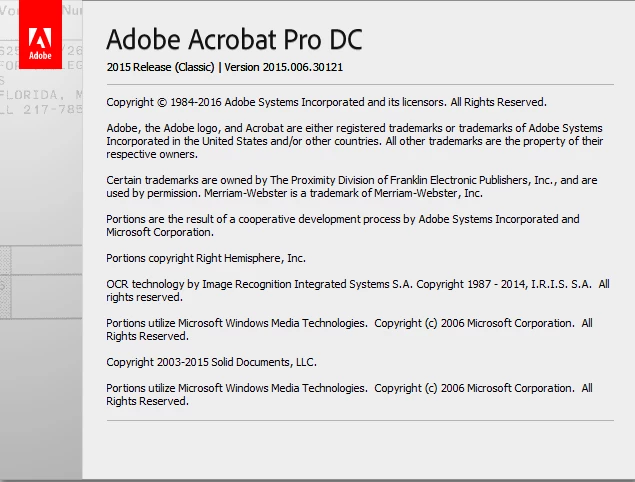
I just updated my adobe pro to this

The new warning box looks like this
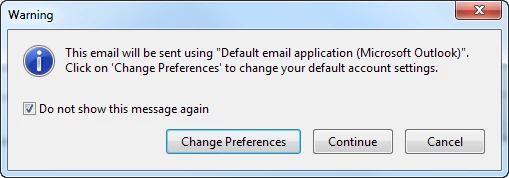
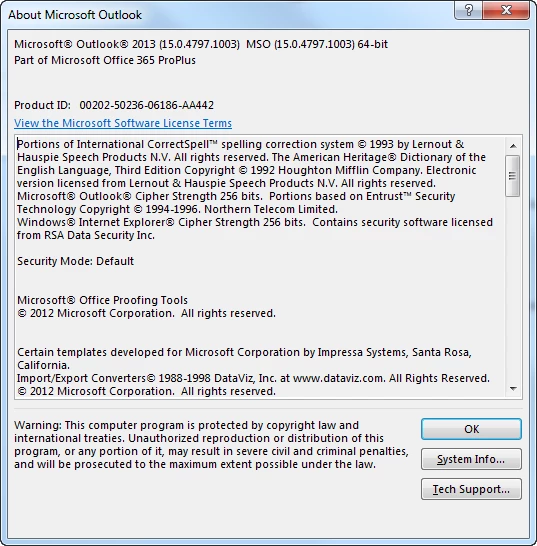
Unfortunately, it does not open a new email with the attachment. This is one of the features that I like the most about adobe, since I use it a lot. And it worked fine until it was updated yesterday.. The 1st thing I notice is that it defaults to do not show the warning again. Anyway, this is the outlook I have
Hope we can get a solution to this since not having this option slows me down.

Thank you,

Isa

This topic has been closed for replies.
Correct answer Sarojini_Nagar

Hi ISA GIL DE RUBIO-SKUBA,

Could you please let us know the OS version on your system ?

Please try navigating to Edit>Preferences>select "Email Accounts" from the categories list and under "List of email accounts" label if the option "default email application(MS outlook)" is checked , click on remove default and then click on OK .

Then try attaching a pdf by navigating to File>send file>Attach to mail.

Let us know if this works.

Regards
Sarojini

1 reply

Sarojini_Nagar
Sarojini_NagarCorrect answer
Participating Frequently
May 7, 2016

Hi ISA GIL DE RUBIO-SKUBA,

Could you please let us know the OS version on your system ?

Please try navigating to Edit>Preferences>select "Email Accounts" from the categories list and under "List of email accounts" label if the option "default email application(MS outlook)" is checked , click on remove default and then click on OK .

Then try attaching a pdf by navigating to File>send file>Attach to mail.

Let us know if this works.

Regards
Sarojini