Participant
March 16, 2017
Answered

Where do you add your logo for send and track?

  • March 16, 2017
  • 2 replies
  • 1327 views

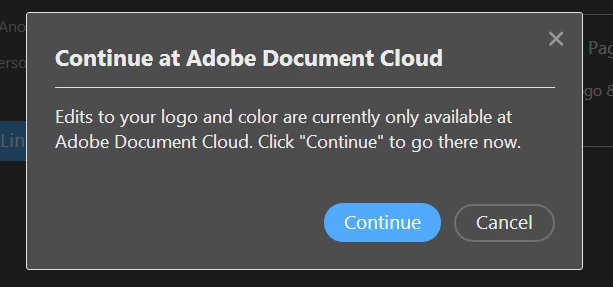
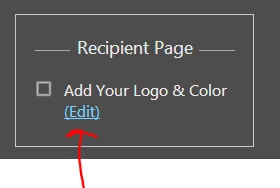
Anyone know where to add your logo for send and track?  From the send and track screen in Adboe DC  it provides a link to add logo but the link is not specific to the url to add/change the logo.
This topic has been closed for replies.
Correct answer AkanchhaS8194121

Hi All,

We apologize for the delay in response to your query.

The functionality you are looking for, is only available online https://cloud.acrobat.com/send  via "Adobe Document Cloud". You can use the Send & Track tool available in the desktop applications Adobe Acrobat Reader DC and Adobe Acrobat DC. However, the feature isn't directly available in the app.

How does it actually works, for that you may see the similar discussion here- How can I add a logo when I want to send files with Adobe Send?

Hope this answers your query.

Regards,

Akanchha

2 replies

AkanchhaS8194121
AkanchhaS8194121Correct answer
Legend
April 4, 2018

Hi All,

We apologize for the delay in response to your query.

The functionality you are looking for, is only available online https://cloud.acrobat.com/send  via "Adobe Document Cloud". You can use the Send & Track tool available in the desktop applications Adobe Acrobat Reader DC and Adobe Acrobat DC. However, the feature isn't directly available in the app.

How does it actually works, for that you may see the similar discussion here- How can I add a logo when I want to send files with Adobe Send?

Hope this answers your query.

Regards,

Akanchha

Participant
April 4, 2018

Thank you & I will look into the cloud offering.

Personal information removed by Moderator.

AkanchhaS8194121
Legend
April 5, 2018

Sure!

Let us know if there is any further assistance is required from our side.

Regards,

Akanchha

Participant
March 19, 2018

i have same question