


Question
White boxes around images when printing
Hi, I consistently run into this issue with placed PSD files in Illustrator that I then export into a PDF. When printed, white boxes appear around the layers within the placed PSD.
More details:
Grayscale PSD
Placed in Illustrator
Recoloured with Pantone swatches
Exported at Illustrator Default to PDF
Printed from Acrobat
White boxes are NOT visible before printing and often not visible in the PDF
Any ideas on why this might happen and thoughts on a solution? Someone thought it might have to do with leaving certain layers as 'grayscale' black instead of colouring them a spot or Pantone colour. 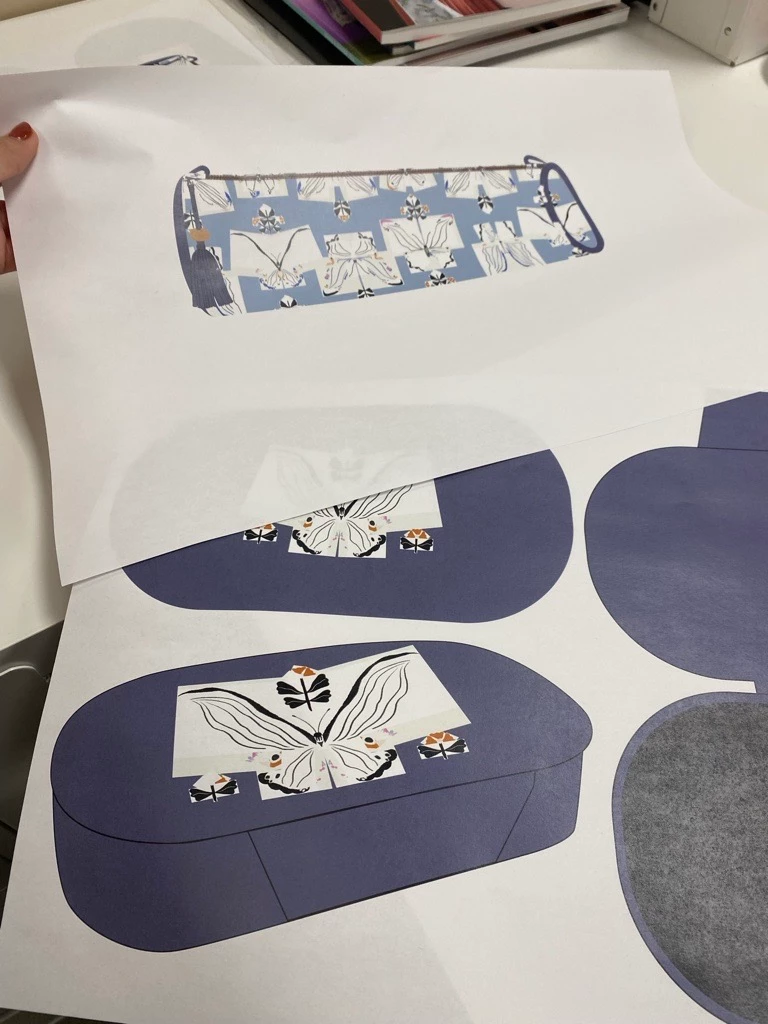
 AdChoices