



SacerdotisaDeGaia
Inspiring
April 12, 2026
Answered

Acrobat Translation is doing something weird when I ask to translate

  • April 12, 2026
  • 10 replies
  • 170 views

I am having a really hard time trying to translate a simple document with Acrobat (no layout, only text)

Amongst various problems, I will just address here the most urgent to be fixed:

The PDF has 23 pages. I ask to translate to English (from Portuguese), this is what it shows me: ALL the 23 pages in Portuguese (which I do not need) + only the first 2 pages in English.

Why is it repeating the pages in the original language and NOT ACTUALLY TRANSLATING the doc into English, which is what I need?
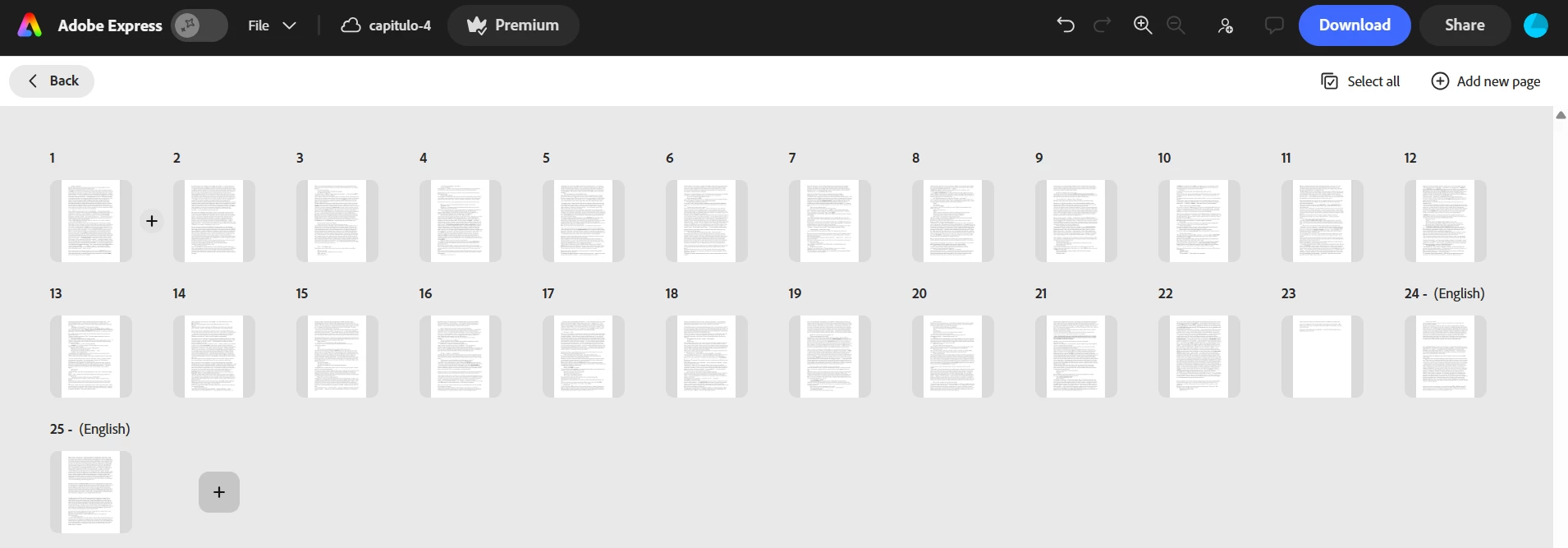


I am asking to TRANSLATE ALL PAGES:
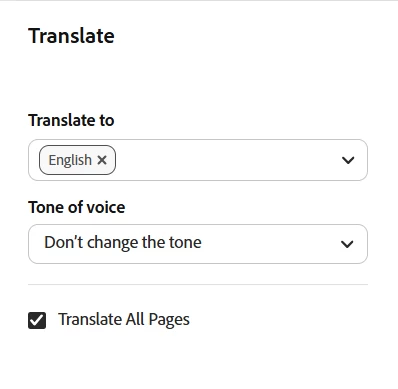


Thanks.

Correct answer Tarun Saini

Hi ​@SacerdotisaDeGaia,


Thanks for your patience.  I’d like to inform you that today, Acrobat keeps the original pages by design and adds the translated pages after them, to avoid accidentally deleting content. We understand that some users may prefer to see only the translated pages, and this has been shared with the product team as a feature request.


For the partial translation issue, if the translation service flags certain text, Acrobat skips those pages and shows a general error. Here, retrying the translation or reviewing those pages for sensitive or unusual content may help.


Regards,

Tarun

10 replies

Participant
September 10, 2026

If Acrobat is still translating only part of the document, another option is to try a dedicated PDF translation workflow rather than translating the PDF through Acrobat.

Full disclosure: I work on SelectTranslate.

We have a PDF mode called PDF Plus that is designed for full-document translation, including more complex layouts such as multi-column pages, tables, formulas, and scanned PDFs.

For a 23-page document, I’d recommend testing a few representative pages first rather than assuming the whole file will come out perfectly. If your PDF isn’t sensitive, I’d be happy to help check whether the Portuguese → English document is a good fit.

SacerdotisaDeGaia
Inspiring
September 13, 2026

Thanks. But it seems you product works online and that is what I am trying to avoid. I don’t want to have to upload my book anywhere, for privacy reasons. I found another method. Thanks.

SacerdotisaDeGaia
Inspiring
April 12, 2026

Another problem: I have no idea what unsafe words are these. This is a literary text and there is no cussing. It does not even tell which word is so I could replace so it COULD COMPLETE the translation. It simply won’t do the translation. This translation tool is NOT working well.


Tarun Saini
Community Manager
Community Manager
April 14, 2026

 Hi ​@SacerdotisaDeGaia,


Welcome to the Adobe Express community!  We’re sorry to hear about this. Did you try using another browser to check if that helps? Is it possible for you to share the file URL with edit access via private message so I can check further?


Regards,

Tarun


SacerdotisaDeGaia
Inspiring
April 16, 2026

Thank you, Tarun. I tried in EDGE and it translated more pages, but not all.

See below. There should be 46 pages total, but there are 36, so still 10 pages missing. The total translation is 23 pages.


Ask your developers to add a check box if people want to include the original in the final file, but honestly, I wouldn’t add this feature: it’s confusing, it doubles the amount of info your computers are dealing with, it will always produce files with double the size, unnecessarily.

And I wouldn’t image somebody would not have the original with them already, since it is a service were one uploads an existing file (not something that is written right in there)…

Thanks.