Participant
August 21, 2023
Answered

Adobe Express

  • August 21, 2023
  • 2 replies
  • 528 views
You have made it ridiculously hard to change font color. I have spent an hour on boards and experimenting with no success. C'mom Man.

This topic has been closed for replies.
Correct answer David__B

Hi @default31807971tttux1 


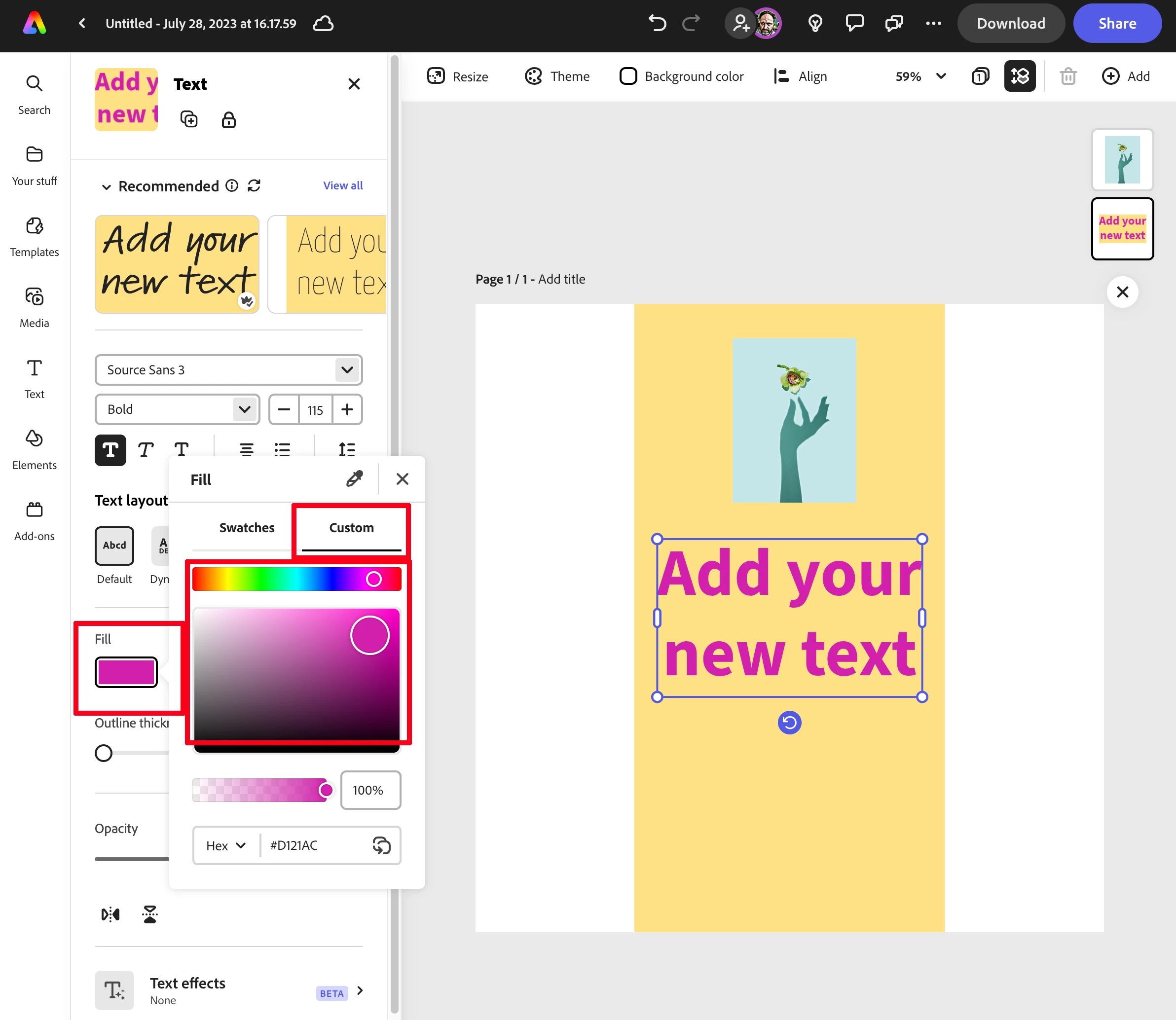
Sorry to hear about your difficulties. Were you able to figure it out? You should be able to select the text layer then hit the fill but and go the the custom section.


Best,

Dave

2 replies

CINCH
Participant
October 17, 2023

I could not agree more about this exact thing.
Going down a non-tangent here... Let's assume it's me, not Adobe: where is the OTHERWISE UBIQUITOUS 'Help' link/button/info ANYWHERE within Express? Answer: I found through Google hack searching your help servers' subdomain. It would be easier for others in the future if you could hint at where to get help - esp after a major update/platform change (Adobe hasn't really specified what it is going to be and when and how it effects files). 

Henrik Heigl
Community Expert
Community Expert
October 17, 2023

Hi,


its good to see that you found outside from Adobe Express help. But also in Adobe Express itself there are many help options.

You can click on the Lighbulb and there you can find all kinds of help.


On the Startpage of Adobe Express there is also a Questionmark with lots of helping infos.

Also on the Frontpage you get the complete Learn Section.


When there is a major Update Express will always present the new Features in a Popup Windows. Hope that helps.


regards,Henrik
David__B
Adobe Employee
David__BCorrect answer
Adobe Employee
August 21, 2023

Hi @default31807971tttux1 


Sorry to hear about your difficulties. Were you able to figure it out? You should be able to select the text layer then hit the fill but and go the the custom section.


Best,

Dave