



Nix5tar404
Inspiring
October 31, 2024
Answered

Adobe Express 'Add Audio bug'

  • October 31, 2024
  • 5 replies
  • 1270 views

Found a bug in Adobe Express:
Windows 10 | Browser - Chrome (upto date)
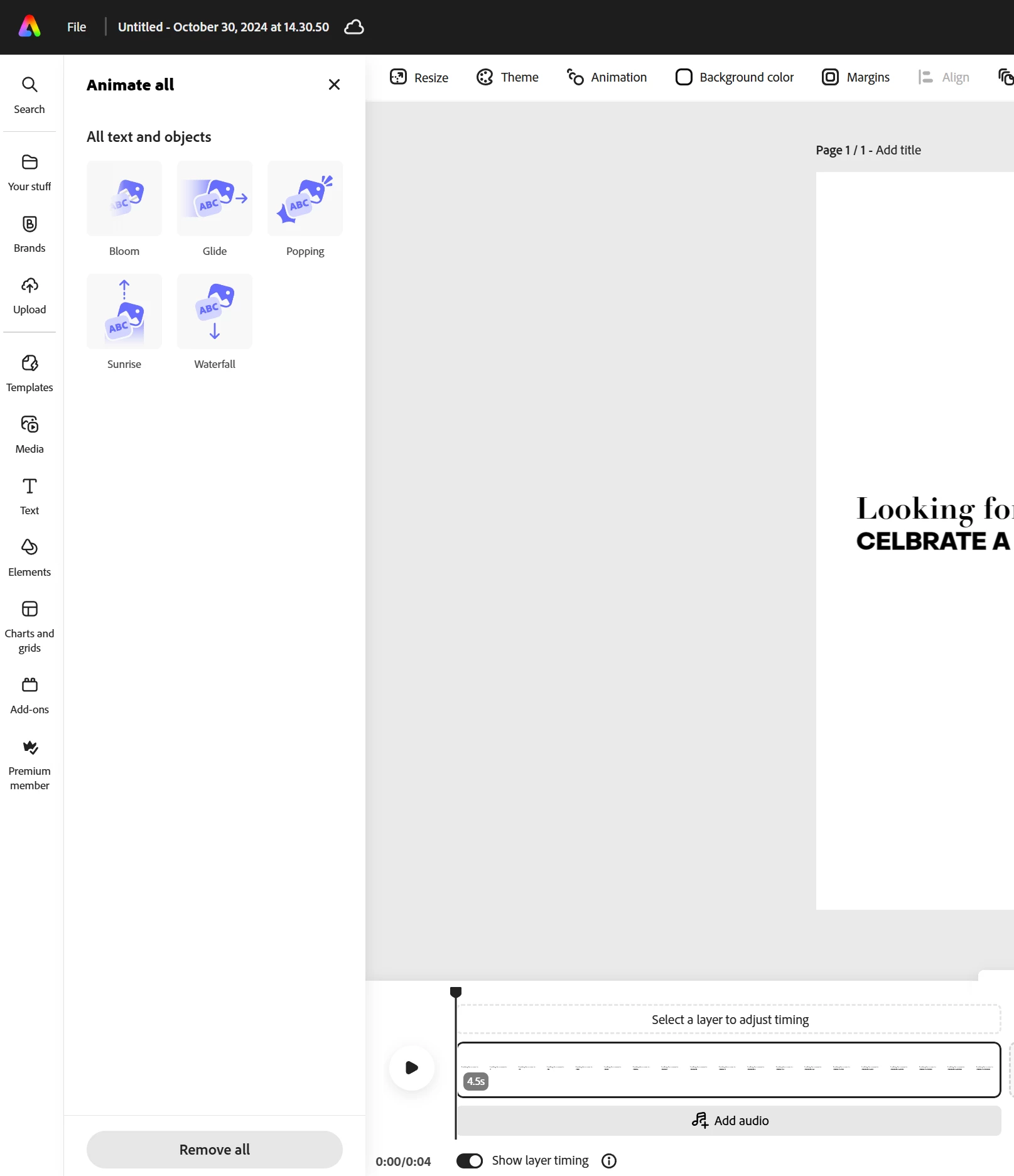
Making a IG reel, mainly still images and animated text. Wanted to add audio, clicked the add audio in the timeline at the bottom. All I get is animate all. No audio options? 🤷‍♀️🙄

And when I click the 'Media' option in the tool bar, the same thing happens. Animate all is the only option I get. No Adobe Stock images, videos or audio options
 

Correct answer Nix5tar404

Hi,  To answer your first question, correct when I clicked on the Grey bar at the bottom that says 'Add Audio' the animate all side panel comes up not the audio panel. This was the same with clicking on Media - only the Animate all panel would show when I clicked it. 

I needed to get that project over to the SM team, it's done now (completed it in AF). But I have opened another project and tried again, and it seems to be working, so who knows what happened. Good to know about that trick tho. I'll keep that in mind next time something unexpected happens.


Thanks

5 replies

Participating Frequently
July 23, 2025
 

Adobe Express has a bug where the  Add Audio  feature does not  work properly  files may not upload or play. Update the app or try a different browser/device as a workaround.

Amitej S
Community Manager
Community Manager
July 24, 2025

Hi @joy_8282, thanks for sharing this! Can you let us know if this happens every time you work on this specific feature in the app? Also, does it help if you clear out the cache/cookies of the browser?


Can you share your observations with us? We'd like to check this.


Best,

Amitej

Participant
April 11, 2025

edit

thejanebradbury
Community Expert
Community Expert
November 1, 2024

Hello again, I'm glad the feature is now working although i get how awkward it is to have to finish what you're doing in another program. Browser-based apps are brilliant for accessibility and speed but can be prone to fits of temper when feeling overloaded 😆 I have a regular schedule of clearing cookies and caches across my browsers, logging in afresh and doing frequent restarts (also a good excuse to move away and make a cup of tea!) to try and keep the Browser Beasts happy 👍

Adobe Employee
November 1, 2024

@Nix5tar404 


Could you please check now? We deployed a fix for this issue on 10/31 (late evening Pacific time).

Make sure to reload Express if you are already have it open in a browser tab.


Thanks

Abhi G

Nix5tar404
Nix5tar404AuthorCorrect answer
Inspiring
November 1, 2024

Hi,  To answer your first question, correct when I clicked on the Grey bar at the bottom that says 'Add Audio' the animate all side panel comes up not the audio panel. This was the same with clicking on Media - only the Animate all panel would show when I clicked it. 

I needed to get that project over to the SM team, it's done now (completed it in AF). But I have opened another project and tried again, and it seems to be working, so who knows what happened. Good to know about that trick tho. I'll keep that in mind next time something unexpected happens.


Thanks

thejanebradbury
Community Expert
Community Expert
October 31, 2024

Hello @Nix5tar404 just ot be clear when you click add audio on the grey at the bottom the side panel doesn't change to show you audio options to add? Have you closed the project, restarted your browser and tried again? 


I have found when working on a project that Adobe Express can get a little bit contrary when it's been open a while, or lots of otehr tabs aer open etc. A restart often puts it right. I don't have Windows 10 but on 11 the audio options appear as expected.