Participant
October 9, 2024
Question

Adobe Express - Colleague received invite to project but cannot access it

  • October 9, 2024
  • 1 reply
  • 274 views

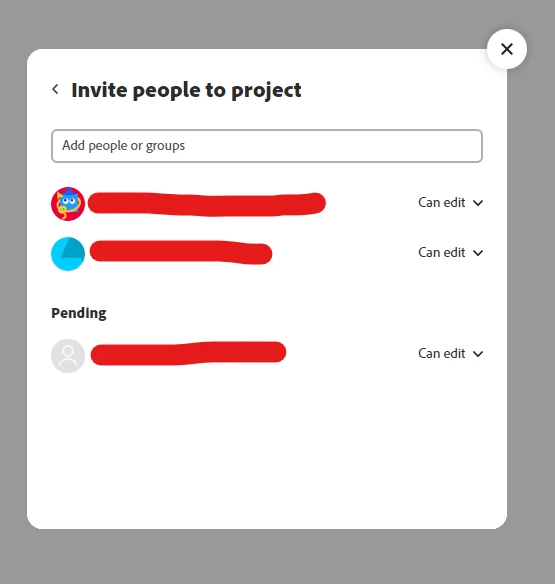
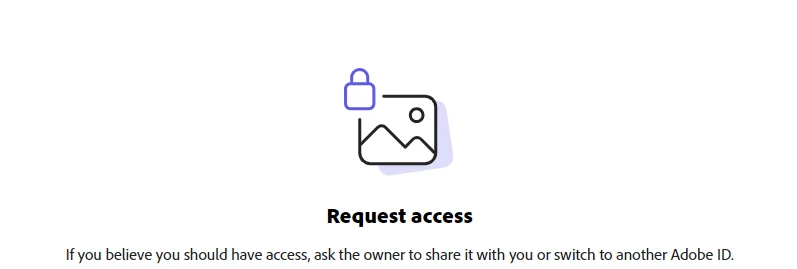
Apologies in advance if I am missing something obvious - I have shared a link to a project in adobe express with two colleagues in the same team as me. One staff member who did not have an adobe account received the link and was able to join the project. My other colleague set up an adobe account yesterday, they also received the link but says they need to request access or switch accounts. However, the email is the same as their account and there doesn't appear to be an obvious way to request access. On my share page I can see one colleague has access and the other colleague is in a status of 'pending' but there is no way to approve as I've seen on other screenshots? Does anyone know how I could fix this? Thanks! 
This topic has been closed for replies.

1 reply

Tarun Saini
Community Manager
Community Manager
October 9, 2024

Hi 

@frankie_2443

,


To better assist you, here are a few steps you can try:

  1. Resend the Invitation: Sometimes, resending the invitation link can resolve access issues. Go to your project, select the “Share” option, and resend the link to your colleague.
  2. Clear Cache and Cookies: Ask your colleague to clear their browser cache and cookies or try accessing the project in an incognito/private browsing mode.
  3. Switch Accounts: If your colleague is prompted to switch accounts, make sure they are logged into the correct Adobe account/ Profile associated with the email address you used to invite them.


Let us know if that helps.


Regards,

Tarun