j_wojciechowsky
Participant
October 3, 2024
Answered

Adobe Express - Instagram 20 images

  • October 3, 2024
  • 2 replies
  • 596 views

Recently Instagram updated their rules and now we can upload up to 20 images or videos into the one post.
Could you please do the same in Adobe Express for scheduled posts?

Correct answer Oh.N8

Hey @j_wojciechowsky 

This is a good idea and worth sharing. You may want to share your idea to the Adobe Express Request and Idea page. The link is below. 

https://adobeexpress.uservoice.com/forums/951181-adobe-express?query=Google%20Business%20

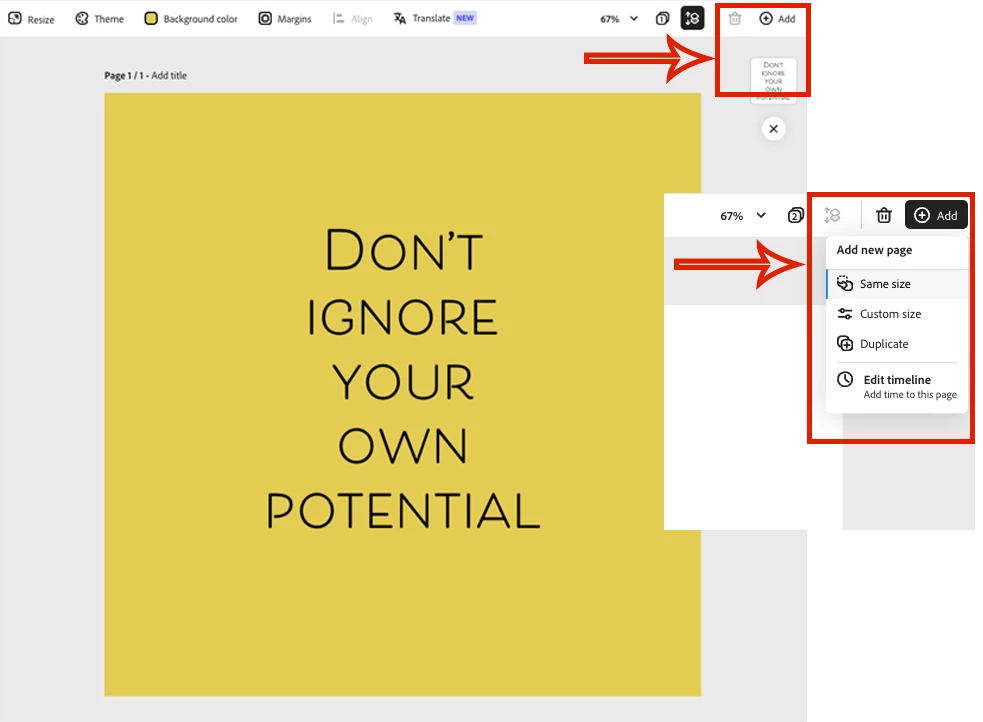
This may not exactly be what you are looking for; however, it is worth mentioning. You can add pages to your document. 


Cheers,
O. Nate

2 replies

Participating Frequently
October 24, 2024

+1 to this request. I just tried to share to IG from Express and my 20-image file got an error because Express thinks the limit it 10.

Exporting and posting manually is a challenge too because Express doesn't export to my camera roll in the same order it is in Express so I have a difficult time reordering when there are 20 images to manage.

Oh.N8Community ExpertCorrect answer
October 3, 2024

Hey @j_wojciechowsky 

This is a good idea and worth sharing. You may want to share your idea to the Adobe Express Request and Idea page. The link is below. 

https://adobeexpress.uservoice.com/forums/951181-adobe-express?query=Google%20Business%20

This may not exactly be what you are looking for; however, it is worth mentioning. You can add pages to your document. 


Cheers,
O. Nate

Participating Frequently
October 24, 2024

yeah, not quite the answer. once we have a bunch of pages in Express, we'd like the Share to Instagram not give an error for >10 images. Instagram carousels now allow up to 20 images.