


Participating Frequently
December 4, 2024
Question

All Addons are broken after unistalling OneDrive

  • December 4, 2024
  • 1 reply
  • 261 views
I already opened a bug about this, which was ignored. 
So let me explain again:
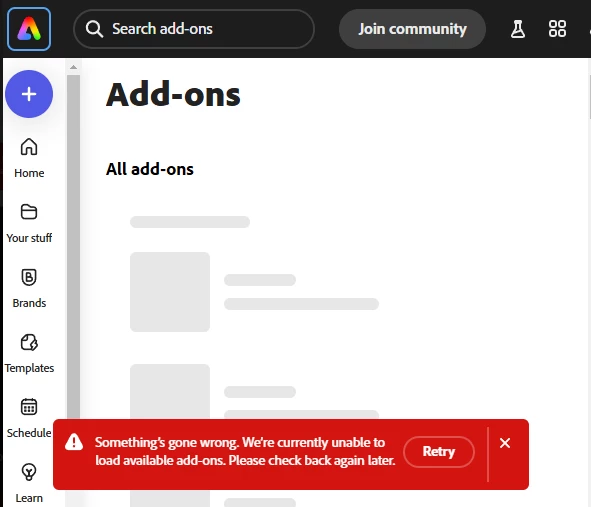


  • Install OneDrive Addon
  • Login
  • Logout
  • Unistall OneDrive Addon
  • All plugins are now broken


Also if I try to install from Your Stuff I get redirect to main page of Adobe Express:
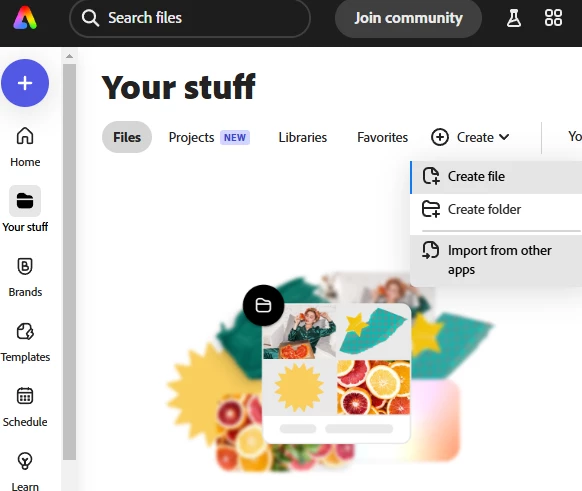


This is a bloker issue for me, since the single sole only reason I got adobe express was to connect it to OneDrive and work with the files there on my browser. Without this feature Adobe Express is completely useless to me.


Can you please tell me if at least the issue is known or if there is some solution I can attempt on my side?

This topic has been closed for replies.

1 reply

Participating Frequently
December 4, 2024

Perhaps I am getting somewhere... I am unable to see my plan details when I open my account details:


David__B
Adobe Employee
Adobe Employee
December 6, 2024

Hi @michelangelo_6015


I tried installing and uninstalling the OneDrive add-on but wasn't able to reproduce the issue. What browser are you using? Does the same thing happen in different browsers too? You might also test in incognito/private browsing mode and after rebooting the computer and see if these help.

https://adobe.ly/41lZAKP


Best,
Dave

Participating Frequently
December 8, 2024

I tried to work on a different computer and it works properly. I don't understand. The issue is only on my main machine. I have no clue, why something working on the cloud would be so dependent from local.

I tried a different browser (edge and firefox). No difference. The problem is on the local machine. But I have no time for a fresh formatting.