Participant
June 11, 2022
Question

Background removal

  • June 11, 2022
  • 1 reply
  • 440 views

Hi, I av a complain.

I tried using Adobe express app n website to remove background from an image and dis was what I got.

Can some one help me out 
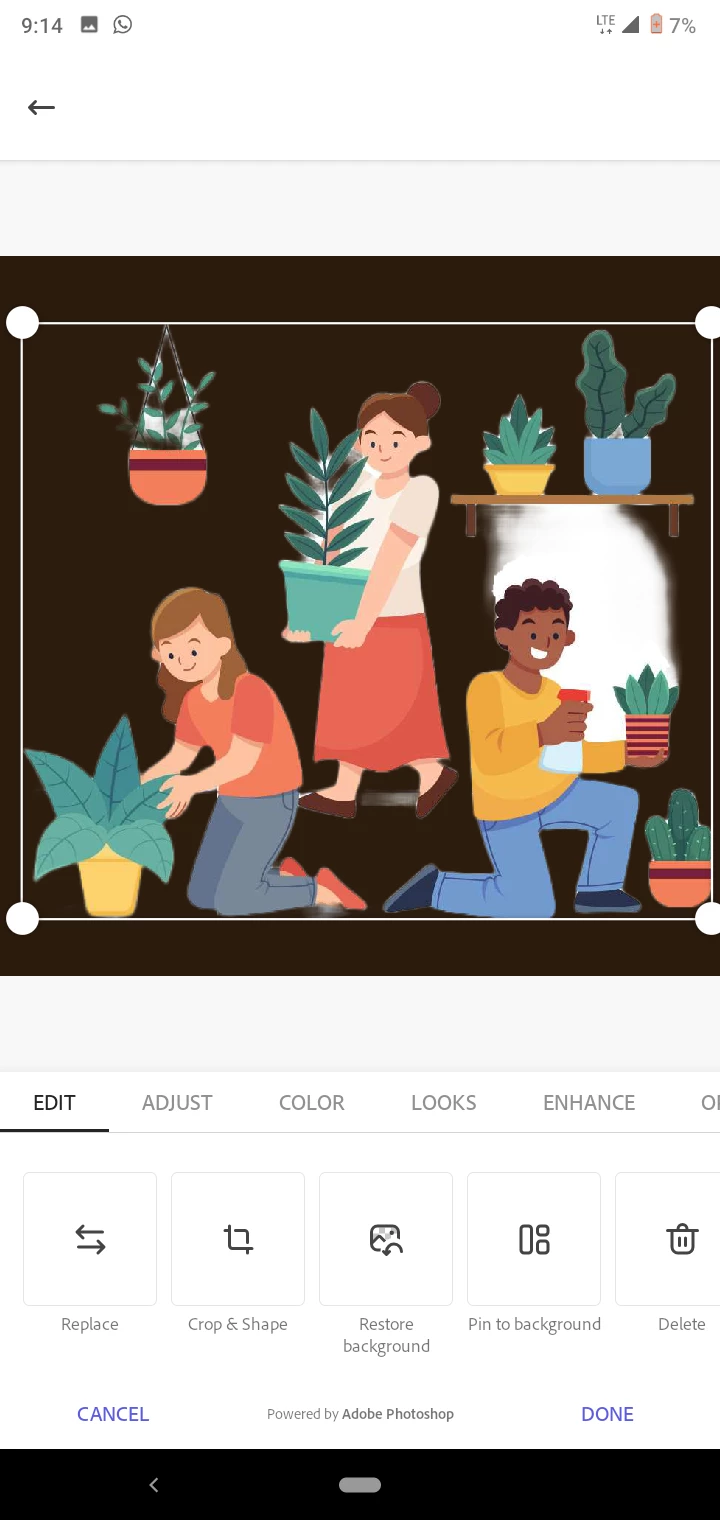


This topic has been closed for replies.

1 reply

Amitej S
Community Manager
Community Manager
June 13, 2022

Hi there,

Thanks for reaching out to us, & apologies for the frustration. I'd like to inform you that if you work on the Adobe Express web app from any browser, you'd have the ability to restore those areas in the image that were removed due to the error.


To begin,

  1. Visit https://express.adobe.com/sp/ & log in with Adobe ID.
  2. Use the Quick Action "Remove Background,"
  3. Select the image; once it loads & background is removed, click on "Customize".
  4. Look for the "Edit Cutout" option in the righthand toolbar.
  5. Choose "Restore/Erase" with the appropriate brush size & trace it over the area you want to recover/remove from the image.


Please refer to screenshots for your reference :


Let us know if it helps.


Regards,

Amitej