Participant
April 14, 2022
Question

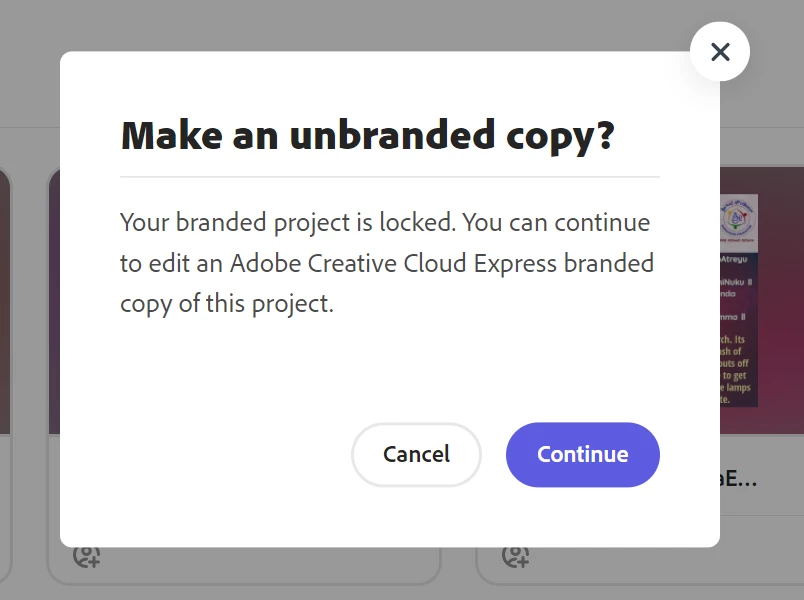
Branded Project is locked

  • April 14, 2022
  • 2 replies
  • 472 views

Hi,


I see my branded projects are all locked and its asking to convert branded ones to unbranded ones. This is coming even after i have updated the payment details.

Please check and resolve.
Thanks,

Vivek

This topic has been closed for replies.

2 replies

Participant
March 20, 2023

Go to https://assets.adobe.com/ when signed in and you can see how your adobe storage is being used. Remeber to also clear out the deleted files from the folder shown. 

Community Manager
April 14, 2022

Hi Vivek, 


Sorry for the trouble. I hope this will help. Clearing browser cache and then logging in using a new "Incognito" (Chrome), "Private" (Safari), or a similar window. Projects should be available usually afterward. You can try reinstalling the app, signing out of the app, and then signing back in. Try checking these things and report back with any observations. Thanks for your patience in resolving this problem.


Thanks

Manmeet

Participant
April 15, 2022

Hi,


I have tried those steps and still i see the same message when i try to edit my projects.

Can you please check if its anything about billing and suggest further.


Thanks,

Vi