

Participant
August 23, 2024
Question

Cannot Edit Text Colour Adobe Express

  • August 23, 2024
  • 4 replies
  • 1651 views

I suddenly have no option to change fill or outline colour for text. No grouped items, my app is up to date, I have restarted my app 3x, restarted my ipad 2x.


HELP

4 replies

Participant
December 12, 2024

In the process of switching from Canva to Adobe Express, and there is one feature I use often in Canva that I don't see in Adobe Express. This is the option to change the color of all text areas on a project when I change one color in one text area. This is a major time saver for me. Please add. 

kglad
Community Expert
Community Expert
December 12, 2024

in the future, to find the best place to post your message, use the list here, https://community.adobe.com/

p.s. i don't think the adobe website, and forums in particular, are easy to navigate, so don't spend a lot of time searching that forum list. do your best and we'll move the post (like this one has already been moved) if it helps you get responses.


<"moved from using the community ideas">
David__B
Adobe Employee
Adobe Employee
December 12, 2024

Our developers are experimenting with tests for the interface layout, which resulted in the color option being missing. However, this should be resolved now. Please post back if you are still seeing the issue.

Thanks,
Dave

Participant
December 11, 2024

I think they have a bug as I cannot find the text colour anywhere. I did find a workaround: Go to the effects panel and add a shape to the text. You are then able to edit both the colour of the text and the colour of the shape. Once you remove the shape effect, the text keeps the new colour you chose.

Participant
December 11, 2024

yep it's a bug! We uninstalled and re-installed and that worked for me!

Amitej S
Community Manager
Community Manager
December 12, 2024

Hey @TaylorKatePhotos.jpg and @laura_rachelle1984, Are you still facing this issue? I tried to replicate it, but it seems to work fine for me. You might want to try working on a different browser than the Adobe Express WPA. Clearing the browser's cache/cookies might help resolve this. 


Please share your observations!


Thanks!

Participant
December 11, 2024

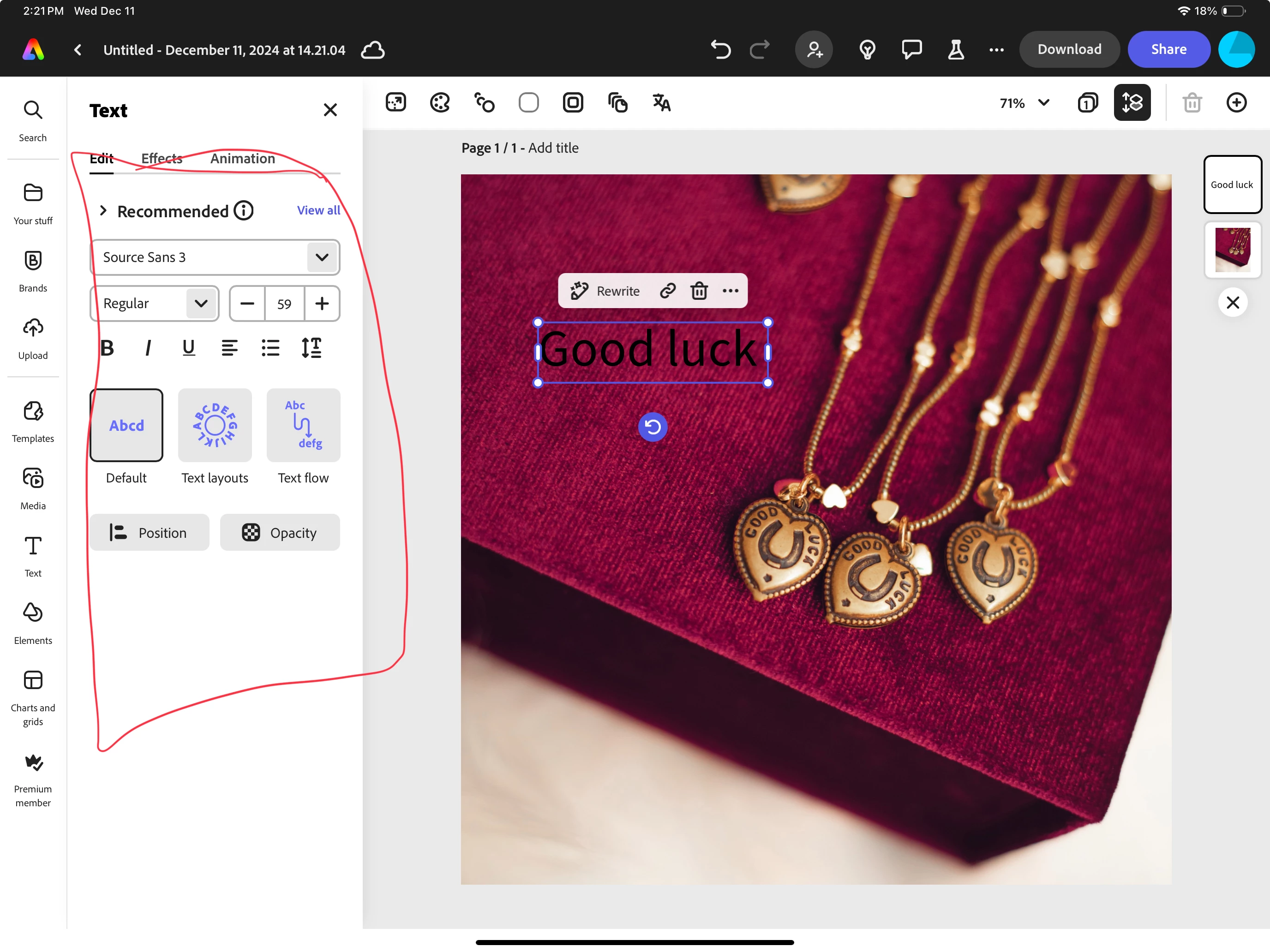
Hi, I'm having a similar issue. I have been changing the font colour all day and it's worked fine.

Now the colour font setting have disappeared. Any help? see photo below

Thanks!


Participant
December 11, 2024

same thing is happening to me! can't change font color

Participant
December 11, 2024

Same thing happening here. I was able to do it this morning and now the ability to change the color of anything has completely disappeared.

Participant
December 11, 2024

Does anyone know where the text colour option has been moved to in the new release? The fill option has disappeared from the text menu:

Haven't found it in the overhead menu, or in the right click menu of any texts?

David__B
Adobe Employee
Adobe Employee
December 12, 2024

Hi @UC_English


Sorry to hear about your difficulties. Are you on a computer or a mobile device? If you're on a computer does the same thing occur in different browsers? If you're on a mobile device could you share the model and OS you're using and the version of Adobe Express?

Thanks,

Dave

Participant
December 12, 2024

I'm experiencing the same problem. I'm missing the text colour selector in the Google Chrome browser. I just tried opening Firefox, but it still showed me all the old layout.