Known Participant
July 19, 2022
Answered

Deleting section in Adobe Express

  • July 19, 2022
  • 3 replies
  • 5509 views

Hi there, I've created a web page in express but there is one 'split layout' section I need to remove and I can;t see how to do it, can you please help?

I have removed the text no problem as that was going elsewhere but I need to delete the image and that whole layout

This topic has been closed for replies.
Correct answer Amitej S

Hi @libbiew33043320


Thanks for reaching out to us.

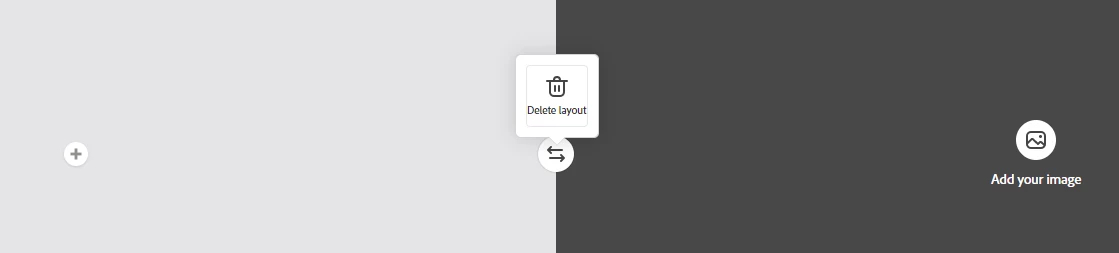
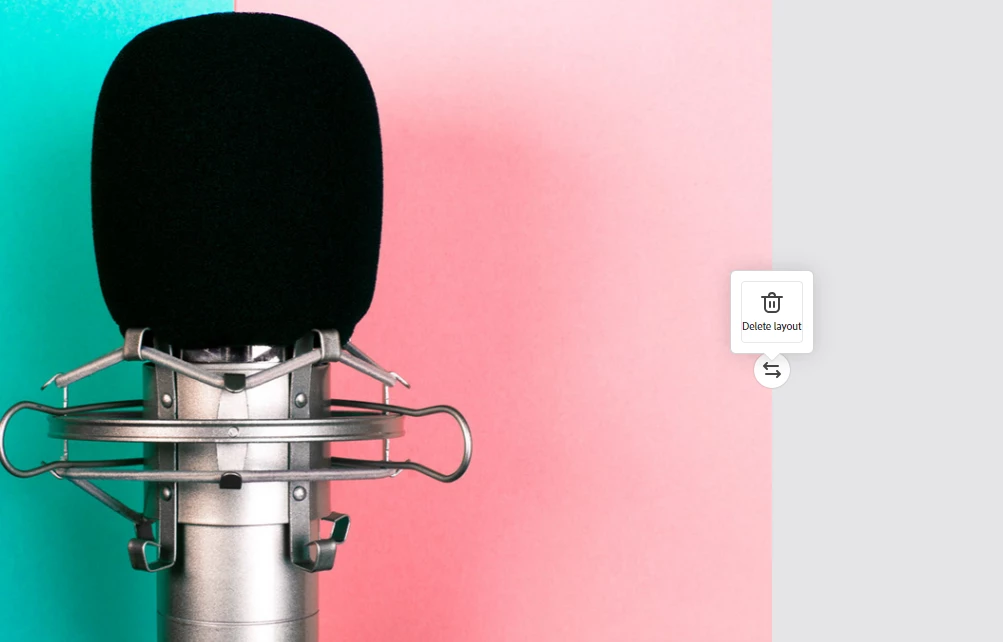
To get rid of the 'Split Layout' screen, click on the Grey area (where you get the ability to add text, photo, button, video). When you click there, you'll see a Delete Layout option in the screen's centre. Click on it to remove the Split Screen layout. 

(Please refer to the screenshots)


I hope this works out for you. 


Regards

Amitej

3 replies

Participant
October 27, 2022

Hello there, I hope you can help me. I've created a button that should link to a URL but it's not working. How do I delete the button ?

Amitej S
Community Manager
Community Manager
November 17, 2022

Hi @Rudolph26822268r0ww ,

If you click the button, you will get the option to either Edit it or Delete it.

Make sure you choose the exact URL for linking the button to work perfectly.


Participant
November 17, 2022
Thank you so much for your response but I eventually figured it out
Known Participant
July 19, 2022

Hi there

Not quite that easy but I got it in the end

Thank you

Kind regards

Libbie

(PII removed by moderator)

Amitej S
Community Manager
Amitej SCommunity ManagerCorrect answer
Community Manager
July 19, 2022

Hi @libbiew33043320


Thanks for reaching out to us.

To get rid of the 'Split Layout' screen, click on the Grey area (where you get the ability to add text, photo, button, video). When you click there, you'll see a Delete Layout option in the screen's centre. Click on it to remove the Split Screen layout. 

(Please refer to the screenshots)


I hope this works out for you. 


Regards

Amitej

Participant
August 4, 2022

Hi Amitej, how is an entire "split layout" deleted when it already includes elements?  I can't figure it out.  Thanks in advance. - Maryanne


Amitej S
Community Manager
Community Manager
September 5, 2022

Hi @maryannes66810162,

Regardless of whether elements are present, the procedure for deleting the split layout is the same.

You just need to click on the area that allows you to add the elements, and then the 'Delete Layout' option pops up at the centre of the screen; one click on it and the whole 'Split Layout', including elements, gets deleted.


[Click on the side that has multiple elements, white area (right), in this screenshot]


I hope this helps.


Best

Amitej