Participant
February 27, 2022
Question

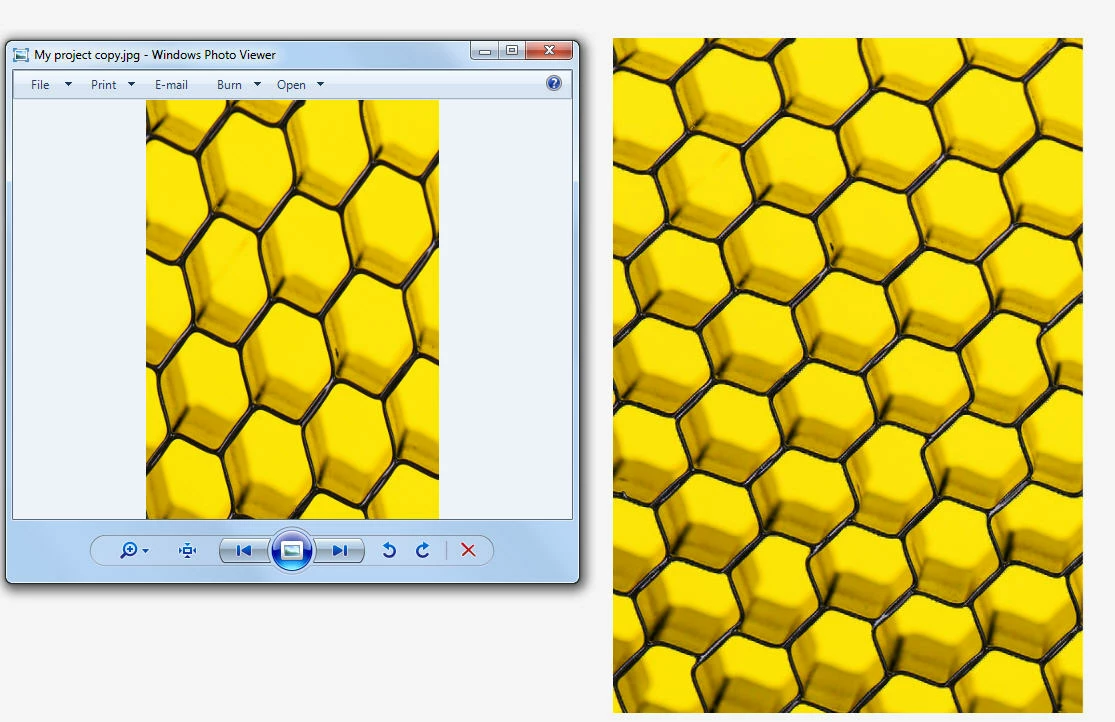
desktop app distorts aspect ratio on download

  • February 27, 2022
  • 2 replies
  • 282 views

desktop app distorts aspect ratio on download


that's all - please fix! ty!
 

This topic has been closed for replies.

2 replies

Community Manager
March 10, 2022

Hi there,


Thank you for your patience. We have gone through the issue. To get to the bottom of this issue, would you mind following the below steps for us? Sorry, it seems a bit complicated, but this will really help our developers get to the root of the issue.


1) Navigate here: https://monocle-us-east-1.cloud.adobe.io/ (we recommend you use Chrome as a browser)
2) If you are having a problem with a Post, please click "Post" from the left menu. If Page or Video, click the respective option.
3) Click the troublesome project (please click the project itself, not the checkbox)
4) Select the Export all versions checkbox below the Export button.
5) Hit "Export" to download the file, and then attach it to this ticket/email.


If you are not able to see the Export all version check box, please hold the Alt/Opt key down when clicking the Export button to download all versions.

Note: if "Export" doesn't seem to do anything, please ensure popups aren't blocked. An icon will show up to the right of the address bar of your browser that is blocking popups.


Also, please share the file in DM (private message). 


Thanks,

Manmeet


Amitej S
Community Manager
Community Manager
March 3, 2022

Hi there,


Thanks for reaching out to us! This shouldn't be happening. Since when are you facing this issue? Is this happening with all images or any specific images? Have you tried using another browser or on the incognito window?

You may try clearing the cache and cookies of the browser you're using.


We are here to help just need some info.


Thanks,

Amitej
