

Question
Entering Text editing mode
The new version of Adobe Express support inline text editing; rather than editing text via a text field in an external panel, you can edit it right within the design canvas.
To edit text, however, you need to first enter the text editing mode. There are several ways to do this:
- For a text object that is neither grouped, nor overlaid with others, you can:
- Double-click the text object, or
- Single-click twice
- For other text objects, you'll need to:
- first select the text object
- using the Layers panel (see screenshot below), or
- Repeatedly clicking with the CMD key held down to select objects lower in the layer order
- then hit the Enter key on the keyboard
- first select the text object
Layers Panel
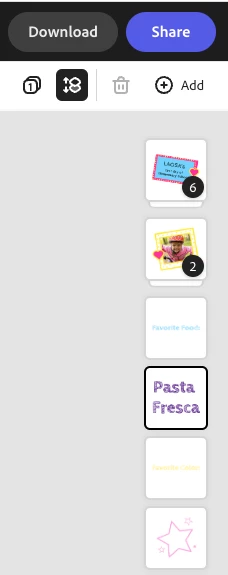
Hope this helps,
Abhi G


 AdChoices