


Export single scene(s) as separate mp4 video-file(s) in Adobe Express
Hi!
I'm wondering if I could export a single (video) 'scene' as separate mp4 video-file in AE.
Countless fora and help-topics didn't bring me the answer, so here we are ...
Today - avoiding to redo all the animations, etc, - I duplicate a scene, make the changes (e.g. background video, change text) and create all scenes needed. FYI, these scenes are upload as seperate 'campaigns' to the signage server at my Office.
My workflow today is to create all scenes first in one file, duplicate the file x number of scenes, delete the unneeded scenes in each new duplicated file and then save each file again.
Sounds complex ... and it is! But even more, it's is very, very timeconsuming ... ;-(
Is there another way? Or - I doubt if there's a workaround - could Adobe make the option available in the 'download'-section when downloading, pls?
FYI, In attach a print screen of that 'other' well know tool where this option is already available for a very long time now 😉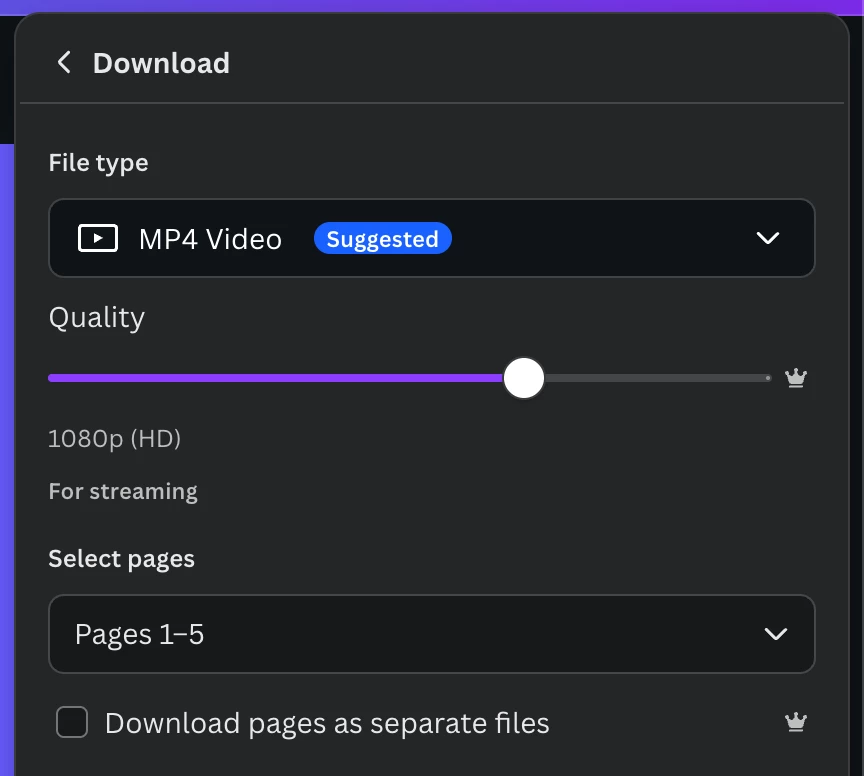
 AdChoices