


Participant
August 14, 2026
Answered

How to Add Shadows and Effects to Elements in Adobe Express?

  • August 14, 2026
  • 1 reply
  • 21 views

How can I add shadows, glows, outlines, or other visual effects to an element (such as an icon, shape, or image) in Adobe Express?

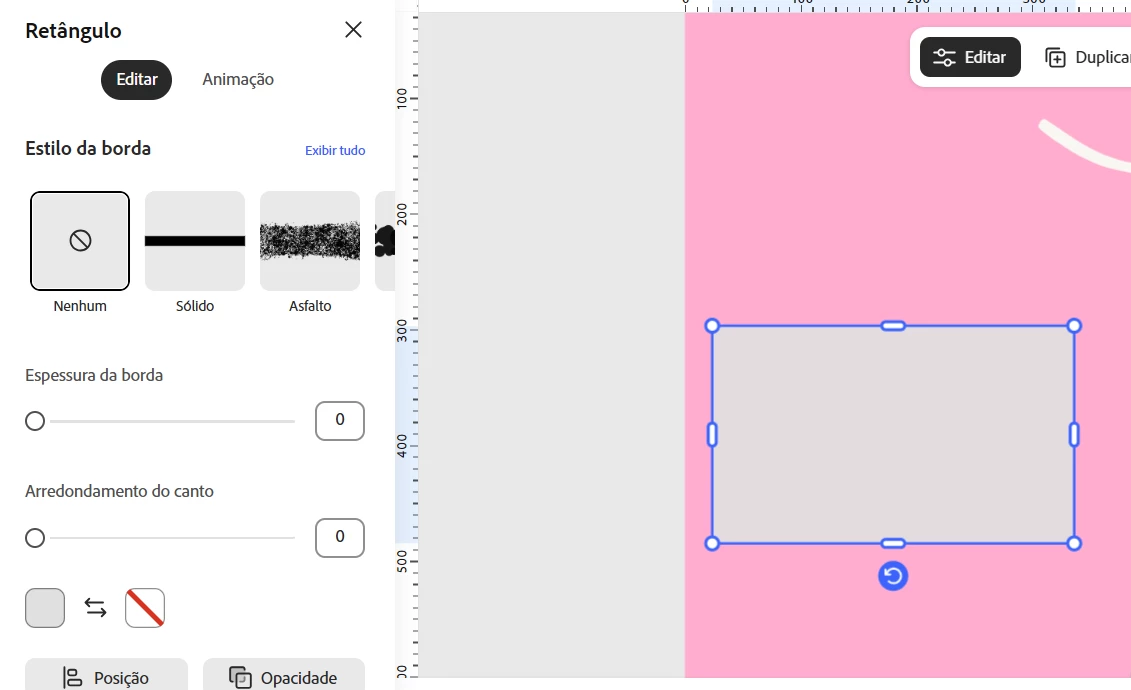
I can find effects for text, but I don't see similar options for other elements. Is there a way to apply these effects directly, or is there a workaround to achieve the same result?



    Correct answer Rose DV

    Hi ​@Astonished_Flaird908 - good news on this one. Drop shadow is available in Express for elements, images, videos, and other assets, so you can add it directly:

    → Select the element or image on your canvas
    → In the toolbar that appears, open Shadow (on some objects it sits under the effects/settings options)
    → Choose a drop shadow, then adjust the offset, blur, and color

    The one spot it doesn't cover yet is basic shapes - rectangles, circles, and other vector shapes from the Shapes menu don't have a shadow option at the moment. If that's what you're after, there's an open request you can add your vote to, which is the most effective way to signal demand to the team: https://adobe.ly/4xMHWgh

    Rose

    1 reply

    Rose DV
    Community Manager
    Rose DVCommunity ManagerCorrect answer
    Community Manager
    August 14, 2026

    Hi ​@Astonished_Flaird908 - good news on this one. Drop shadow is available in Express for elements, images, videos, and other assets, so you can add it directly:

    → Select the element or image on your canvas
    → In the toolbar that appears, open Shadow (on some objects it sits under the effects/settings options)
    → Choose a drop shadow, then adjust the offset, blur, and color

    The one spot it doesn't cover yet is basic shapes - rectangles, circles, and other vector shapes from the Shapes menu don't have a shadow option at the moment. If that's what you're after, there's an open request you can add your vote to, which is the most effective way to signal demand to the team: https://adobe.ly/4xMHWgh

    Rose