


Participant
September 11, 2024
Answered

How to edit the curve of an arch or bow

  • September 11, 2024
  • 2 replies
  • 695 views

I swear it used to be possible to edit the curve of arched or bowed text so it could be a more gentle or more extreme curve. 

I can't find the option to edit it anywhere now - all I can find is letter spacing. 


Please someone put me out of my misery! I've tried both desktop and app. 
Correct answer Abhi.G @ ADBE

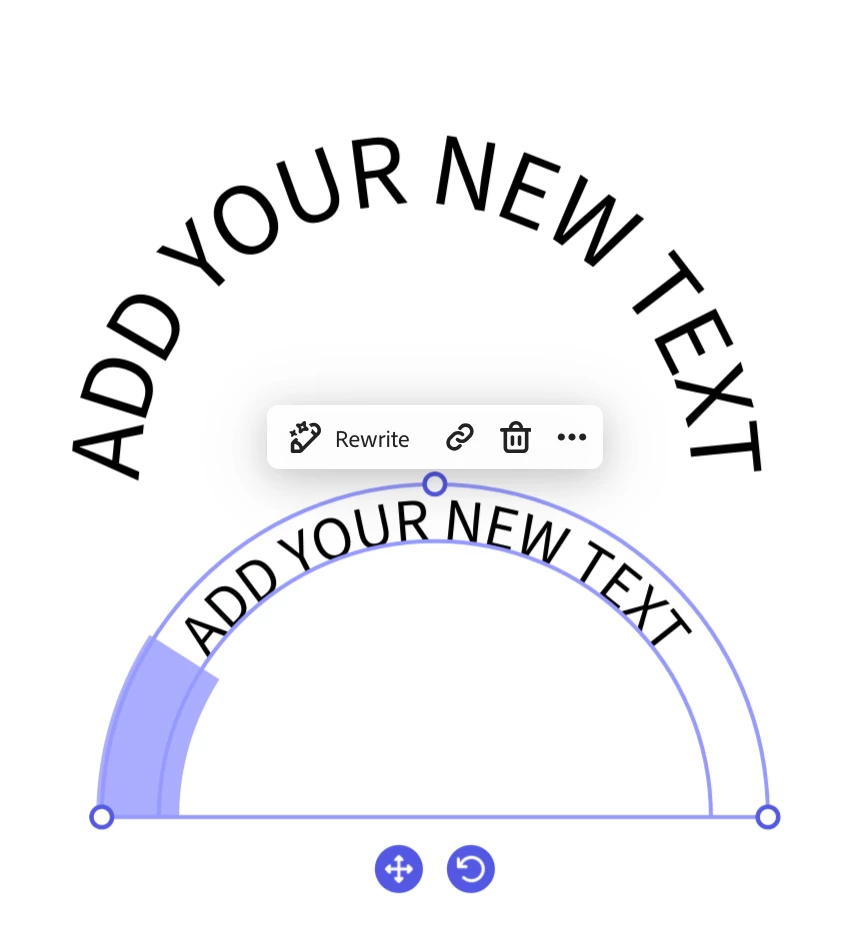
Express has never supported the ability to change the degree of curvature for arch/bow layouts: they are always full semi-circles. A workaround is to add equal number of spaces before and after the text. See screenshot below.


Abhi G

2 replies

Participant
September 10, 2025

You are 100% correct. There used to be a whole lot more options.

Abhi.G @ ADBECorrect answer
Adobe Employee
September 10, 2025

Express has never supported the ability to change the degree of curvature for arch/bow layouts: they are always full semi-circles. A workaround is to add equal number of spaces before and after the text. See screenshot below.


Abhi G

Tarun Saini
Community Manager
Community Manager
September 20, 2024

Hi 

@crazymoth

,


Please submit your feedback here- https://adobe.ly/3zqtu4V if this is what you're referring to. Our product team monitors this page and they will be able to give you more info on this.


Regards,

Tarun