


Participant
January 18, 2026
Answered

In 2026, the Background color selection for behind video clips is missing?

  • January 18, 2026
  • 1 reply
  • 254 views

Hello.


In 2025 for video editing, the color selection for Background color (for behind video clips) is now missing in year 2026.


This Background color selection used to be found in the icon menu (that also has selections to Replace, Mute, Crop, Comment, Trash), this menu located on individual clips in the video editor.  Where did this Background color selection go?


For example, I would often change the Background color behind the clip from white to "black" so a "fade" out would fade into "black" not white.


I hope I'm explaining my query clearly, not confusingly.
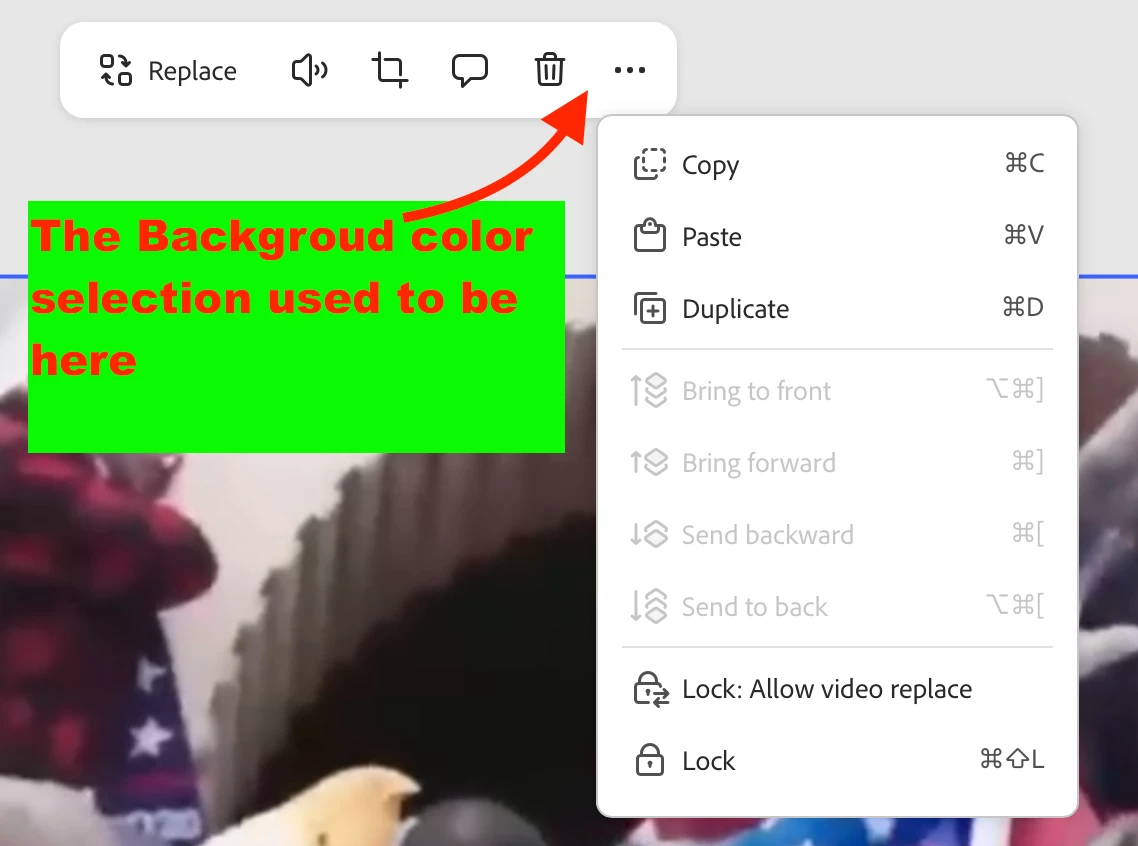
1111.png

Any infomation would be amazing.

Thank you.

Correct answer Amitej S

Hi @Shari332351500fw6, This is helpful feedback. I’ll share this with the team. 

Let me know if this helps, and thanks again for flagging this and for your patience.

1 reply

Amitej S
Community Manager
Community Manager
January 19, 2026

Hi @Shari332351500fw6, Thanks for reaching out! 


The Background color selection is available in the left-side panel.

You'd need to click once outside the editor (gray area), then check the left-side panel. It'd show options that help you edit the page, including background color. You can even select gradients as background color now


Hope this helps!

Best!


Participant
January 19, 2026

I did find it last night on 'Edit Page.'  However TY for reply & your screenshot.  It'll be helpful to keep.

Thank you again.