Participant
June 9, 2026
Answered

Is there a way to get pass the 2 minutes with the background remover tool?

  • June 9, 2026
  • 1 reply
  • 17 views

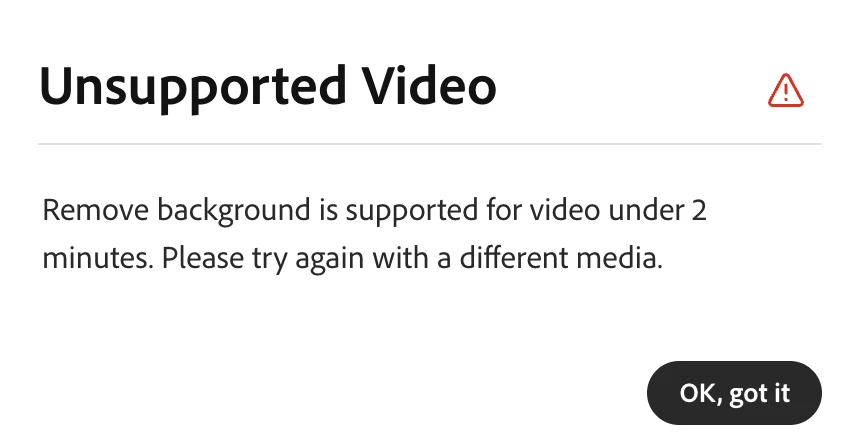
Getting an error message on unsupported video. The remove background tool is supported for video under 2 minutes. 

Is there a way around this? Why is there a 2 minutes restriction?

Correct answer Amitej S

Hi ​@Robin_87 , Great question, thanks for bringing this up.

The 2-minute cap is as per design in Adobe Express, as longer videos require significantly more computing power to process frame by frame, and Express is generally used for quick tasks.


There's no way to bypass it directly in Express, but there's a reliable workaround: You’d need to Split the videos → Remove BG of each clip → Rejoin clips to form a video 


  • Split your video into segments under 2 minutes using the Trim tool in Adobe Express or any video editor.
  • Process each segment individually in Adobe Express Remove Background.
  • Rejoin the processed clips on a timeline and export as one video.


Pro tip: Split at low-motion moments (pauses, slow movements) so the cuts are less noticeable when the clips are rejoined.


For longer videos, Adobe Premiere Pro and After Effects are worth considering, as they have no duration limit and are designed for editing longer videos.

Hope that gets you unblocked!

1 reply

Amitej S
Community Manager
Amitej SCommunity ManagerCorrect answer
Community Manager
June 10, 2026

Hi ​@Robin_87 , Great question, thanks for bringing this up.

The 2-minute cap is as per design in Adobe Express, as longer videos require significantly more computing power to process frame by frame, and Express is generally used for quick tasks.


There's no way to bypass it directly in Express, but there's a reliable workaround: You’d need to Split the videos → Remove BG of each clip → Rejoin clips to form a video 


  • Split your video into segments under 2 minutes using the Trim tool in Adobe Express or any video editor.
  • Process each segment individually in Adobe Express Remove Background.
  • Rejoin the processed clips on a timeline and export as one video.


Pro tip: Split at low-motion moments (pauses, slow movements) so the cuts are less noticeable when the clips are rejoined.


For longer videos, Adobe Premiere Pro and After Effects are worth considering, as they have no duration limit and are designed for editing longer videos.

Hope that gets you unblocked!

Robin_87Author
Participant
June 11, 2026

Thanks Amitej for the useful tip. I figured it would be something to do with processing. 

I’ve actually tried splitting the videos, despite splitting the videos under 2 minutes it still threw the same error at me.