Participant
July 11, 2022
Answered

IS there a way to split a text box up as to edit individual words without starting over

Would like to do this without having to start from scratch as to have nice variety with individual words. Thanks...

This topic is closed to new replies. Start a new post to keep the conversation going.
Amitej S
Amitej SCorrect answer
Community Manager
July 14, 2022

Hi @Devon25202700vw4z,


Thanks for reaching us; you might be able to use the "Main Style and Highlight" feature to edit individual words in Adobe Express.


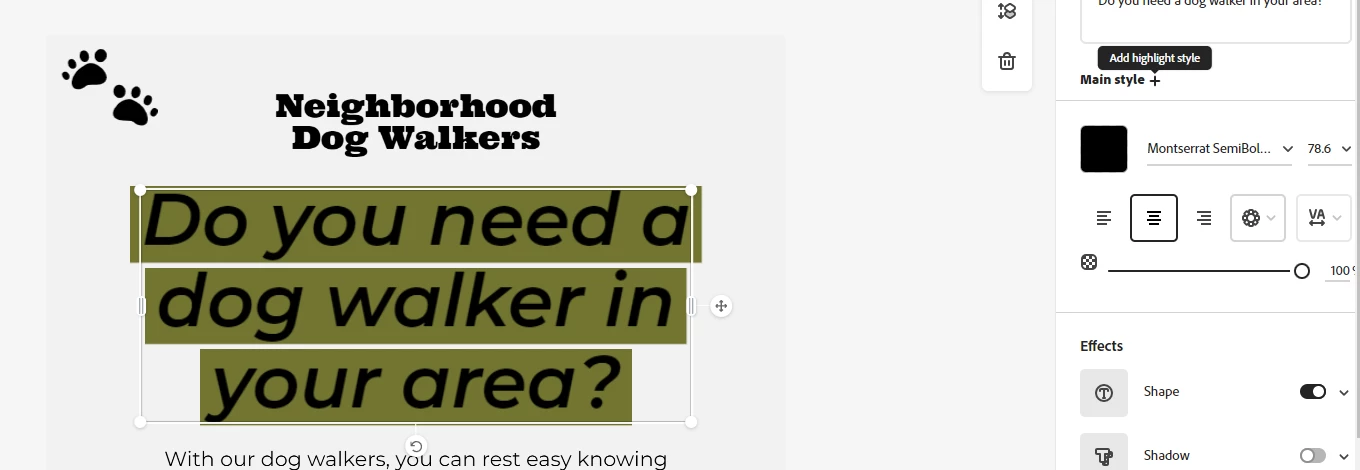
1. Click on "+" beside Main Style to add Highlight Style.


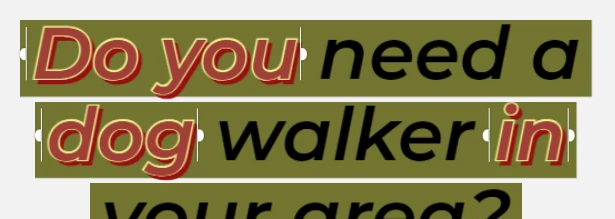
2. Select the text to edit.


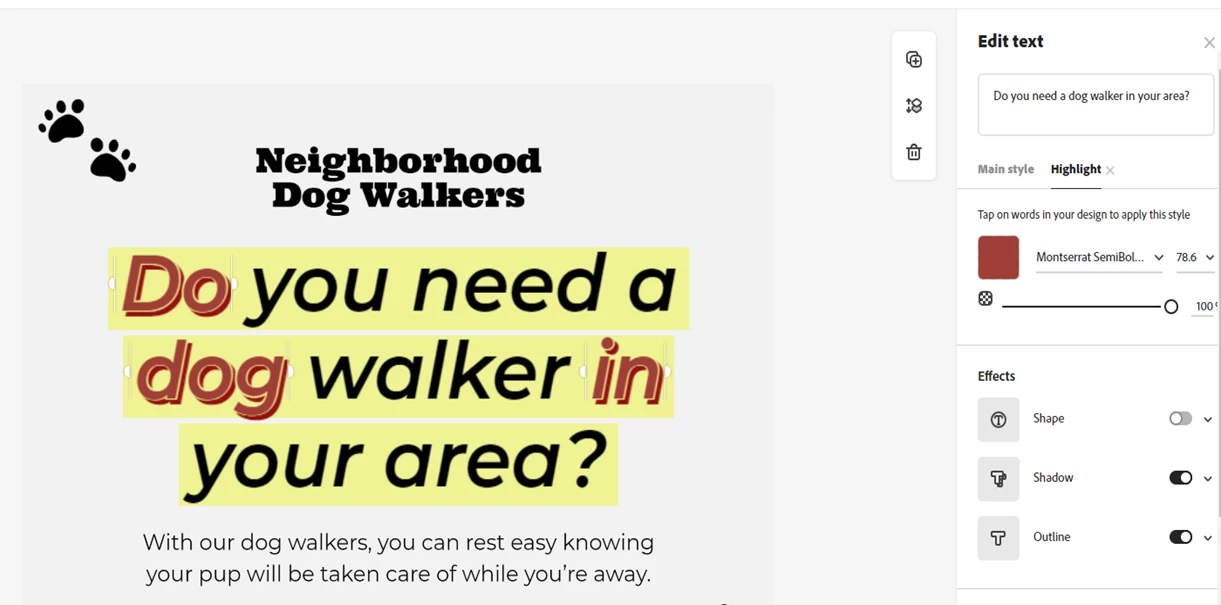
3. Change the effects, font, size, and colour under the Highlight Style section.


Let us know if it helps.


Thanks,

Amitej


3 replies

Amitej S
Community Manager
Amitej SCommunity ManagerCorrect answer
Community Manager
July 14, 2022

Hi @Devon25202700vw4z,


Thanks for reaching us; you might be able to use the "Main Style and Highlight" feature to edit individual words in Adobe Express.


1. Click on "+" beside Main Style to add Highlight Style.


2. Select the text to edit.


3. Change the effects, font, size, and colour under the Highlight Style section.


Let us know if it helps.


Thanks,

Amitej


Translate
Participant
February 21, 2024

Was this feature removed? I no longer see the + next to main style, but I remember using it in the past 


Translate
Participant
March 4, 2024

Yeah, this is really confusing to me. 

Translate