Participant
October 1, 2025
Answered

Missing template fucntion

  • October 1, 2025
  • 1 reply
  • 364 views

Hi guys,

Since the last two days, I can't see the 'Generate Template' function. Instead, Adobe has replaced it with 'Remove Background.' I can't find the function by which I used to upload a file and receive automatic template styles; now it is not showing


Plz help

Correct answer chaimaa.7

I'm sad to hear that the feature was not only removed but also not replaced with any alternatives. It was a great feature for non-designers and worked wonders in adjusting typography on the design. Now, I don’t know how I’m going to manage without it. I wish the feature had been improved rather than removed. Goodbye, great template feature. RIP.


Hi @Bilal33509228w6ma, thank you so much for taking the time to share your thoughts. We hear you, and we truly understand how important the “Generate Template” feature was to your creative workflow. Your feedback is incredibly valuable to us, and we want you to know that the Adobe Express team is continuously working to improve the app based on what our users need and love.

Thank you again for being part of the Adobe Express community we truly appreciate your input!


Regards,

Chaimaa

1 reply

Amitej S
Community Manager
Community Manager
October 1, 2025

Hi @Bilal33509228w6ma, Welcome to our Adobe Express community! 


Can you please let us know if you're able to get to Generate Template through 'Generate with AI' on the homepage of Adobe Express, then selecting the 'Generate template' option, and then uploading an image for reference.


I was able to create content based on the uploaded image. Let me know if that works for you as well. 


Hope this helps!

Thanks!

Participant
October 2, 2025

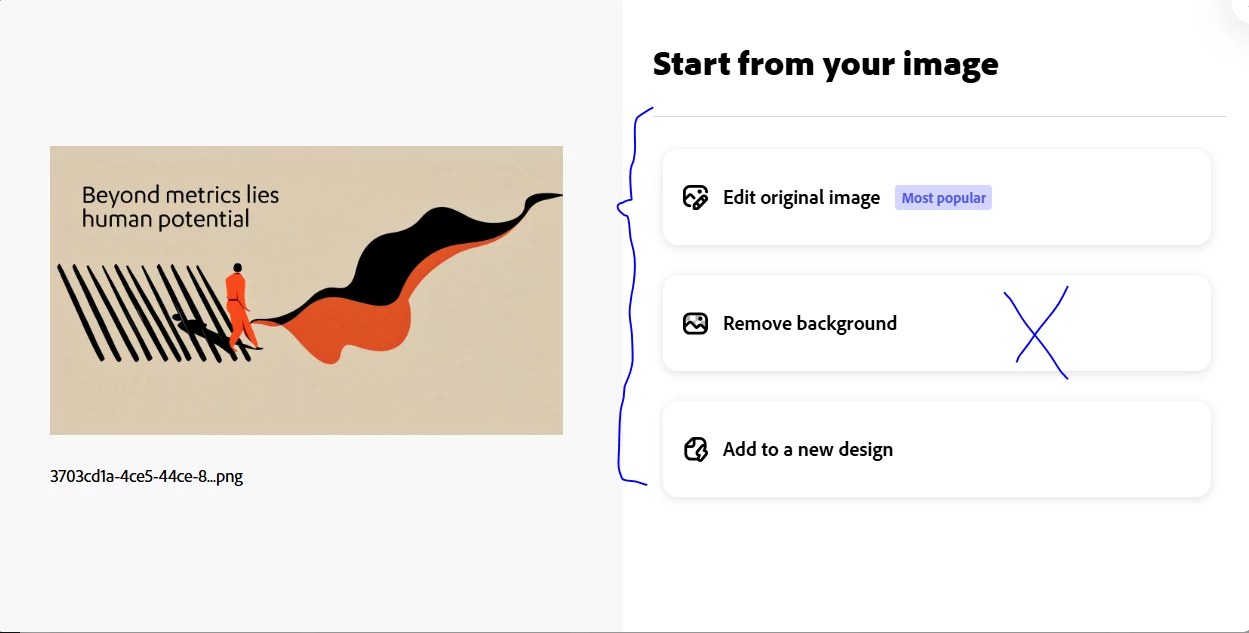
Thanks for your reply. The issue I am mentioning is that when you press “Start with Your Content” from the main screen, it leads you to upload an image. Right after you upload the image, the second screen shows options: “Edit Original Image,” “Apply Design to Template,” and “Add to a New Design.” Now, the second step is showing “Remove Background” instead of “Apply Design to Template.”
I might be naming the option incorrectly as I can’t remember the exact name of the function, but what it does is take your photo and apply different typography and design elements to it. That option is not showing. I have attached screenshots. This is not related to the AI feature; it was an old feature even before Adobe introduced AI in the app.

Thx


Amitej S
Community Manager
Community Manager
October 2, 2025

Hi @Bilal33509228w6ma, We've received user feedback about wanting image-editing-focused actions when users upload a photo from Adobe Express Home, so we're experimenting with different, useful starting points. We are glad to hear that you enjoyed seeing the template recommendations with your photo intelligently incorporated into the template, and we will take that into consideration as we continue to evolve this experience.

Thanks!