Answered
Myriad Hebrew Bold
After the Adobe Spark Update, I can't find our typical fond "Myriad Hebrew Bold".
Do you have the same problem? How can I use it again?
Greetings
After the Adobe Spark Update, I can't find our typical fond "Myriad Hebrew Bold".
Do you have the same problem? How can I use it again?
Greetings
Hi Alexandra,
In the new font picker, fonts are grouped by language, not necessarily alphabetically. So you might not find Myriad Hebrew next to other 'M' fonts, but lower down in the list.
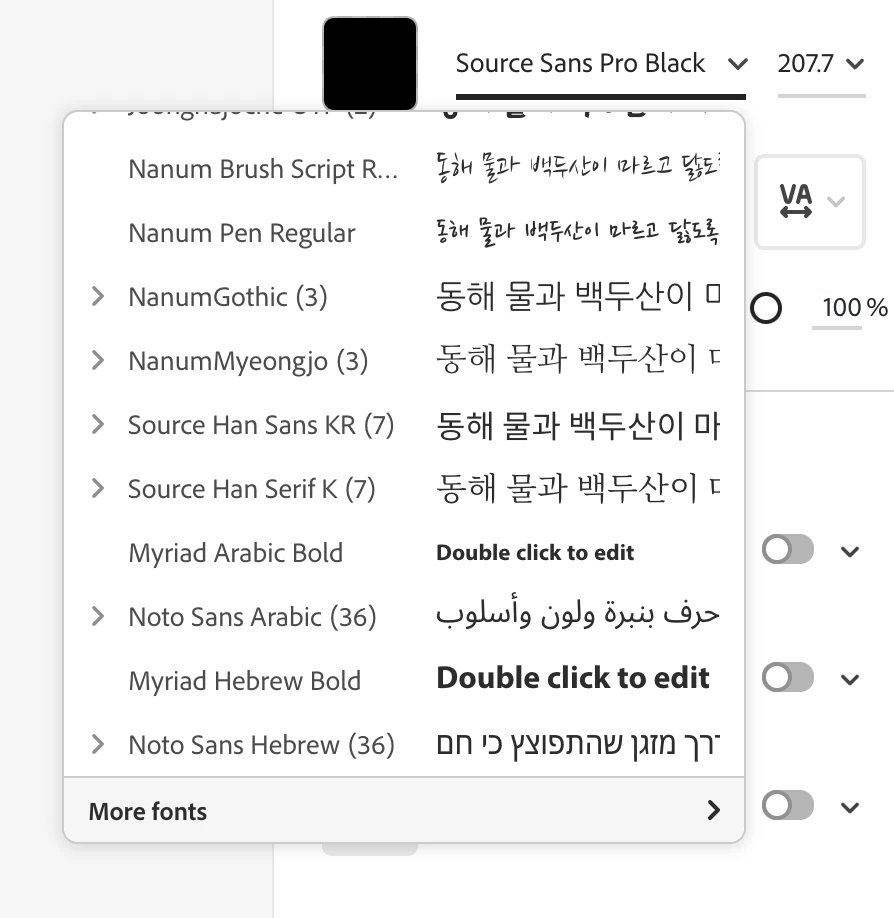
Also, the new font picker lets you quickly search for a font by typing its name:
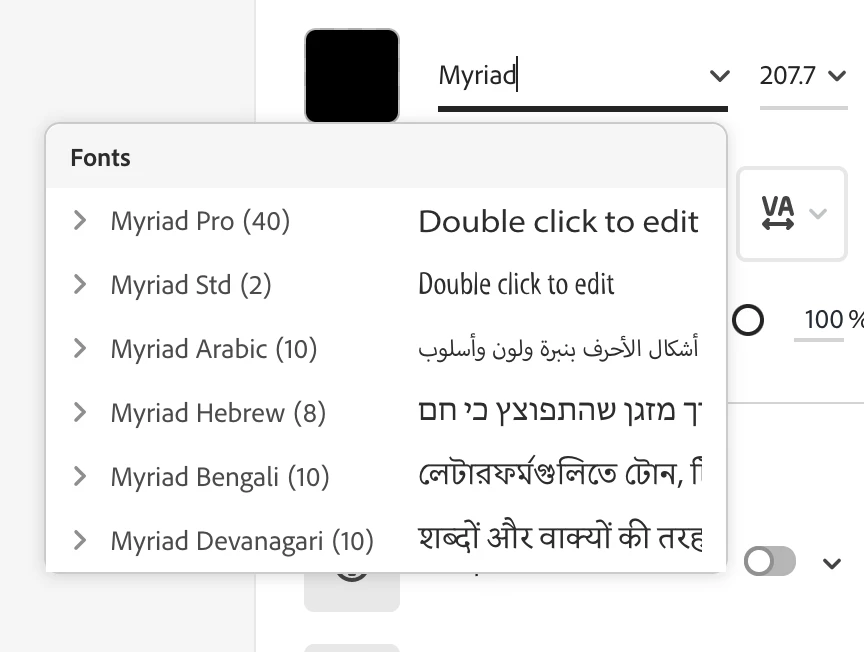
Hope this helps
Abhishek
Already have an account? Login
Enter your E-mail address. We'll send you an e-mail with instructions to reset your password.
 AdChoices