


Participant
February 1, 2025
Question

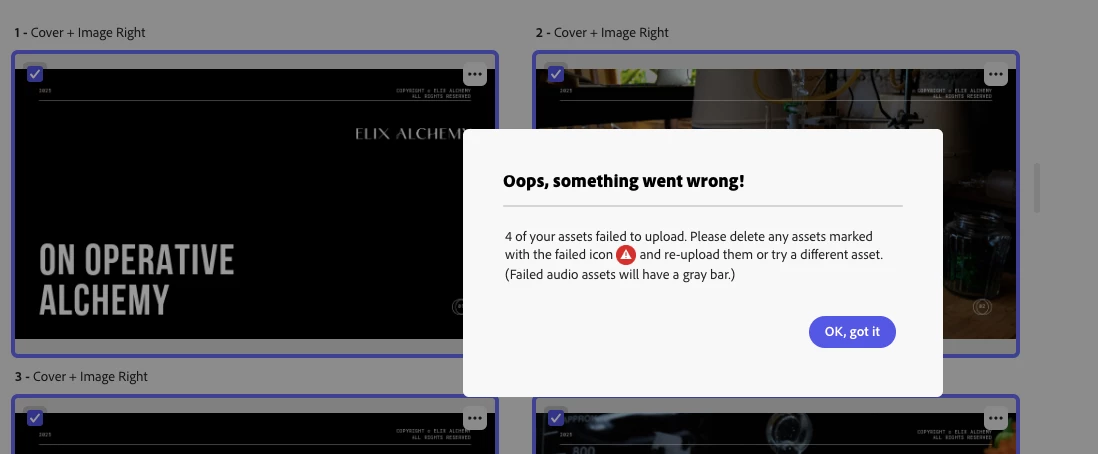
Oops, something went wrong

  • February 1, 2025
  • 3 replies
  • 214 views

(number) of your assets failed to upload. Please delete any assets marked with a failed icon (ICON) and re-upload them or try a different asset.

The software does not mark anything with the ICON and I have no idea what assets is refering to!
It does not give any other options than to create a new presentation from start.

This is quite anoying and I would considerate using adobe online again for all this type of issue.
3 replies

kglad
Community Expert
Community Expert
February 2, 2025

in the future, to find the best place to post your message, use the list here, https://community.adobe.com/

p.s. i don't think the adobe website, and forums in particular, are easy to navigate, so don't spend a lot of time searching that forum list. do your best and we'll move the post (like this one has already been moved) if it helps you get responses.


<"moved from using the community bugs">
Participant
February 2, 2025

new adobe express

Peru Bob
Community Expert
Community Expert
February 1, 2025

This is the Using the Community forum (which is the forum for issues using the forums).
Please tell us what Adobe application you are using so that this can be moved to the proper forum for help.

Scroll down here to see a list of the forums:
https://community.adobe.com/
html