


Participant
July 26, 2026
Pergunta

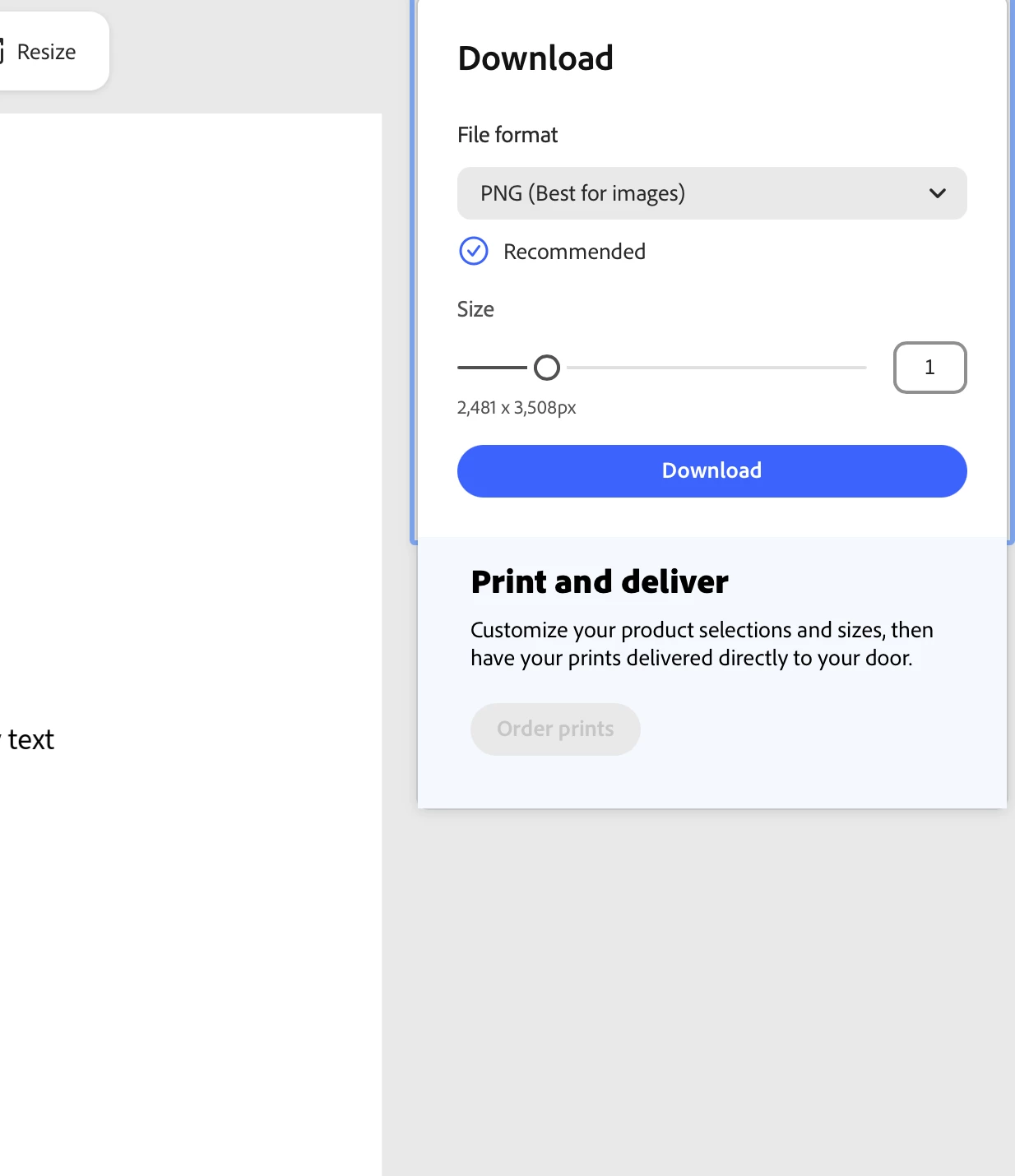
Order Prints option greyed out

  • July 26, 2026
  • 1 resposta
  • 28 Visualizações

Browser: Safari (MacBook)

Software: Adobe Express

Process:

  1. Create whatever design you want ( in my case, a flyer with 4 images from my desktop )
  2. Click the Download option

Expected: Order Prints option available

Outcome: Order Prints option greyed out and unable to click


I have tried absolutely everything: Changing browsers, using an incognito tab, ensuring my account was made and still is in a region in which this option is available, ensuring there are no premium features, making sure there are no ad-blockers, testing with a blank flyer with a standard body of text to see if it was layout issues, resizing and making new flyers over and over to no avail, etc…


Nothing works, and I have no way of contacting Adobe’s customer service asd they do not provide any information on how to report an issue that isn't one of their pre-selected questions or this forum, which I only found after half an hour of trying to find help, as it is portrayed as a user-led forum intended to chat about the software, not reporting issues to Adobe. 
 

1 Resposta

Rose DV
Community Manager
Community Manager
August 11, 2026

Hi ​@elena11, thank you for being so thorough, you've ruled out the usual suspects.

Given that, this is very likely an eligibility/entitlement issue rather than a browser or device bug. A few things that gate "Order Prints":

  • Region: Print & Deliver is only available for US & UK accounts. Other regions can see the button but can't complete the flow.
  • Account type: If you're on a school/work (enterprise or EDU) account rather than a personal Adobe ID, your organization's admin may have disabled the print add-on for your account/role.
  • Document type: Only certain formats (flyer, invitation, poster, postcard, business card, and similar printable items) support Order Prints, some types like presentations don't offer it at all.
  • Desktop only: this feature isn't available on mobile, though Safari on a MacBook should be fine if the account is eligible.

To help narrow this down, a couple of questions:

  • Are you using a personal Adobe ID, or a school/work account?
  • What document type are you seeing this on (you mentioned a flyer, just confirming, since that should be eligible)?

You can also check our Print FAQ for more on when/where this feature is available: https://helpx.adobe.com/express/web/print-and-export/print-faq.html

Looking forward to getting to the bottom of this!

Rose