



Ethereal_strategist5C08
Participating Frequently
Jan 25, 2022 4:57 PM UTC
Question

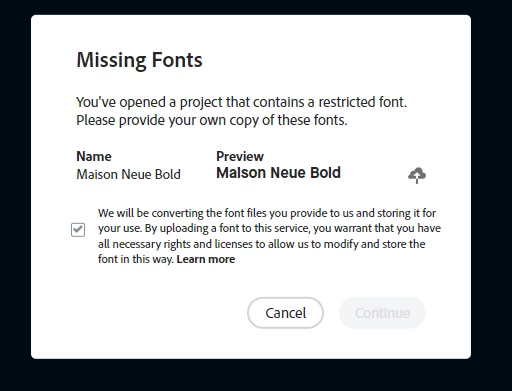
Restricted Font Pop-Up Error

Has anyone else run into an issue with restricted fonts? My team has been using Adobe CC Express (formerly Spark) for over a year now and are now getting this message when they open a template that contains these fonts. When the user selects the check box, the continue button stays grayed out and they are unable to open the file. Error shows in Chrome and Firefox.  Thank you in advance!
 

This topic is closed to new replies. Start a new post to keep the conversation going.

11 replies

Community Manager
Jan 25, 2022 6:12 PM UTC

Hi Brandonh,


Sorry about that. Hope we can help you. If you are using Creative Cloud Express (Web), please try clearing cache and then try to log in to a new "Incognito" or "Private" browser window. You may try a different browser just to check if this works fine or not. Try reinstalling the app, signing out of the app and then signing back in. You may try reinstalling the app in both ways (Web/Mobile app).  Try checking these things and report back with any observations. Thanks for your patience in resolving this problem. 


Thanks,

Manmeet

Translate
Ethereal_strategist5C08
Participating Frequently
Jan 25, 2022 6:30 PM UTC

Thank you, Manmeet. I will have the team try this and see what happens. I will report back.

Translate