


Inspiring
September 23, 2025
Answered

Rotating video in Adobe Express

  • September 23, 2025
  • 1 reply
  • 416 views

I am trying to rotate a video in Adobe Express. I have a paid subscription for Adobe Creative Cloud which includes Adobe Express.

The attached link says that I can do this for free, but I don't get the roation handles. I'm using the latest version of the Chrome browser on a Macbook Pro (again with the latest OS).


Why am I doing wrong?


Thanks,


Lee
Correct answer leep40312335

Hi @mahmoud_5524 

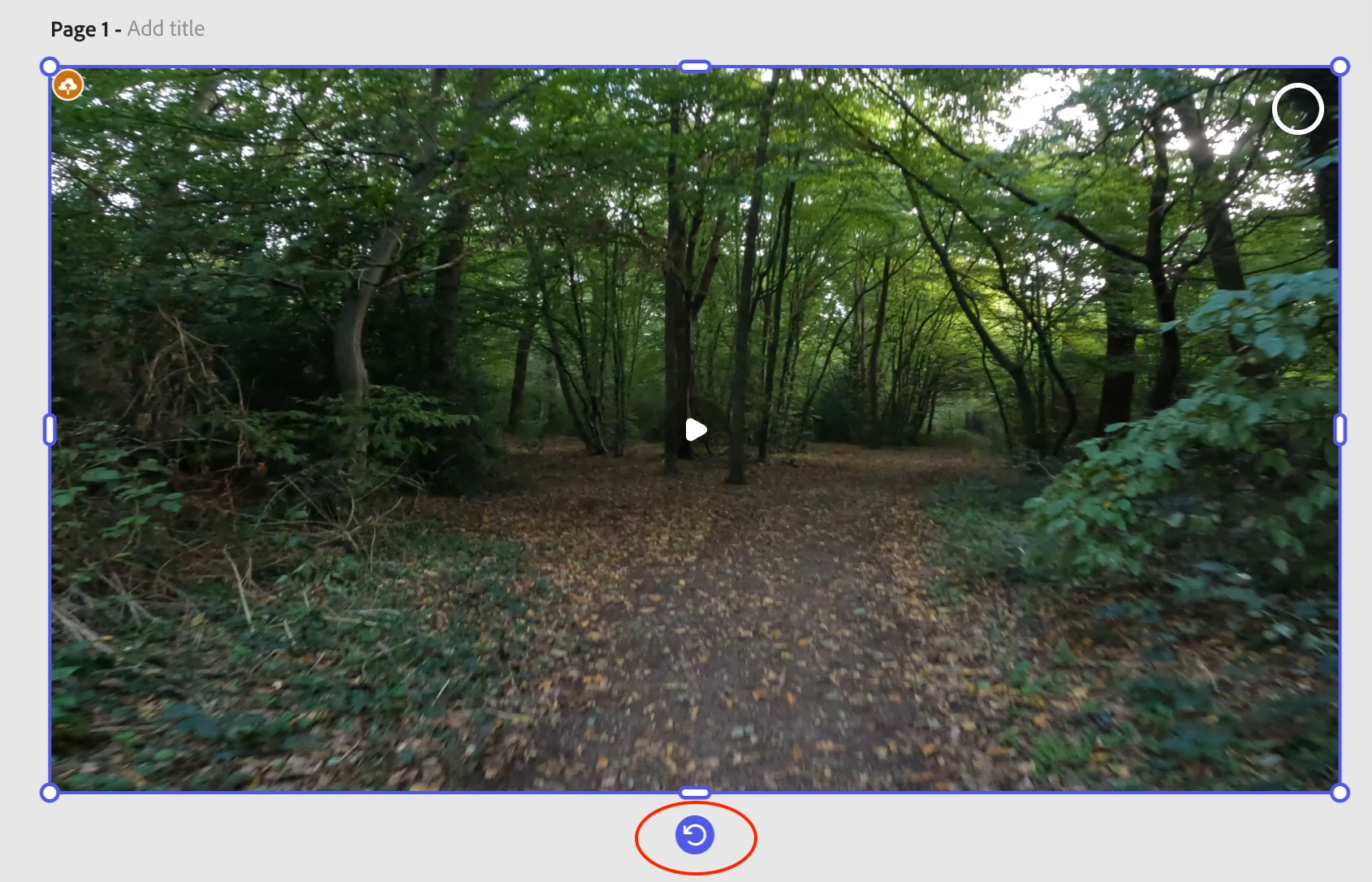
I have just discovered that Instead of the bounding box handles, I get a rotation icon at the bottom of the screen;

If I click and drag this I can rotate the video. It looks like the instructions need updating perhaps?


Many thanks for your help.

1 reply

Community Manager
September 24, 2025

Hi @leep40312335,


We’re sorry you’re running into this issue. In Adobe Express, video rotation handles appear when the video element is selected and the correct editing mode is active. Make sure you’re in the video editing canvas (not preview mode) and click directly on the video — a bounding box with rotation handles should appear.

If it still doesn’t appear, it could be related to browser-specific rendering or account/tool restrictions. Could you please:

  • Try opening the project in Incognito mode or another Chrome profile.

  • Disable any extensions that might block scripts.

  • Share the steps you’re taking and a short screen recording if possible.

This will help us investigate further and share with our team for resolution.


^MM

leep40312335AuthorCorrect answer
Inspiring
September 24, 2025

Hi @mahmoud_5524 

I have just discovered that Instead of the bounding box handles, I get a rotation icon at the bottom of the screen;

If I click and drag this I can rotate the video. It looks like the instructions need updating perhaps?


Many thanks for your help.

Community Manager
September 24, 2025

Hi @leep40312335 ,


Thanks for the update! 😊 We’re glad you discovered the rotation icon — you’re right, the instructions could be clearer about this new interface. If anyone else encounters this, selecting the video on the canvas shows the rotation icon at the bottom instead of the bounding box handles.

We really appreciate your feedback and patience while we work on improving the instructions. If you notice anything else that’s confusing, please feel free to share!

ˆMM