Participant
March 30, 2025
Question

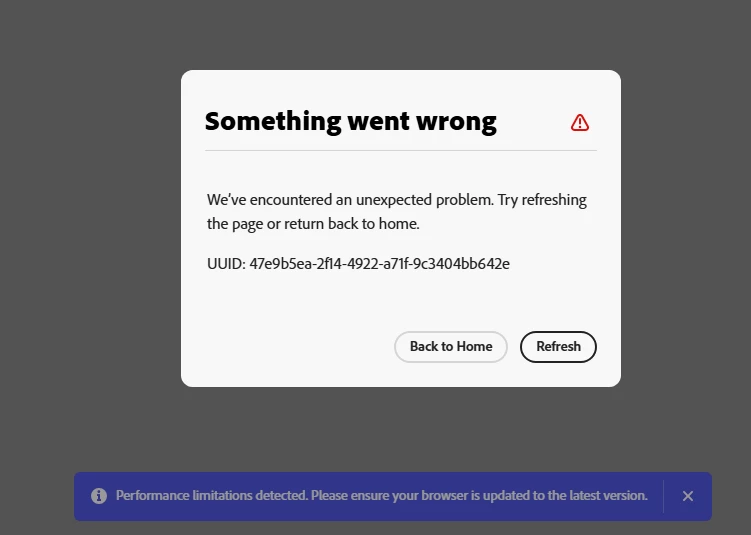
Something went wrong

  • March 30, 2025
  • 4 replies
  • 296 views

I've already cleared the cookies, reset my browser, and installed the app on my PC, but nothing has worked. The message still keeps appearing, and I'm really frustrated.

 

4 replies

Participant
March 30, 2025

Oh sorry

Tarun Saini
Community Manager
Community Manager
March 31, 2025

Hi 

@clara_6257

,

Welcome to the community! We're sorry to hear about this. 

 Did you try using the other suggested browsers (Safari, Microsoft Edge, and Google Chrome) or incognito mode to see if it makes a difference? 


Also, try clearing the browser's cache and cookies, and restarting the browser and try again. For more information on how to clear cache and cookies check this link- https://adobe.ly/4a5ipUF and how to use incognito mode- https://adobe.ly/4a2UzZV.


If the above steps don't work, could you share your project URL with me via private message?


Regards,

Tarun

c.pfaffenbichler
Community Expert
Community Expert
March 30, 2025

»I use a Windows 11, I trying acess my apresentation in the adobe express.«


Then please post on that Forum, not the Photoshop Forum. 

Participant
March 30, 2025

I use a Windows 11, I trying acess my apresentation in the adobe express. Yes, I tried Microsoft Edge and Chrome

Jeff Arola
Community Expert
Community Expert
March 30, 2025

Which version of Windows are you using?


What are you attempting to do when you get the above message?


Have you tried a different internet browser?