


Participant
May 14, 2025
Question

Templates: Allow Only Library Colors for Background Color?

  • May 14, 2025
  • 1 reply
  • 168 views

I am creating templates for my team to use to create graphics quickly. One thing I noticed is, in the Create Template window, even if you check the checkbox to only allow users to select colors from your library, and you already have specific colors for them to pick from, when using the template, the user can still select white, black or transparent as well as the colors in the library. Is there a way to limit colors to only the library colors, and not allow them to use white/black/transparent? See these screenshots:
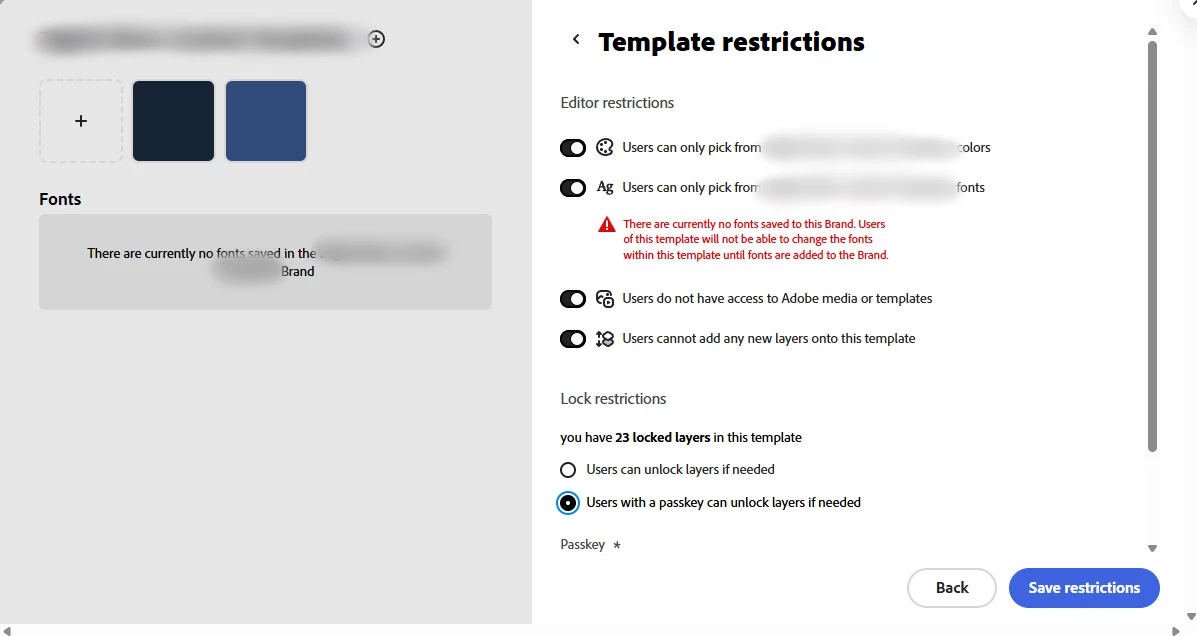
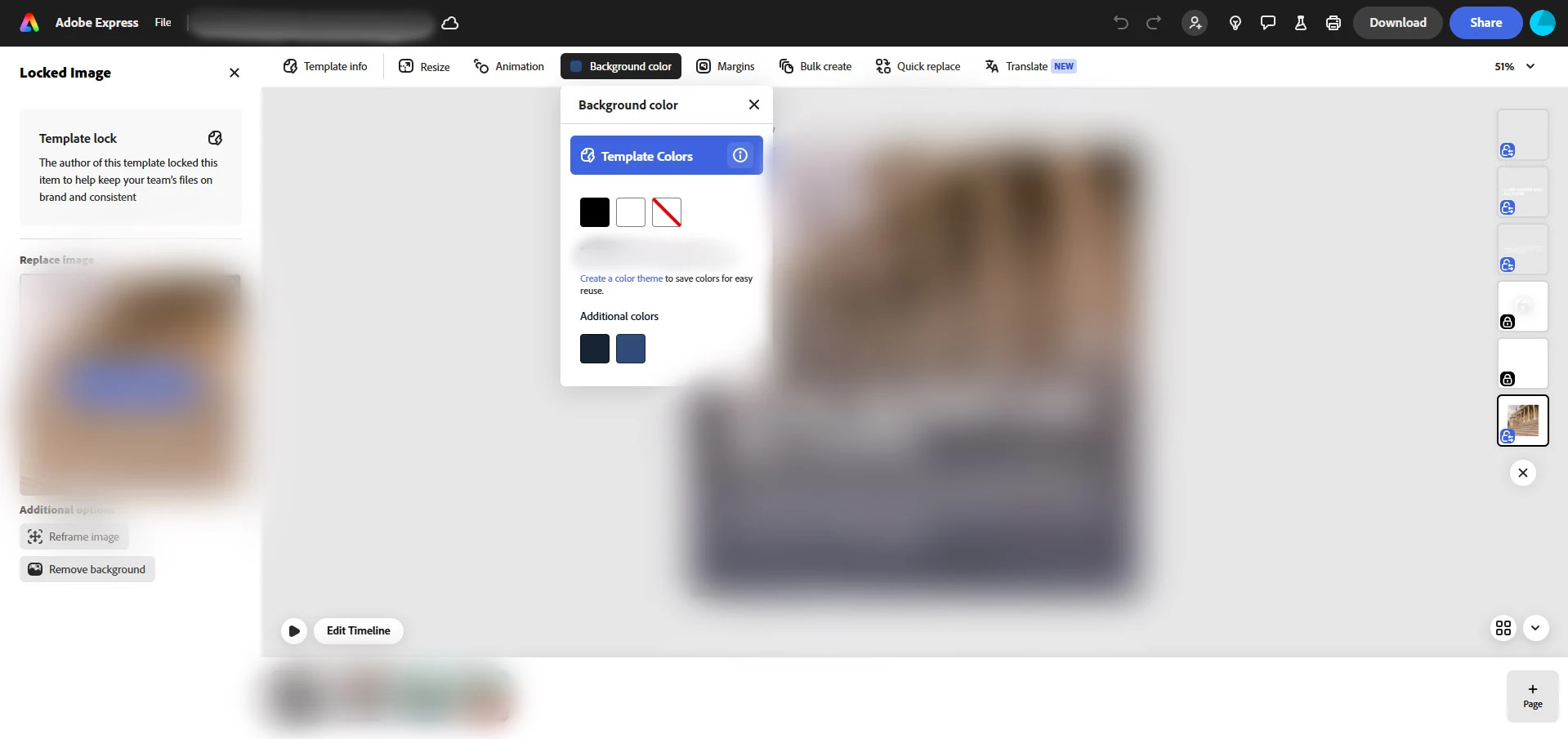
  

Does anyone have any suggestions? Seems like that could be an issue in cases where I only want specific colors to be used, and white/black/transparent is not one of them. Thanks!

1 reply

Community Manager
May 14, 2025

Hi @griffinmedia9,


Thank you for reaching out! We understand how important it is to maintain color consistency in your templates.

Currently, even with the setting enabled to restrict color selection to your library, white, black, and transparent are still available for selection in Adobe Express. Unfortunately, there isn’t an option to fully block these colors from the selection menu at this time.

As a workaround, we recommend setting your library colors as the default for the template and communicating to your team that only those colors should be used. While it’s not a perfect solution, it can help ensure consistency.

We appreciate your feedback and will continue to improve the app. Let us know if you need further assistance!


^MM