This topic has been closed for replies.
Correct answer Amitej S

Hey @default33138632c3umd4,


Welcome to Adive Express Communtiy!!


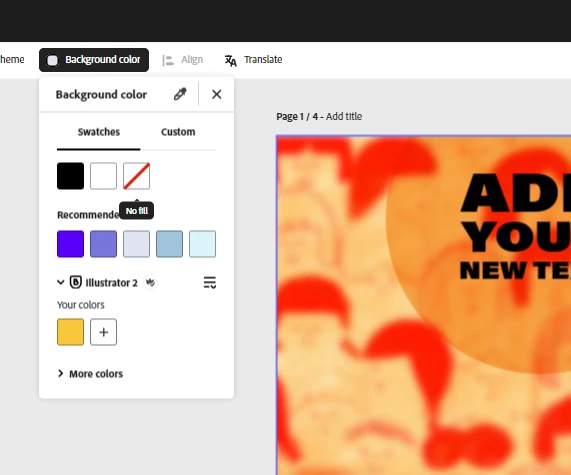
To get a PNG export with a transparent background, all you need to do is set the project background as transparent using the No Fill option in the Background Color feature at the center top bar. Then, you'll get an option of Transparent PNG while downloading the project.


Please refer to the attached images.


Let us know if this helps.


Best,

Amitej

1 reply

Amitej S
Community Manager
Amitej SCommunity ManagerCorrect answer
Community Manager
October 24, 2023

Hey @default33138632c3umd4,


Welcome to Adive Express Communtiy!!


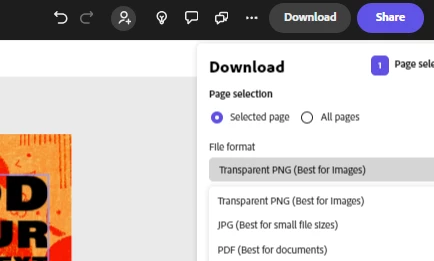
To get a PNG export with a transparent background, all you need to do is set the project background as transparent using the No Fill option in the Background Color feature at the center top bar. Then, you'll get an option of Transparent PNG while downloading the project.


Please refer to the attached images.


Let us know if this helps.


Best,

Amitej



