


Participant
August 23, 2026

Unable to change caption fonts on Adobe Express? Was able to previously

  • August 23, 2026
  • 8 replies
  • 63 views

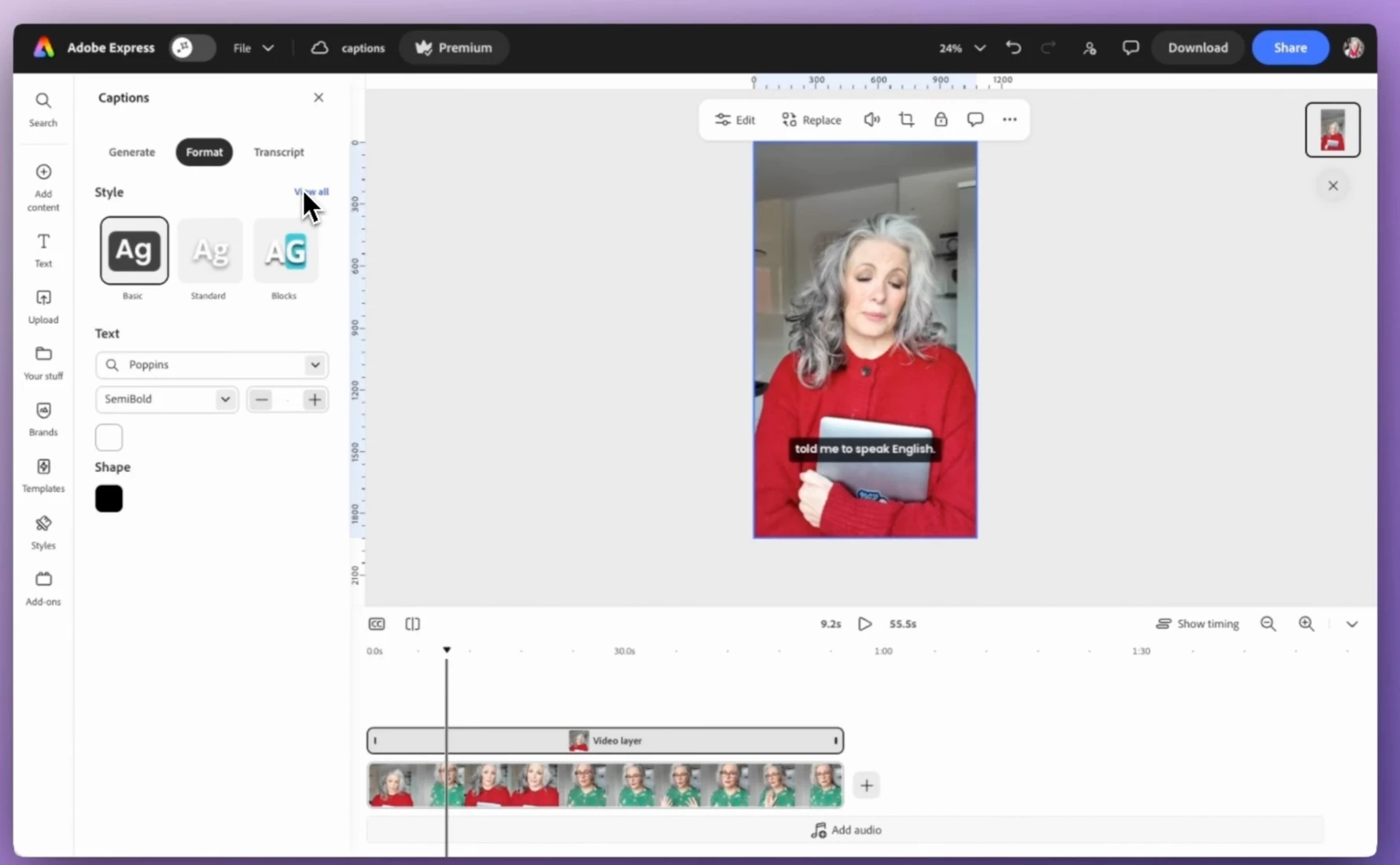
Previously was able to change font, font size etc. in the captions panel → Format → Text. Now that

option has completely disappeared. Previously used the feature to change the fonts of caption styles which was great. Please help! Also looking into whether this option is available on the Adobe Express app?


Screenshot from a YT video showing the Text panel that has now disappeared...
8 replies

Rose DV
Community Manager
Community Manager
August 24, 2026

Hey there, ​@multitalented_Gleameb0c!


I am still seeing the caption formatting editor - can you provide a screenshot from your own Express and let me know which browser (and version) you're using? You'll want to look for the "cc" button (which isn't always super obvious) to open the captions panel. If it’s not available, I definitely want to dig in further...

This article goes through how to edit them directly in your project as well as using the Quick Action "Caption video": https://helpx.adobe.com/express/web/video-creation-and-editing/edit-videos/caption-video.html


Let me know!


Rose

Participant
August 25, 2026

Hi Rose,


Thank you for replying! I’ve tried on browsers, Safari and Chrome as well as the Adobe Express application on Mac. They all come up the same for me.


Here’s how the panel looks like for me on all platforms mentioned:


Participant
August 25, 2026

Forgot to add that that’s how it looks for all caption styles by the way!