


Participating Frequently
May 7, 2025
Answered

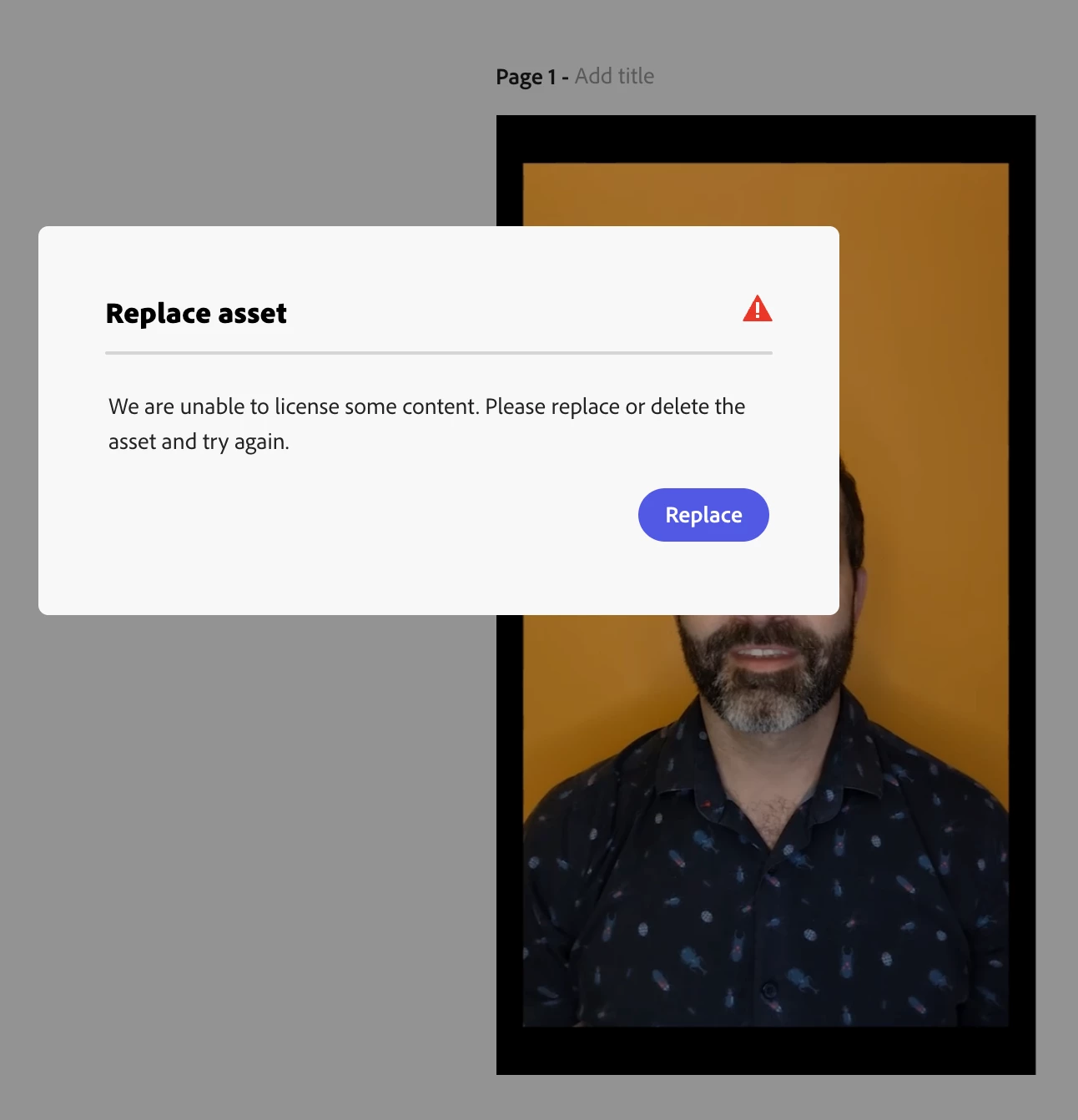
Unable to download video: "Replace asset"

  • May 7, 2025
  • 5 replies
  • 1292 views

After spending *DAYS* on a video, I click download and get this unhelpful, generic error. "We are unable to license some content." This is a complicated timeline and the message gives no clues as to what type of asset even is involved (music, static images, sound effects, or video stock). This is an absolute dealbreaker! 1) I'm simply using things that I have browsed through Adobe's library which it assures me is all licensed. 2) Where do I go from here? If I cannot depend on exporting a file, there's no point to using this software.


I've tried individually deleting stock, to no avail. Please fix this!


Correct answer Amitej S

Hey @Matthew226471775x0c, Thanks for bringing this up! Our team is aware of this and is working on providing more descriptive and direct information for such error cases. We'll let you know once it is available. 

We'd also appreciate your patience and support to help Adobe Express improve gradually overtime. 


Best,

Amitej

5 replies

winterdamsel
Participant
September 3, 2025

Same. Instructions can be more descriptive. I also know which file is causing the issue (or, well, at least I think it's the audio in my video) and I can't seem to be able to just mute the audio so I can upload my own video recording of a dance party 😞 The rest are elements from the Adobe library (so, pretty unlikely there's an issue with those).

If I try as a GIF, I also cannot export it (even though a GIF would not have sound).


Oh, looks like it's not my video, because I deleted it and I still cannot download my composition 😕😕

Participant
June 11, 2025

Any updates? I cant find the content that needs to be replaced on my ig reel im making, when I click replace nothing happens. Please help. I'm on a deadline. 


Adobe Employee
June 11, 2025

Hi @Fictional_Fantasies 


Sorry to hear you are running into this issue. Based on your logs, the problematic content may be an asset/icon that had to be removed from the Adobe Stock collection. It looks something like this (a play button?)

Hope this helps you identify and replace/delete it.


Abhi G


Participant
June 11, 2025

thank you so much, nothing showed it had a license issue. how did you find that on your end? trying to figure this out for a few days now.

Participant
May 28, 2025

Any luck finding a fix for this?  Same problem here.  Spending hours building graphics only to have this happen multiple times with many different projects.

Tarun Saini
Community Manager
Community Manager
May 28, 2025

Hi 

@kierstens88394228

,

Welcome to the community! Thanks for reaching out! We're sorry to hear about this. Could you please share the project URL with me, give me edit access, and share that link via private message? 


Private messages should be accessible from the envelope in the top right corner. This should be the direct URL- https://adobe.ly/4jWM9ag


Regards,

Tarun

Participant
May 28, 2025

Hello!

I'm having the same issue and can't detect what's the problem, but it shows a slightly different error message: "some assets need to be updated before you can download your file". Can someone please help me? I can't figure out what I need to updated, I did all I could. Thank you and waiting for the answer!

Adobe Employee
May 28, 2025

Hi @Hanna_Senna6208 


Did you click the Update button? It should select the asset you will need to replace/delete?

Let me know if you are still stuck.


Thanks,

Abhi G

Participant
May 28, 2025

Hi Abhi

Yes. And when I click the button it takes me to the general video options (of the entire video in one, not counting each cut) like effects, animations, volume, etc... 

It's all clear and selected to "none" and yet I can download. Moreover it only worked on the computer, the button doesn't takes me to any option on mobile.

Participating Frequently
May 8, 2025

I eventually found the offending PNG file in my composition. The error could definitely be more descriptive here to help folks understand the problem.

Amitej S
Community Manager
Amitej SCommunity ManagerCorrect answer
Community Manager
May 8, 2025

Hey @Matthew226471775x0c, Thanks for bringing this up! Our team is aware of this and is working on providing more descriptive and direct information for such error cases. We'll let you know once it is available. 

We'd also appreciate your patience and support to help Adobe Express improve gradually overtime. 


Best,

Amitej

Adobe Employee
May 8, 2025

Hi @Matthew226471775x0c 


Sorry to hear you had to go through a lot of trouble locating the offending PNG.

In theory, clicking the "Replace" button should've selected it. I am curious if you tried clicking that button and if so, what happened. We are aware of one bug where grouped assets are sometimes not selected upon clicking "Replace"; could that have been the case with your file?


Thanks,
Abhi G
