


Astroana
Participant
June 1, 2026
Answered

Unable to edit file exported from InDesign

  • June 1, 2026
  • 1 reply
  • 11 views

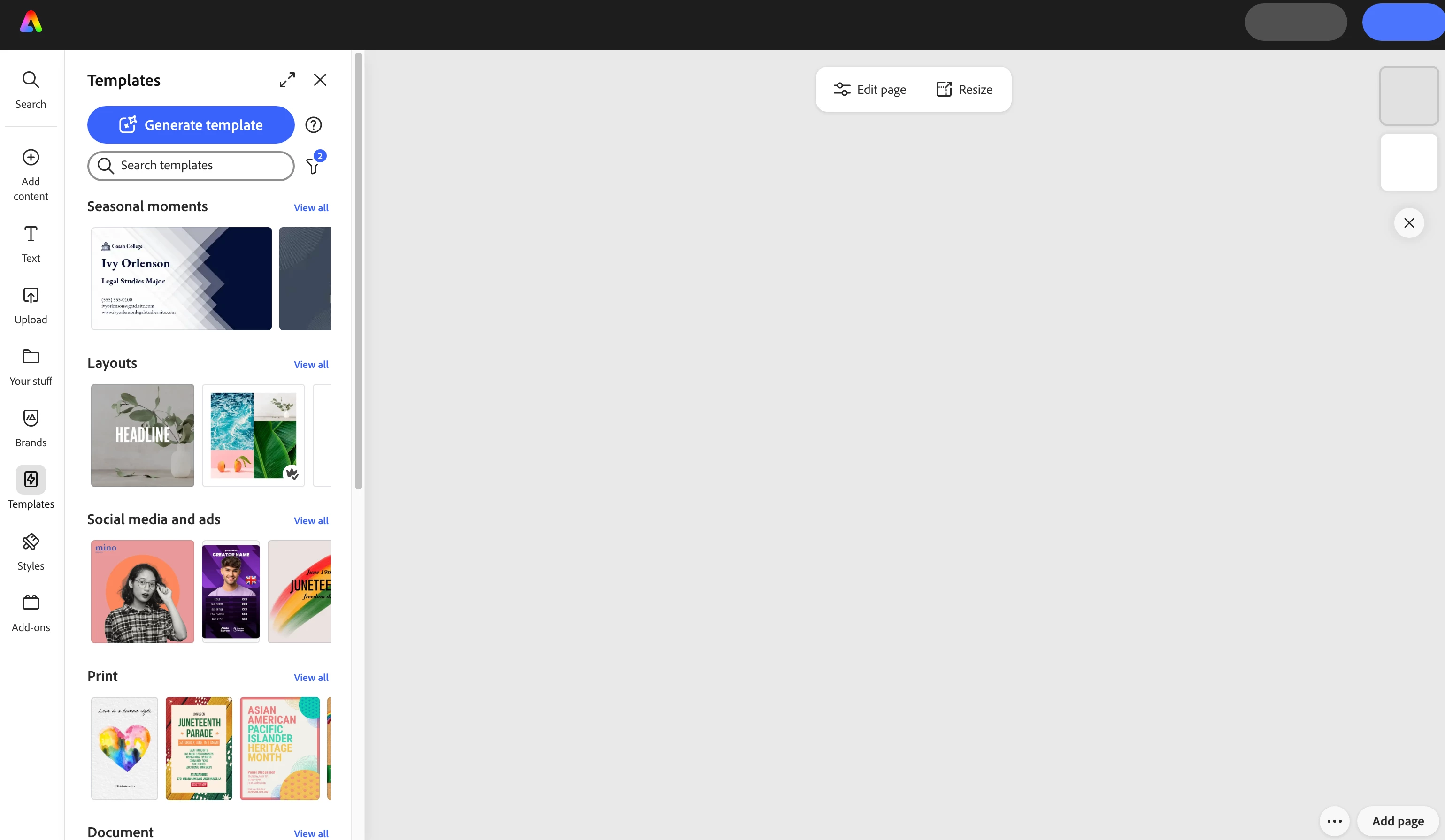
I exported an InDesign file to Adobe Express. I opened the file in Adobe Express, and there’s no content at all, nor is there any way for me to edit or resize the project. I’ve tried uploading the .indd file itself in Adobe Express, same story. Nothing seen, nor can I edit. I tried just creating a new file, opening a template file, and same story….I can’t see the job, nor can I edit. I’ve quit Creative Cloud, deleted preferences, restarted the computer 5 times, and I’m still stuck with this issue.
 

    Correct answer Astroana

    Thanks for the quick response Rose! I did everything you mentioned to do, and I was still having issues. So frustrating. Finally, I decided to check my software OS update, and sure enough, my OS needed an update. I can’t believe it….that did it! Express now works. I’m SO relieved! Crossing fingers all is well now. If anything ever develops, I’ll definitely reach out. I appreciate the help!

    1 reply

    Rose DV
    Community Manager
    Community Manager
    June 1, 2026

    Hi ​@Astroana,

    Thanks for the detailed report - a couple of things to clarify and investigate here!


    For importing InDesign files into Express, there are actually two supported workflows, which I want to make sure are available to you:

    1. Export to Adobe Express from InDesign: go to File > Export to Adobe Express directly from InDesign. Details here: https://adobe.ly/4uPZ4ka

    2. Import from other apps in Express: from the Express homepage, select the Plus icon > Import from other apps, then drag and drop your .indd or .inddc file. Details here: https://adobe.ly/3PA1EeL

    Since you're also unable to open new files or templates, that points to something broader. Could you try a few things you haven't mentioned yet?:

    • Try a different browser or incognito mode

    • Try on a different device or the mobile app

    • Disable any browser extensions and check if the issue persists

    • Sign out and sign back into Adobe Express


    If possible, a screen recording of what happens when you try to open a new file would be really helpful too!


    Rose

    Astroana
    AstroanaAuthorCorrect answer
    Participant
    June 1, 2026

    Thanks for the quick response Rose! I did everything you mentioned to do, and I was still having issues. So frustrating. Finally, I decided to check my software OS update, and sure enough, my OS needed an update. I can’t believe it….that did it! Express now works. I’m SO relieved! Crossing fingers all is well now. If anything ever develops, I’ll definitely reach out. I appreciate the help!