

Participant
April 3, 2024
Question

Unable To Select Brand

  • April 3, 2024
  • 2 replies
  • 196 views

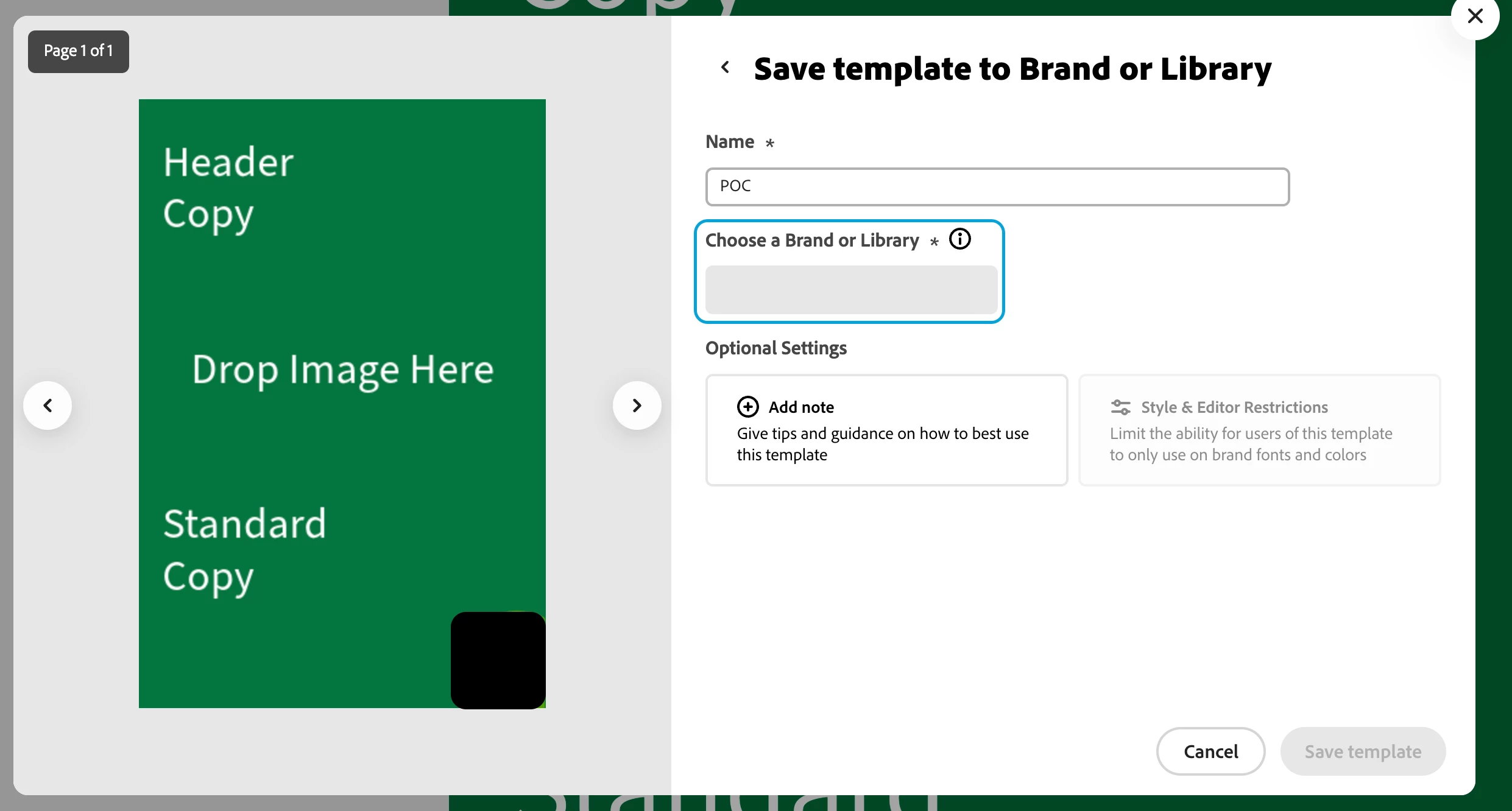
I am creating a template to save into our Brand.  However the Brand/Library field doesn't allow me to populate it with anything. It remains as a grey box. Any suggestions?

2 replies

Participant
June 17, 2025

In regards to this problem, whenever I want to save a template to one of our brands, not all of our brands are visible in the selection box. However when I go view our brands, they are visible. This is starting to create a large collaboration issue within the company. Hope you have a solution to this problem. Hope to hear from you. Kind regards.

Community Manager
June 17, 2025

Thanks for bringing this to our attention — we understand how this can disrupt collaboration, and we're here to help.

This issue may be related to brand permissions, user roles, or browser/cache conflicts. Please try the following:

  1. Clear your browser cache or try a different browser.

  2. Ensure you're signed into the correct account with access to all brand kits.

  3. Check if the missing brands are part of a different workspace or were shared with limited permissions.

If the issue persists, feel free to share your Adobe ID and a few example brand names (privately, not here), and we’ll investigate further. We're committed to resolving this with you.


^MM

Adobe Employee
April 3, 2024

Hi @Kristoffer306867564d8f 


Thanks for reporting this issue. We are working on a fix.


Abhi G