
Uploaded brand fonts displaying incorrectly
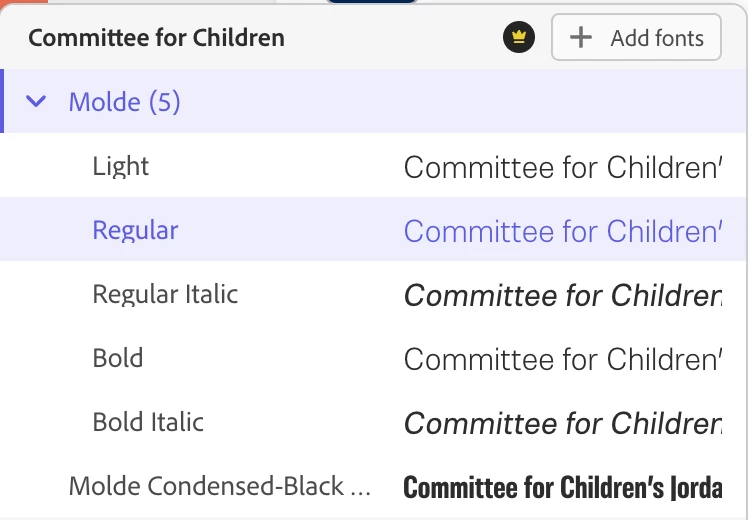
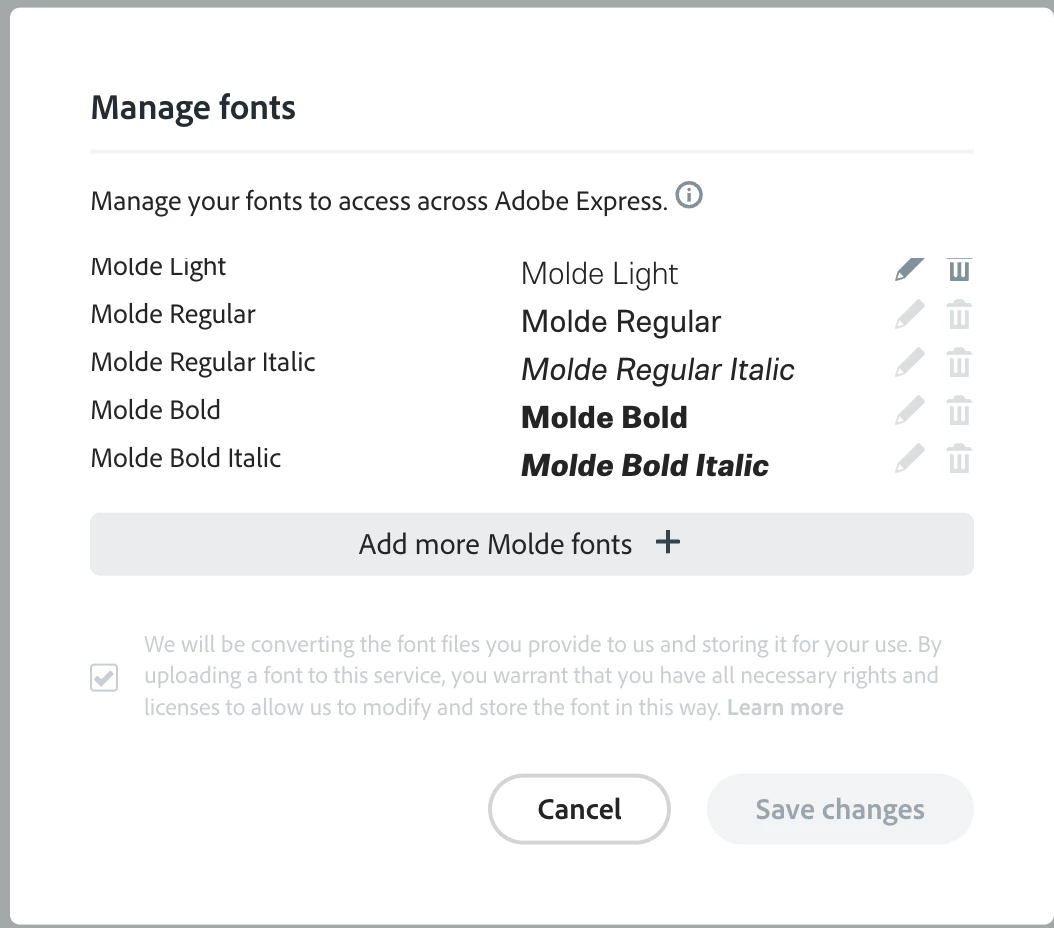
My uploaded fonts are not displaying at the selected weights. I have uploaded brand fonts to my Brand styles. They appear correctly in the brand page edit/add font screen (see "manage fonts" image, the second image), however, once I get into a project, the fonts are never the correct font weight (see "Committee for Children," first image) . It seems that one font weight is used for nearly all the font weights. In this example it's Light being used for Light, Regular, and Bold and Regular Italic is being used for Regular Italic and Bold Italic.
I have tried deleting the brand and reinstalling the fonts but the issue persists.
There is no consistent font, sometimes one font and not the other will show up correctly. I cannot create templates when none of my fonts display correctly. I cannot hand off projects or templates for other people to use if the fonts are acting up in this way.
I see there is a similar issue of some sort on iOS, I'm working on a Mac OS in Chrome, on a system where the fonts are installed, so it seems like the issue is different.
Anyone else having this issue or have a solution?
I am likely going to convince my boss to switch to Canva, as I have more text qualms with Express (alignment of text box changing when changing/replacing text, line height variable based on ascenders and descenders), not to mention the fact that you can't upload and change the color of an svg like you can in Canva.


 AdChoices