Jesica0101
Participant
June 7, 2023
Answered

Can't download .sbs format form library anymore

  • June 7, 2023
  • 1 reply
  • 505 views

Hi everyone, I used to download .sbs files from substance library and study form those graphs but now the format is nno longer available, you can only download .sbsar. What's going on? I'm I doing something wrong? I really need to access the graphs, that's the whole point of me having the subscription to 3d substance asets. 

Thank you!

 

This topic has been closed for replies.
Correct answer davescm

Go to the Substance 3D assets web page which is linked in the CC app under 'More Substance 3D Assets' > '3D Assets', or use this link: https://substance3d.adobe.com/assets/allassets


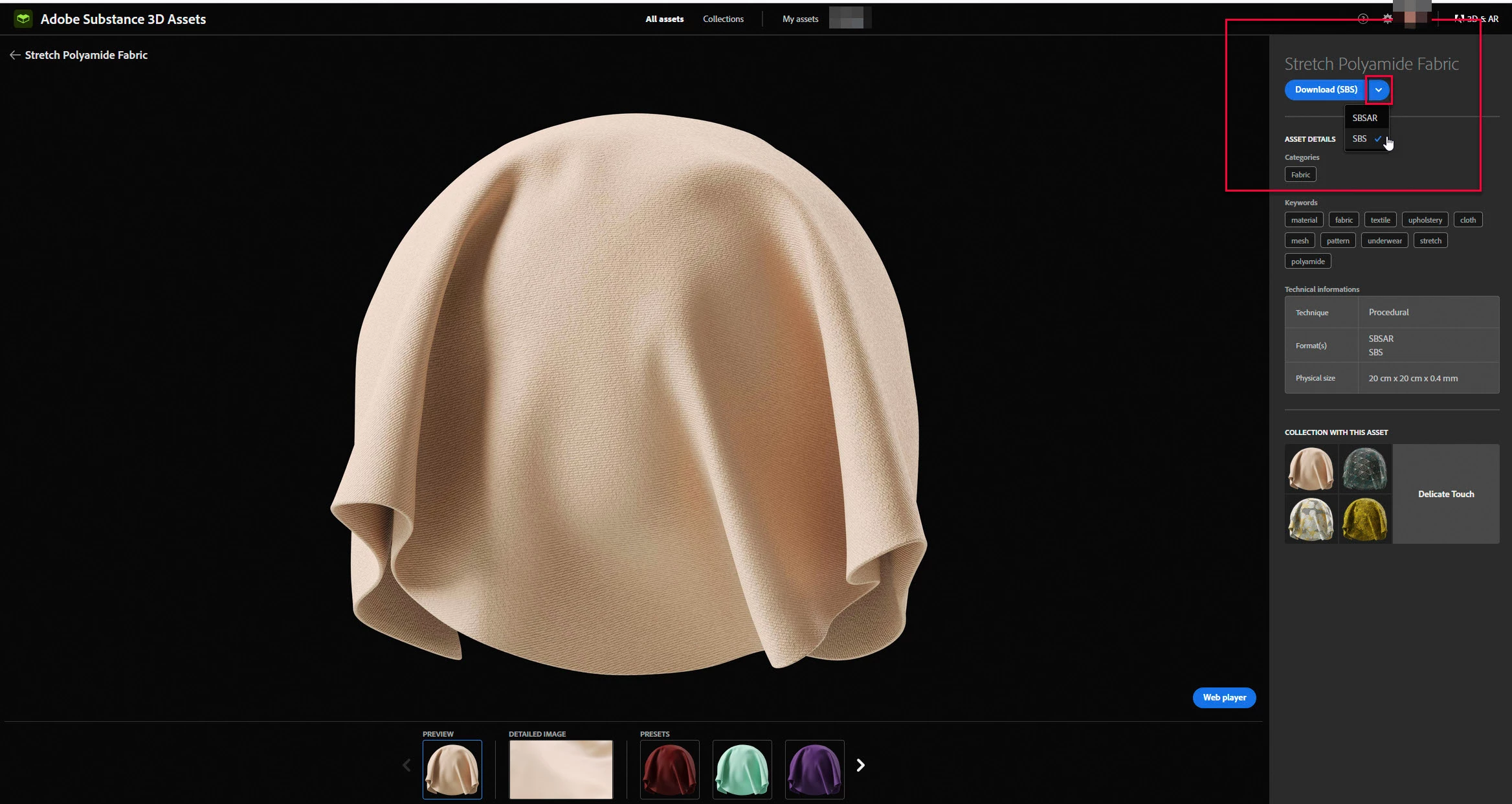
Search for the required material and click on the image (not the download button). Then click on the downward arrow next to Download (SBSAR) and then on Download (SBS)


Not every material is provided as an SBS, but those that are can be accessed as above.

Dave

1 reply

davescm
Community Expert
davescmCommunity ExpertCorrect answer
Community Expert
June 7, 2023

Go to the Substance 3D assets web page which is linked in the CC app under 'More Substance 3D Assets' > '3D Assets', or use this link: https://substance3d.adobe.com/assets/allassets


Search for the required material and click on the image (not the download button). Then click on the downward arrow next to Download (SBSAR) and then on Download (SBS)


Not every material is provided as an SBS, but those that are can be accessed as above.

Dave

Participant
December 28, 2023

Thanks Dave!  I was having the same issue.