Participant
October 19, 2020
Question

Font Error when Saving Photoshop Document
  • October 19, 2020
  • 2 replies
  • 3142 views


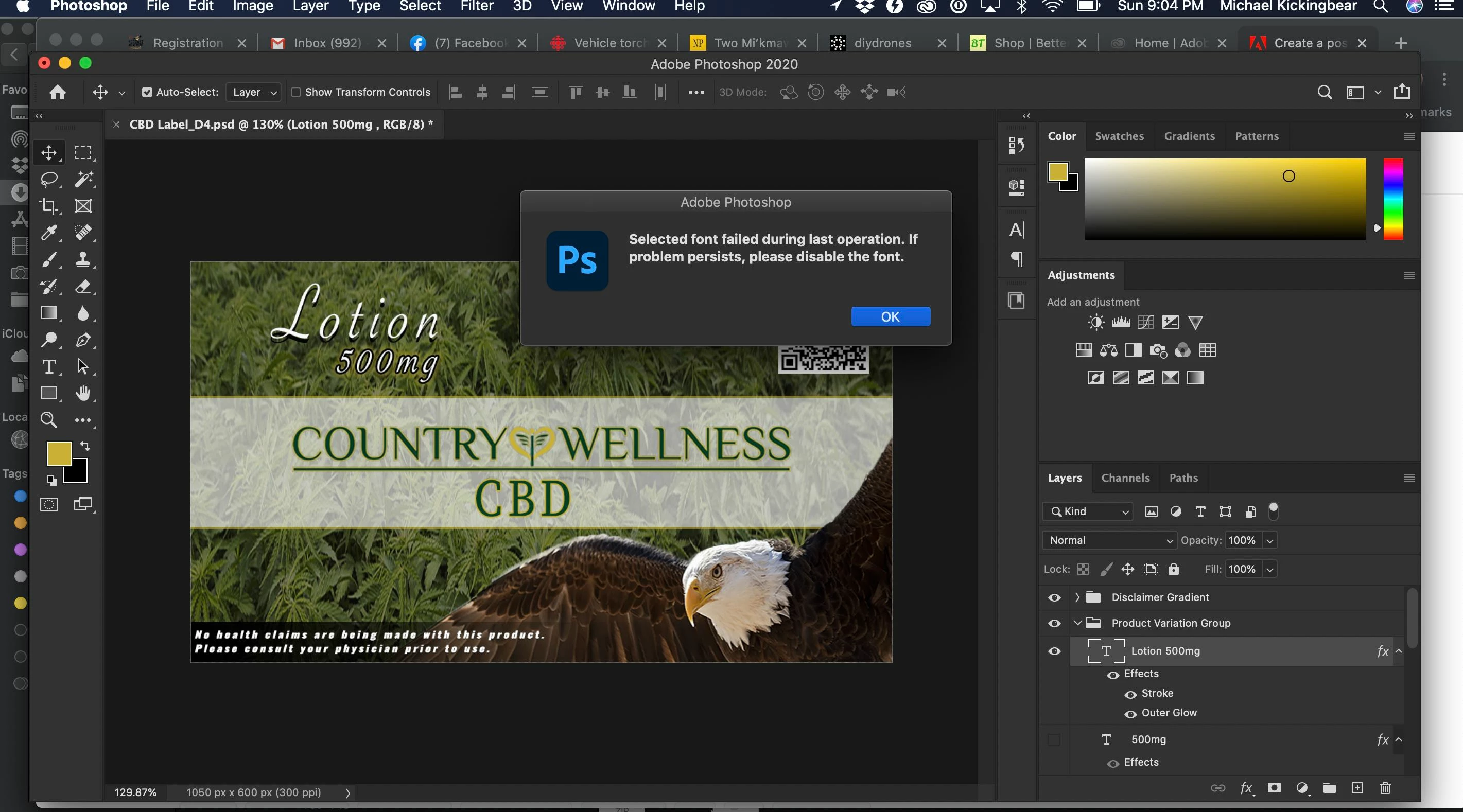
The above image contains an error that I do not know how to resolve. I had never used "Adobe Fonts" before.  It was formally called "Type Font".  I decided to look for a new font for the project in the picture. After I finished the composition, I attempted to save the project, and now for some reason, I cannot save the project. It only tells to me possibly disable the font that is really not an option as there is further work that I need to do on the design, including alternatives that include the font we have chosen.


Has anyone encountered this problem?  If so, could you please post suggestions as to what I can try to fix the issue?


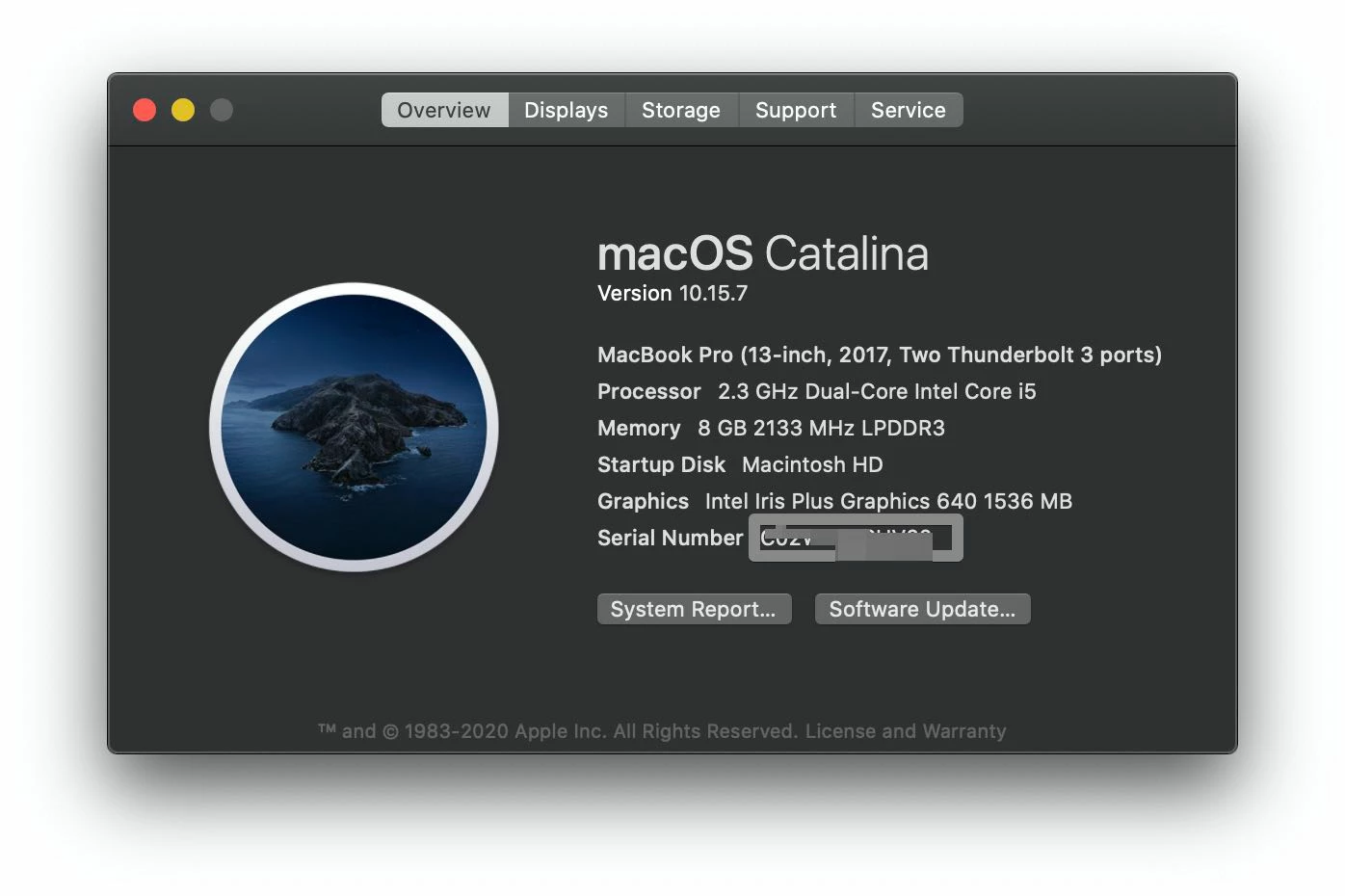
I am using a mac with this configuration:


This topic has been closed for replies.

2 replies

Inspiring
September 3, 2022

I had the same issue. Same error. I cannot even save the document any longer. The font I am using is not corrupt, it is a system font that I use in all other applications without a problem. Also, in some PSD documents the same font will work, in other documents I get the error (same subset). This is a Photoshop bug that I have to deal with occasionaly.  

Unfortunately, Adobe's cloud font system (typekit) has never been stable for me. I consistently have issues across all apps using the fonts. They often don't load. Browsing through them is really sluggish and buggy. Often gets stuck. Fonts produce occasional errors. Have mentioned this in many posts. Seems like Adobe likes to "block" 3rd party fonts by producing these weird errors. When this error appears, it breaks my document, as I cannot change the font, nor can I save the file anymore. 

Not sure why this is, but it has been around for a while now and when you get this error just before a deadline, it is very stressfull and a real nuissance!

Adobe simply denies this issue exists.

Derek Cross
Community Expert
Community Expert
September 3, 2022

Make sure you're using OTF fonts https://helpx.adobe.com/uk/fonts/kb/postscript-type-1-fonts-end-of-support.html

I wouldn't have thought Adobe would block "third-party" fonts.

Inspiring
September 3, 2022
Derek Cross
Community Expert
Community Expert
October 19, 2020

Adobe Fonts were previously called Typekit Fonts. They should normally cause you no problems using them with Photoshop. I suggest you don't ignore the issue as you may have some kind of corruption that might cause you to loose your work in the future. I suggest you make a copy of the file and rework the fonts, perhaps testing with other fonts to see if you can isolate the issue.

Perhaps have a look at the line where you have a shadow on one word and an outline on another - just a guess!

Participant
October 19, 2020

Good Day Derek!


Thank You for your response! It helped!  I actually isolated the problem font, and it turns out that it was a font that I used on an older Mac that I owned that recently died. Therefore, when I restored from a backup to a newer mac, I guess that font may have become corrupt. All of the fonts that I used in my composition from Adobe Fonts seem to be unaffected. 


Thank you again for your help!